
Live-chat software comparison
Best live-chat software for small businesses
Compare live-chat software for small businesses by staffing model, ticket handover, channels, CRM context, ecommerce features and price.
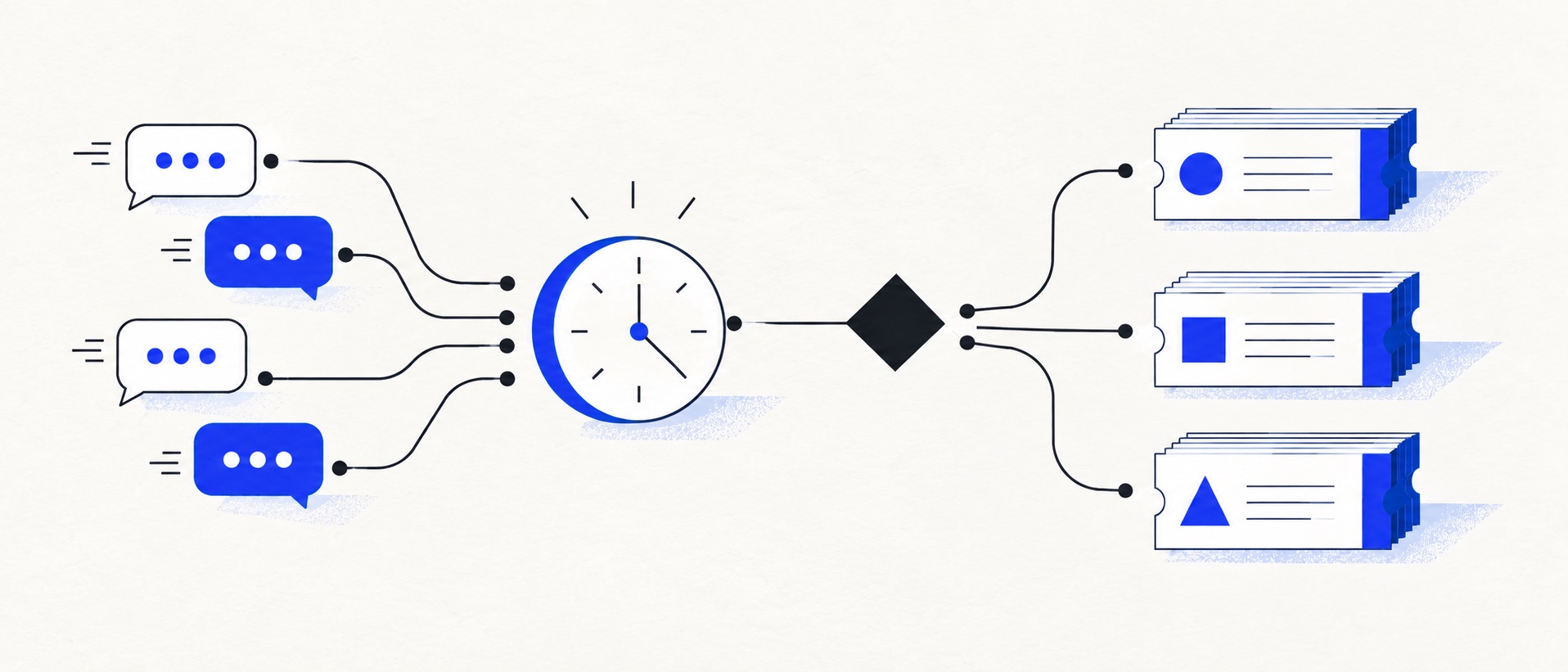
Decide who staffs chat, during which hours and how an unanswered chat becomes owned work.
Compare conversation history and ticket handover, not only widget colours or bot features.
Price AI resolutions, messaging channels and the help-desk tier alongside the chat licence.
Product shortlist
Seven live-chat approaches worth testing
The useful distinction is whether chat is a simple website channel, part of a CRM, one channel in an omnichannel service operation or an ecommerce sales-and-support surface.

LiveChat
Best for: Teams that can staff real-time website conversations and value visitor engagement and chat reporting
A dedicated website chat platform with agent tools, visitor engagement, integrations and tiered reporting; broader ticketing can be paired with HelpDesk.
$19 per person/monthStarter, billed annually; one user and 60-day chat history; checked September 2026
Useful strengths
- Focused, mature website-chat workflow
- Broad CMS and ecommerce integration options
Watch for
- Starter is limited to one user
- Full ticketing or automation may require another product
- 14-day trial
- Per-person pricing
- Real-time website chat

Tidio
Best for: Small online businesses wanting website chat, ticketing, flows and optional AI in one workspace
A chat-first support workspace with a free 50-conversation monthly allowance, ticketing and separately metered Lyro AI and Flows options.
Free for 50 conversations/monthStarter from $24.17/month annually for 100; checked September 2026
Useful strengths
- Permanent free customer-service allowance
- Shopify app, chat and ticketing in one workspace
Watch for
- Human conversations have a monthly quota
- Lyro AI and Flows have separate allowances and charges
- Free tier
- Conversation-volume pricing
- Optional AI agent

HelpDesk
Best for: Small teams that want ticketing, website chat and useful automation without an enterprise platform
A focused support workspace combining ticketing, a shared inbox, website chat, messaging channels, automation and reporting in one entry plan.
$19 per user/monthEssential, billed annually; checked September 2026
Useful strengths
- Ticketing, website chat and messaging channels on Essential
- 14-day trial without a credit card
Watch for
- There is no permanent free plan
- Extra AI resolutions can add usage cost
- 14-day trial
- Email, chat and messaging
- Per-user pricing

HubSpot Service Hub
Best for: Businesses that want support, sales and marketing activity on one customer record
Free tools cover basic ticketing, inbox and live chat. The dedicated advanced help-desk workspace, knowledge base, SLAs and deeper routing are concentrated in Professional and Enterprise.
Free for up to 2 usersProfessional from $90/seat/month annually plus onboarding; checked September 2026
Useful strengths
- Support history beside CRM, sales and marketing data
- Free entry tools and a large integration marketplace
Watch for
- Advanced help desk features require a large price jump
- Professional has mandatory onboarding cost
- 14-day trial
- CRM-connected service
- Two users on free tools

Zendesk
Best for: Teams that expect multiple channels, mature routing and increasing operational complexity
The Support Team plan supplies core email ticketing, routing, analytics and automations. The broader Suite adds live chat, messaging, telephony and a knowledge base.
£15 per agent/monthSupport Team, paid yearly; checked September 2026
Useful strengths
- GBP pricing and a clear entry ticketing plan
- Strong upgrade path for multichannel operations
Watch for
- Suite Team rises to £45 per agent/month
- Small teams may buy more process than they need
- 14-day trial
- GBP pricing available
- Per-agent pricing

Zoho Desk
Best for: Budget-conscious teams and businesses already using the Zoho ecosystem
The free edition covers three users and email ticketing. Paid tiers add broader messaging, knowledge-base, reporting, automation and telephony capabilities in stages.
Free for 3 usersPaid plans vary by selected billing currency; checked September 2026
Useful strengths
- Three-user free edition
- Broad channel and Zoho integration range
Watch for
- Plan and currency selectors make budgeting less immediate
- Live chat and advanced routing are plan-dependent
- 15-day trial
- Free edition
- Three users on free plan

Gorgias
Best for: Online shops that need order context and ecommerce actions inside support conversations
Unlike per-seat tools, Gorgias prices its help desk by billable ticket volume. Its strongest case is the depth of its Shopify and ecommerce workflow integrations.
$10/month for 50 ticketsStarter includes 3 agent seats; checked September 2026
Useful strengths
- Deep Shopify order context and actions
- Costs scale by tickets rather than only by agent seats
Watch for
- Overages and AI resolutions need modelling
- Entry plan is email-only and has limited operations features
- 7-day trial
- Shopify-focused
- Ticket-volume pricing
The best live-chat software for a small business should make a conversation easier to finish, not easier to start and then lose. A website widget is only the visible edge. The operational value comes from staffing rules, customer history, ticket handover, offline behaviour and reporting.
LiveChat is the dedicated staffed-chat route. Tidio is a flexible low-volume start with optional AI. HelpDesk provides a contained combination of website chat and ticket ownership. HubSpot is the free CRM-led route, Zendesk unifies multiple service channels, Zoho Desk offers messaging through paid editions, and Gorgias connects chat to ecommerce orders.
Quick comparison
| Software | Best fit | Entry route | Important limitation |
|---|---|---|---|
| LiveChat | Staffed website conversations | Starter $19/person/month annually, one user | Multi-agent Team is $49/person/month annually |
| Tidio | Chat, tickets and optional AI at low volume | Free for 50 human conversations/month | Lyro's first 50 AI conversations are lifetime, not monthly |
| HelpDesk | Small teams wanting chat and tickets together | Essential $19/user/month annually | AI and automation allowances are limited on Essential |
| HubSpot | Free CRM-led website chat | Free for up to 2 users | Advanced help desk and knowledge base require Professional |
| Zendesk | Multichannel support operations | Suite Team £45/agent/month annually | The £15 Support plan is email ticketing, not the full Suite |
| Zoho Desk | Zoho users needing chat and messaging | Paid editions; verify currency and tier | Business messaging and advanced live chat differ by edition |
| Gorgias | Ecommerce chat with order context | Basic $60/month for 300 tickets | Starter is email-only; ticket volume drives cost |
Begin with the staffing model
Live chat creates an expectation of immediacy. Decide who is available, what response time is realistic and what happens when the person is already handling another conversation. The widget should display honest availability and convert missed chats into tickets with an owner.
For a tiny team, defined chat hours are often better than 24-hour visibility. Publish the window, use an offline form outside it and preserve the transcript when work moves to email. If chat is used for both sales and support, establish who owns each conversation and how it enters the correct pipeline.
Features that change the outcome
Test the visitor experience on mobile as well as desktop. Confirm that consent, attachments and accessibility work. On the agent side, check routing, typing indicators, saved replies, internal notes, customer history and the ability to continue asynchronously.
Reporting should show more than conversation count. Track response time, missed chats, handover rate, abandonment and whether chats are resolved or merely moved elsewhere. For bots, include incorrect answers and paid AI usage in the review.
LiveChat: best dedicated staffed chat
LiveChat is the strongest choice here when real people can answer visitors during reliable hours and the website conversation itself is the priority. Its Starter plan is $19 per person monthly on annual billing but permits only one user and holds 60 days of chat history. Team costs $49 per person monthly annually and is the relevant tier for a multi-agent operation with fuller reporting and history.
LiveChat can connect to HelpDesk for longer ticket work. Price that pairing as a complete stack if unresolved chats routinely require email follow-up. A standalone widget should not be credited with a service desk's capabilities.
Tidio: best chat-first free entry
Tidio's free customer-service tier permits 50 billable human conversations each month and includes chat and ticketing. It is attractive for a founder testing website chat or a modest ecommerce store. Its official Shopify app and Lyro AI option create a path to automation without committing to a large seat package.
The usage model needs care. Human-handled conversations, Lyro AI conversations and Flows reach are separate. The initial 50 free Lyro conversations are a one-time lifetime pool, so a sustainable AI service needs a paid allocation. Review peak-month volume before treating the free tier as a permanent full-service solution.
HelpDesk: best focused chat-and-ticket combination
HelpDesk Essential includes website chat alongside email, Messenger and SMS. It also provides automated assignment, canned responses, three ticketing rules and a shared ticket queue. That makes it suitable for a small team that wants chats to become manageable work without adopting a broad service suite.
Essential starts at $19 per user each month annually and includes ten AI resolutions monthly. Additional AI resolutions are usage-priced. Growth adds supervision, chat takeover, more teams and deeper reports, but costs $79 per user annually, so the upgrade needs a real operational case.
HubSpot: best free CRM-led option
HubSpot's free service tools support up to two users and include live chat, a team inbox, tickets and CRM contact records. It is useful when a chat should reveal whether the visitor is a lead, customer or active deal.
The dedicated advanced help-desk workspace and customer-service controls sit in Professional. That tier begins at $90 per seat each month on annual terms and has mandatory onboarding. HubSpot is strongest when several teams benefit from the same record; it is less compelling as a chat widget alone.
Zendesk: best for a broader channel operation
Zendesk Suite Team includes messaging, live chat, telephony, a knowledge base and omnichannel routing for £45 per agent each month when paid yearly. Support Team at £15 covers core email ticketing and should not be mistaken for the same channel package.
Choose Zendesk when chat is one part of a planned multichannel service operation. A two-person business that only needs website conversations may pay for more structure than it can use.
Zoho Desk: best for the Zoho ecosystem
Zoho Desk Standard adds business messaging and instant-messaging channels, while its higher editions add deeper live-chat capabilities through Zoho SalesIQ. The exact packaging varies by edition, so evaluate the live-chat workflow in the currency and tier the business will actually buy.
Zoho is most persuasive when customer and sales data already live in its wider suite. The integration value can outweigh a less simple plan comparison.
Gorgias: best for ecommerce chat
Gorgias chat can show Shopify customer and order context beside the conversation. Agents can perform supported actions such as editing or refunding orders without switching tools. That is materially different from a general widget for a store handling delivery, return and product questions.
The $10 Starter plan is intended for very low-volume email support. Basic costs $60 monthly for 300 billable tickets and adds live chat, rules and a help centre. Forecast seasonal volume and AI usage rather than judging only the entry price.
How to trial live chat safely
Set up five scenarios: a pre-sales question, an existing customer, an unavailable agent, a conversation requiring email follow-up and a request needing escalation. Run each on desktop and mobile. Confirm the transcript, customer identity, owner and next action remain clear after the visitor closes the browser.
Then run a capacity test. Have two visitors start chats simultaneously while another ticket is open. The test should reveal whether the team needs routing, concurrency limits or narrower opening hours.
Our verdict
LiveChat is the clearest dedicated choice for staffed website chat, while Tidio gives a low-volume free start with optional AI. HelpDesk is the best contained paid combination of chat and ticketing. HubSpot is the CRM-led free route; Zendesk is the broader multichannel platform; Zoho Desk suits the Zoho ecosystem; and Gorgias leads when order operations matter most.
Do not choose a widget before designing the handover. The winning product is the one that turns every live conversation—answered, missed or automated—into a clear customer record and next action.
Sources
- LiveChat pricing
- Tidio pricing and allowances
- HelpDesk pricing
- HubSpot Service Hub pricing
- Zendesk UK pricing
- Zoho Desk pricing
- Gorgias plan guide
All plan facts come from provider sources. Product-fit conclusions are Support Sorted's editorial judgement.
Frequently asked questions
Questions readers ask before choosing
What is the best free live-chat software for a small business?
Tidio offers a permanent free customer-service plan for 50 human conversations monthly. HubSpot's free tools include live chat for up to two users and are useful when chat should sit in a CRM. Compare volume, features and customer history rather than treating both free routes as equivalent.
Does live chat replace a help desk?
Usually not. Live chat handles immediate conversations, while a help desk tracks work that continues after the visitor leaves. The best setup converts missed or unresolved chats into owned tickets with the full transcript attached.
How many hours should a small business offer live chat?
Offer only the hours the team can staff reliably. A short published window with quick responses is better than an always-visible widget that creates unanswered conversations. Use clear offline messaging and ticket handover outside staffed hours.
Should a small business use an AI chatbot?
Use automation for narrow, well-documented questions and provide an obvious route to a person. Measure resolved conversations, incorrect answers, handovers and usage charges rather than judging the bot only by deflection rate.