
Support migration workflow
Migrate from a shared inbox to a help desk
Plan a shared-inbox-to-help-desk migration without lost replies or duplicate tickets. Covers audit, history, forwarding, pilot, cutover and rollback.
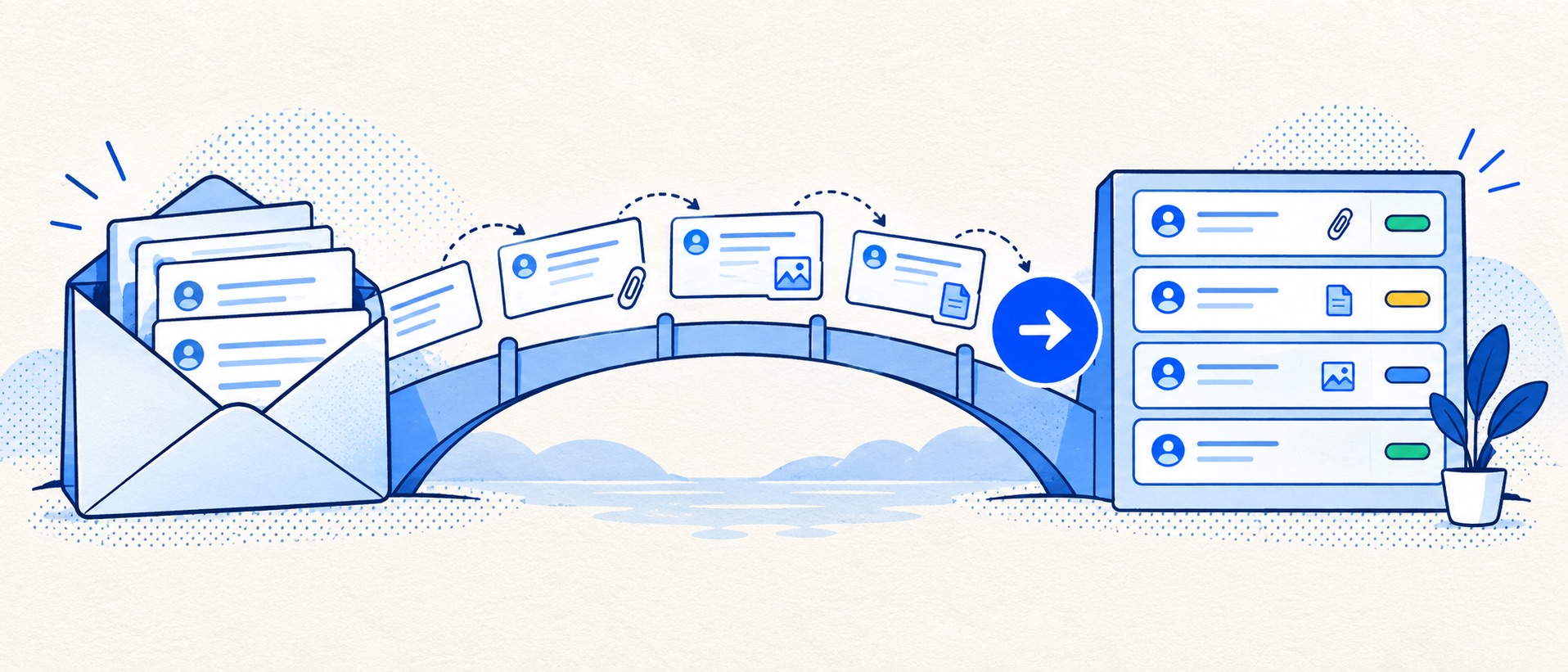
Inventory addresses, aliases, open cases, automations and records that truly need importing.
Test historic conversations and new replies separately; importing a ticket is not the same as connecting email.
Reconcile open-case counts before and after the cutover and keep the old inbox read-only for an agreed period.
Product shortlist
Help desks to assess for the move
Import paths and email connections differ markedly. The product cards identify candidates with official logos and ordinary provider links; verify the required migration route with each vendor.

HelpDesk
Best for: Small teams that want ticketing, website chat and useful automation without an enterprise platform
A focused support workspace combining ticketing, a shared inbox, website chat, messaging channels, automation and reporting in one entry plan.
$19 per user/monthEssential, billed annually; checked September 2026
Useful strengths
- Ticketing, website chat and messaging channels on Essential
- 14-day trial without a credit card
Watch for
- There is no permanent free plan
- Extra AI resolutions can add usage cost
- 14-day trial
- Email, chat and messaging
- Per-user pricing

Freshdesk
Best for: Growing teams that need proper ticketing, self-service, automation and reporting
A broad email-first help desk with ticketing, a shared inbox, a customer portal, knowledge base and out-of-the-box reporting on its entry paid plan.
$19 per agent/monthGrowth, billed annually; checked September 2026
Useful strengths
- Ticketing, shared inbox and knowledge base on Growth
- Clearer route into routing, SLAs and custom reporting
Watch for
- Omnichannel needs differ from the email-first Freshdesk plan
- AI and connector usage can add cost
- Free trial
- Email-first help desk
- Per-agent pricing

Zoho Desk
Best for: Budget-conscious teams and businesses already using the Zoho ecosystem
The free edition covers three users and email ticketing. Paid tiers add broader messaging, knowledge-base, reporting, automation and telephony capabilities in stages.
Free for 3 usersPaid plans vary by selected billing currency; checked September 2026
Useful strengths
- Three-user free edition
- Broad channel and Zoho integration range
Watch for
- Plan and currency selectors make budgeting less immediate
- Live chat and advanced routing are plan-dependent
- 15-day trial
- Free edition
- Three users on free plan

Zendesk
Best for: Teams that expect multiple channels, mature routing and increasing operational complexity
The Support Team plan supplies core email ticketing, routing, analytics and automations. The broader Suite adds live chat, messaging, telephony and a knowledge base.
£15 per agent/monthSupport Team, paid yearly; checked September 2026
Useful strengths
- GBP pricing and a clear entry ticketing plan
- Strong upgrade path for multichannel operations
Watch for
- Suite Team rises to £45 per agent/month
- Small teams may buy more process than they need
- 14-day trial
- GBP pricing available
- Per-agent pricing

HubSpot Service Hub
Best for: Businesses that want support, sales and marketing activity on one customer record
Free tools cover basic ticketing, inbox and live chat. The dedicated advanced help-desk workspace, knowledge base, SLAs and deeper routing are concentrated in Professional and Enterprise.
Free for up to 2 usersProfessional from $90/seat/month annually plus onboarding; checked September 2026
Useful strengths
- Support history beside CRM, sales and marketing data
- Free entry tools and a large integration marketplace
Watch for
- Advanced help desk features require a large price jump
- Professional has mandatory onboarding cost
- 14-day trial
- CRM-connected service
- Two users on free tools
Moving a shared mailbox into a help desk is a change to the team's operating record, not just a forwarding rule. Existing conversations may be open, waiting for a supplier, partly answered or attached to a customer profile. New messages have to reach the correct queue, and replies must come from the address customers recognise.
The aim is continuity: no unowned active cases, no doubled acknowledgement, no lost attachment and no confused customer. A cautious, limited migration usually achieves more than an ambitious import of every email ever received.
Migration sequence at a glance
| Stage | Deliverable | Gate before moving on |
|---|---|---|
| Inventory | Addresses, owners, open cases, integrations | Nothing customer-facing is missing |
| Design | Statuses, categories, permissions, retention | Every active case has a destination |
| Sample import | Small set of representative histories | Threads, dates and attachments reconcile |
| Email pilot | One address or controlled traffic | Send/receive identity and routing work |
| Cutover | New queue is authoritative | Open-case count and ownership match |
| Stabilise | Daily checks and rollback readiness | Reports and customer replies remain sound |
Assign one person to own the checklist and one backup. A cutover without a named decision maker can stall on a small email-setting problem while customers keep writing.
Inventory the present support operation
List every address that receives customer enquiries: the principal support mailbox, aliases, web forms, order notifications, social-channel forwarding and any personal addresses still used for support. Record where each route currently lands and who is able to send from it. Look for old rules that auto-forward, auto-reply or mark messages read; these are common sources of unexpected duplication.
Export a count of open, waiting and recently resolved conversations. For each open case, capture the owner, last customer update, next action and any promised deadline. Decide how attachments and private notes will be handled. This is a working register, not a reason to copy unnecessary customer data into a new spreadsheet.
Identify which reports the team actually uses. A manager may need a current backlog and a month-by-month volume trend. Those can be rebuilt after the move. Do not promise seamless continuity of historical response metrics without testing what the destination imports.
Decide what history is worth moving
Separate active work from reference history. Open cases usually need to be visible in the new queue. Recently resolved cases can help agents understand repeat customers. Very old closed correspondence may be better kept in a searchable archive, especially if the destination cannot preserve the thread structure cleanly.
Set a retention decision with the organisation's data owner. The fact that an export is technically possible does not mean every attachment should be copied. Make a mapping of fields: source identifier, customer, subject, status, owner, created time, last update, messages, private notes and attachments. Mark fields that have no destination equivalent.
Ask the provider to demonstrate the import route on a representative sample. HelpDesk's migration guide describes mapping fields and importing a small subset first. Zoho Desk's current import guidance describes module and field mapping. Zendesk says that ticket migration uses its API and does not recreate first-reply or first-resolution metrics. Those are different projects, even though all are called “migration”.
Build the destination queue before connecting email
Create only the initial statuses and categories needed to run the work. A useful starting set is new, working, waiting and resolved. Define how a waiting case returns to attention, what happens when a customer replies to a resolved ticket, and who can close a case. Create agent accounts individually and test permissions with a normal agent, not only an administrator.
Add a support signature, a human review step for public replies, and an acknowledgement that describes the real service hours. Configure one or two safe routing rules, such as assigning a billing address to the billing queue, but leave complex automations off until the basic path is proven. A rule that fires on every imported historical case can create a flood of notices.
Create the reports that will be used during the first week: new tickets, unassigned tickets, oldest open cases and reopened cases. If the team cannot find an open ticket from the queue, it is not ready for cutover.
Test the email path as a separate workstream
Use an internal test address or controlled pilot. Send from external mail accounts, reply to a new ticket, reply to an old subject, include an attachment, copy an alias and use a non-English subject if that is common for the audience. Check the sender display name and the address shown to the customer. Check whether replies join the existing thread or create a new ticket.
Different connectors can pull mail, forward it or use a mailbox API. They may have different behaviour around old messages. Zendesk's Exchange connector instructions illustrate why an option to create tickets from existing mail should be deliberately chosen rather than accepted blindly. Treat the exact connector and plan as a trial item.
Do not leave two independent automatic acknowledgements running. The shared mailbox, form and help desk can otherwise each send a receipt. Confirm who owns outbound messages before enabling live traffic.
Run a bounded pilot
Choose one address, a small customer segment or a fixed set of internal test cases. Give the pilot team a short operating note: who claims new work, how notes are written, how to escalate, and where to report a broken workflow. Run a day with a normal agent absent to expose hidden dependencies.
Record failures explicitly. An attachment missing from imported history, a duplicate customer profile and a reply sent from the wrong domain are different problems and require different fixes. A positive feeling about the interface does not replace reconciliation. Our pilot guide provides a scorecard that includes customer outcomes and administrator effort.
Cut over with a single source of truth
Announce the exact internal cutover time and which system may send customer replies afterwards. Route inbound email to the new queue and make the old mailbox read-only for agents if practical. Keep access for monitoring and rollback, but do not use it as a parallel work queue. Assign every still-open source conversation to a named owner in the new system or in a temporary reconciliation register.
Reconcile the open-case count at the start and end of the day. Investigate differences rather than assuming they are duplicates. Test an outside customer reply after cutover, a web-form submission, a bounce and an alias. If any customer-facing route fails, pause expansion and use the documented rollback path.
Stabilise and judge the move
For the first week, review unassigned tickets, oldest open tickets, duplicate tickets and message-delivery errors every day. Ask agents which tasks are slower. Update saved replies and knowledge links only after the core queue behaves reliably. Avoid launching new chat or AI features at the same time; that makes failures harder to diagnose.
Compare the new operation with the baseline. Can an absent agent's colleague understand and complete the case? Can management see ageing work? Are customers receiving one coherent reply? If yes, gradually retire the old team's workarounds. Archive the old inbox according to the agreed policy rather than deleting it immediately.
Product fit during migration
HelpDesk is a sensible candidate for a straightforward email-led move, especially if its provider-assisted import path fits the source data. Freshdesk or Zoho Desk may offer a broader queue and knowledge path, but verify the import method and edition before relying on it. Zendesk suits a more complex service operation where an API-led migration can be planned. HubSpot Service Hub is worth considering when existing CRM identities are part of the reason for switching.
No product should be chosen because its marketing page says “easy migration”. Ask for a sample of the team's own data to be imported and a real email thread to be continued. That is the only fair test of continuity.
Sources and further reading
- HelpDesk: migrate data from another ticketing system.
- Zoho Desk: importing data.
- Zendesk: migrating information and connecting Exchange.
The sequence and product-fit conclusions are Support Sorted's editorial guidance.
Frequently asked questions
Questions readers ask before choosing
Can we keep our existing support email address?
Often yes, by connecting or forwarding it to the help desk, but the method varies. Test sending identity, replies to old threads and any aliases before switching customer traffic.
Do we need to import every old email?
No. Move open cases and history that agents genuinely need; retain other records in an accessible archive according to the organisation's retention policy. A blanket import can create noise and unreliable reports.
How do we prevent duplicate replies during migration?
Decide which system is authoritative for replies, remove or restrict sending access in the other, and nominate a cutover owner. Monitor both queues during the transition but do not let both generate customer responses.
Will imported tickets preserve historical SLA metrics?
Do not assume so. Zendesk, for example, says first-reply and first-resolution metrics are not imported for migrated tickets. Treat pre-migration and post-migration reporting as separate periods unless you have verified equivalence.