
Information architecture
Plan a knowledge-base structure
Plan a knowledge-base structure customers can navigate: choose categories, name task-based articles, handle overlap and test search before publishing.
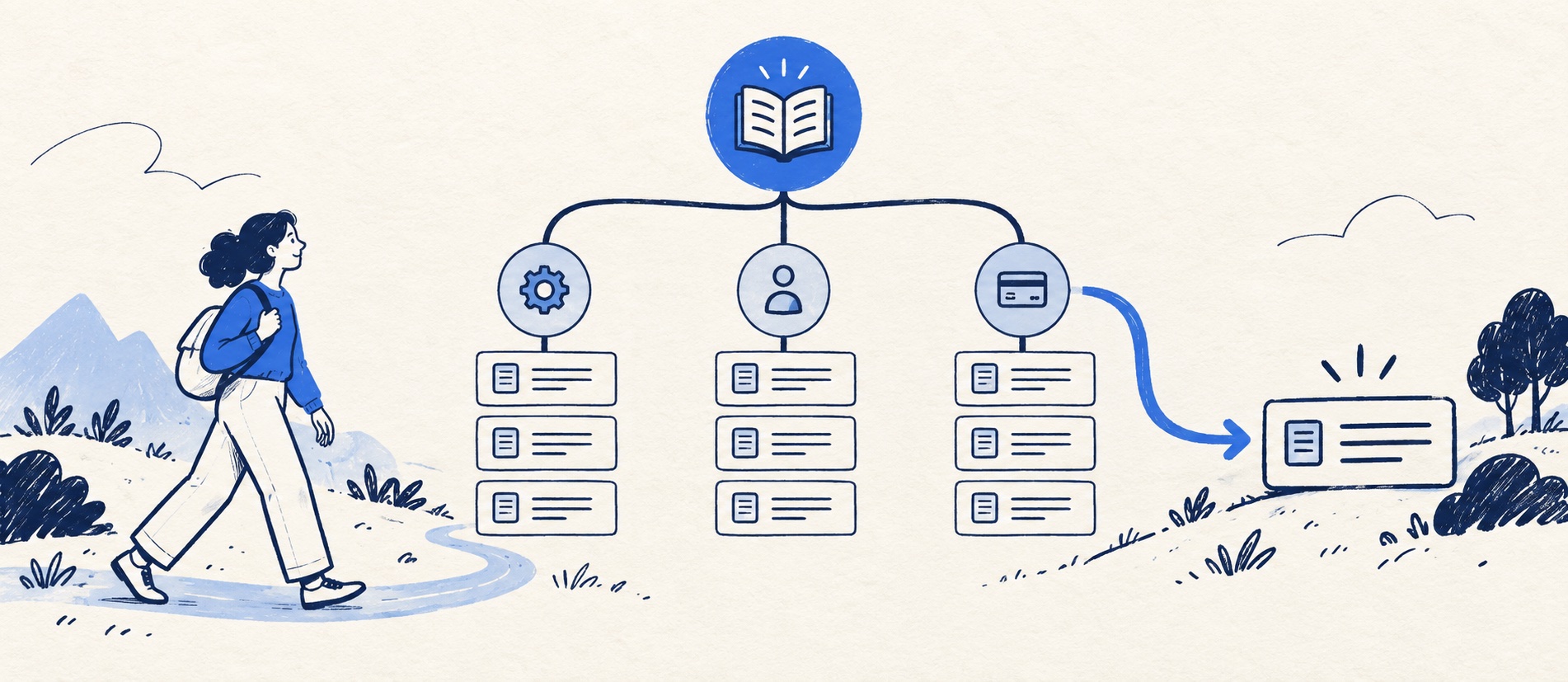
Derive labels from ticket language and customer tests rather than internal team names.
Give each task one canonical article and cross-link it instead of duplicating guidance.
Test browsing, search, no-result recovery and mobile navigation before adding more levels.
Product shortlist
Tools with structured self-service options
The catalogue shows general product starting points; inspect the relevant knowledge-base edition and how it handles category and article visibility.

Freshdesk
Best for: Growing teams that need proper ticketing, self-service, automation and reporting
A broad email-first help desk with ticketing, a shared inbox, a customer portal, knowledge base and out-of-the-box reporting on its entry paid plan.
$19 per agent/monthGrowth, billed annually; checked September 2026
Useful strengths
- Ticketing, shared inbox and knowledge base on Growth
- Clearer route into routing, SLAs and custom reporting
Watch for
- Omnichannel needs differ from the email-first Freshdesk plan
- AI and connector usage can add cost
- Free trial
- Email-first help desk
- Per-agent pricing

Zoho Desk
Best for: Budget-conscious teams and businesses already using the Zoho ecosystem
The free edition covers three users and email ticketing. Paid tiers add broader messaging, knowledge-base, reporting, automation and telephony capabilities in stages.
Free for 3 usersPaid plans vary by selected billing currency; checked September 2026
Useful strengths
- Three-user free edition
- Broad channel and Zoho integration range
Watch for
- Plan and currency selectors make budgeting less immediate
- Live chat and advanced routing are plan-dependent
- 15-day trial
- Free edition
- Three users on free plan

Zendesk
Best for: Teams that expect multiple channels, mature routing and increasing operational complexity
The Support Team plan supplies core email ticketing, routing, analytics and automations. The broader Suite adds live chat, messaging, telephony and a knowledge base.
£15 per agent/monthSupport Team, paid yearly; checked September 2026
Useful strengths
- GBP pricing and a clear entry ticketing plan
- Strong upgrade path for multichannel operations
Watch for
- Suite Team rises to £45 per agent/month
- Small teams may buy more process than they need
- 14-day trial
- GBP pricing available
- Per-agent pricing
Knowledge-base structure is the set of choices that helps a visitor move from a problem to the right answer. It includes the public categories, article names, URL paths, cross-links and search vocabulary. A beautifully written article buried under the wrong department label is nearly invisible to a customer.
The most common design mistake is to mirror the company's org chart: “Operations”, “Revenue” and “Customer Success” are meaningful to staff, not necessarily to someone trying to change a payment method. Start with customer tasks. The structure can be modest at launch and deepen only when evidence shows that readers are getting lost.
Start with a question inventory
Pull common ticket subjects and search queries, then rewrite them into the goal behind the wording. “It won't let me in” may mean password reset, a locked account, an expired invitation or the wrong sign-in method. Do not make a single generic “Account issues” page carry all four solutions. Equally, do not create four near-duplicate pages if the first diagnostic step is shared.
Put each proposed article on a card with its primary task, audience, product or service, and whether it is safe for public reading. Sort cards into groups with a person outside the support team. Ask where they would look for “download an invoice” or “report a damaged delivery” and record the first place they choose. Their hesitation is evidence about the label, not a failure by the participant.
Use a provisional set of three to six top-level groups. Typical examples are Getting started, Account and access, Billing, Orders and delivery, Returns, and Troubleshooting. A SaaS product may need Setup, Users and permissions, Billing, Integrations, and Errors. These are examples, not a template to paste regardless of audience.
Give one article one primary home
Each task should have an authoritative URL. A “change invoice address” article could plausibly sit under Account or Billing; pick the place most customers expect, then link to it from the other category and from related articles. Publishing two copies creates drift when the policy changes. It may also confuse search engines about which page should represent the answer. Google's canonical guidance explains how duplicate or near-duplicate URLs can be consolidated, but preventing needless duplicates is a cleaner editorial starting point.
Do not force every answer into a single product silo. A customer may know only the symptom, not which feature caused it. Put the symptom in the title or a clear cross-link. If versions genuinely require different instructions, state the version in the article title and link from a short selector page; do not conceal differences inside a long wall of exceptions.
Keep URL paths readable and stable. An article slug based on the task is easier to understand than a random ID, although some hosted help centres add their own identifier. When reorganising categories, preserve article URLs where possible and redirect old paths if the system changes them. An internal link audit is part of any move, because a tidy new hierarchy is no help if old ticket replies lead to dead pages.
Design titles for scanning and searching
Write titles as promises: “Reset your password”, “Track an order after dispatch” or “Export your support tickets”. Avoid vague labels such as “Account information” or titles that repeat the category name. Put the action or symptom first. Use the language readers use, including a sensible synonym in the article body where that helps search. Do not cram every variant into the title.
Add a brief description to each category and a one-sentence summary to complex articles. The first paragraph should confirm the reader is in the right place and state the important eligibility boundary. A clear heading sequence lets someone jump to the relevant step. For troubleshooting content, a decision tree can help, but every branch still needs an explicit outcome.
Search should be evaluated separately from browsing. Try a query with an exact product name, a symptom, a common abbreviation, an old feature name and a spelling error. The most relevant result should appear near the top, and a zero-result page should offer a contact route or a useful category—not a dead end. Freshdesk documents categories, folders and articles, including different visibility settings. Its deeper flexible hierarchy is edition-dependent, so do not design five nested levels without confirming the plan.
Separate public, signed-in and internal content
Structure includes access. A customer-facing article on delivery times can be public. A customer's individual order status belongs behind authentication or in a direct support response. An agent's fraud checks or refund-approval threshold should be internal. Similar page titles do not imply identical access or detail.
Keep public and internal versions connected by an owner and a shared policy source, not by copying every sentence. A staff article may link to the customer version and add decision authority, exception handling and escalation. Zendesk user segments and Freshdesk folder visibility illustrate that platforms can enforce distinct audiences, but the team must verify permissions with a non-admin account. A private article mistakenly exposed is a security problem; a public answer hidden behind login adds needless friction.
For a detailed boundary, see internal vs external knowledge bases. Also decide whether a signed-in customer portal is needed for ticket history; a portal is more than a content hierarchy.
Test and maintain the map
Before launch, give five or six representative tasks to people unfamiliar with the structure. Ask them to find the answer first by browsing, then by search, and note wrong turns. Do not prompt them with the expected category name. Test a phone viewport and keyboard navigation; category tiles that fit a desktop grid may become a long, hard-to-scan column on mobile.
After launch, review zero-result searches, category exits, article feedback and tickets that follow a page view. These signals can reveal a naming problem, missing article or genuinely difficult task. Reorganise only when a cluster of evidence points to a better map. Frequent wholesale renaming teaches regular visitors that the help centre is unstable.
Set a rule for adding a category: it must contain enough distinct tasks to justify another choice for the reader, and its name must be clear without an explanation. Set a rule for merging: two groups that customers cannot distinguish should probably be one. This keeps the knowledge base usable as it grows from twenty answers to hundreds.
Sources
- Freshdesk on creating categories, folders and articles
- Zendesk on help-centre user segments
- Google Search Central on logical site structure and descriptive URLs
- Google Search Central on canonical URLs
The category counts and test method above are editorial starting points, not product limits or search-ranking guarantees.
Frequently asked questions
Questions readers ask before choosing
How many categories should a knowledge base have?
Use the smallest set readers can recognise. For a small launch, around three to six top-level categories is a useful testing hypothesis, not a universal rule; customer sorting tests should decide the final labels.
Should an article appear in more than one category?
Prefer one authoritative URL and link to it from related places. Duplicated copies are harder to keep consistent and can compete in search; use cross-links or an index when the platform allows.
Is search more important than categories?
Both matter. Many visitors search a symptom directly, while others browse because they do not know the right term. Test both routes and examine zero-result queries.
When should a knowledge base use subfolders?
Add another level only when a category has become difficult to scan and the new grouping matches a reader's mental model. Deep nesting is not a substitute for good titles and search.