
Agency support buying guide
Help desk software for agencies
Compare help desks for agencies that manage client enquiries, with guidance on separating accounts, permissions, branding, reporting and handovers.
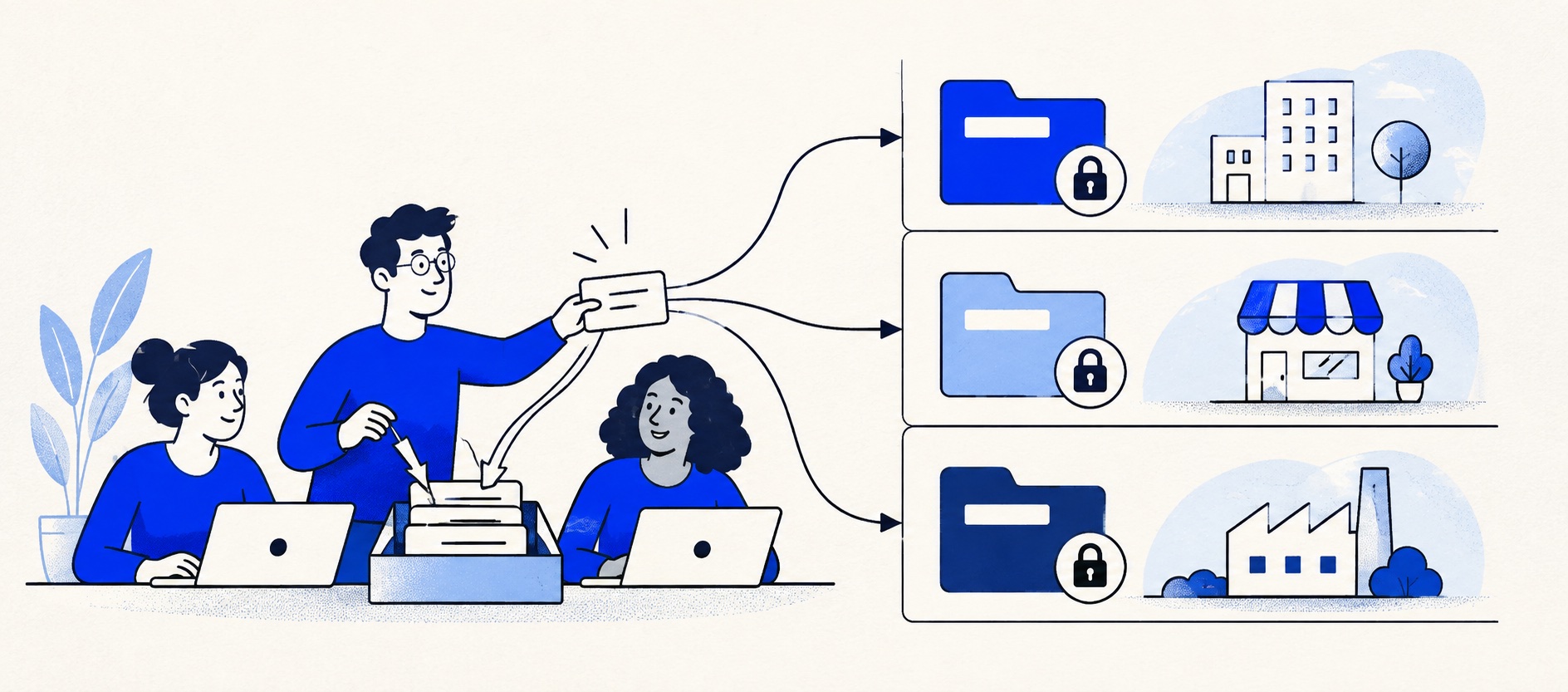
Treat client data separation and reply identity as acceptance tests, not assumptions from a multi-brand label.
Price the exact edition and any additional workspace, brand, portal or user requirement.
Export a report per client and test a contractor's restricted access before buying.
Product shortlist
Five help desks for different agency models
Provider logos identify each option.

Zoho Desk
Best for: Budget-conscious teams and businesses already using the Zoho ecosystem
The free edition covers three users and email ticketing. Paid tiers add broader messaging, knowledge-base, reporting, automation and telephony capabilities in stages.
Free for 3 usersPaid plans vary by selected billing currency; checked September 2026
Useful strengths
- Three-user free edition
- Broad channel and Zoho integration range
Watch for
- Plan and currency selectors make budgeting less immediate
- Live chat and advanced routing are plan-dependent
- 15-day trial
- Free edition
- Three users on free plan

Zendesk
Best for: Teams that expect multiple channels, mature routing and increasing operational complexity
The Support Team plan supplies core email ticketing, routing, analytics and automations. The broader Suite adds live chat, messaging, telephony and a knowledge base.
£15 per agent/monthSupport Team, paid yearly; checked September 2026
Useful strengths
- GBP pricing and a clear entry ticketing plan
- Strong upgrade path for multichannel operations
Watch for
- Suite Team rises to £45 per agent/month
- Small teams may buy more process than they need
- 14-day trial
- GBP pricing available
- Per-agent pricing

Freshdesk
Best for: Growing teams that need proper ticketing, self-service, automation and reporting
A broad email-first help desk with ticketing, a shared inbox, a customer portal, knowledge base and out-of-the-box reporting on its entry paid plan.
$19 per agent/monthGrowth, billed annually; checked September 2026
Useful strengths
- Ticketing, shared inbox and knowledge base on Growth
- Clearer route into routing, SLAs and custom reporting
Watch for
- Omnichannel needs differ from the email-first Freshdesk plan
- AI and connector usage can add cost
- Free trial
- Email-first help desk
- Per-agent pricing

HelpDesk
Best for: Small teams that want ticketing, website chat and useful automation without an enterprise platform
A focused support workspace combining ticketing, a shared inbox, website chat, messaging channels, automation and reporting in one entry plan.
$19 per user/monthEssential, billed annually; checked September 2026
Useful strengths
- Ticketing, website chat and messaging channels on Essential
- 14-day trial without a credit card
Watch for
- There is no permanent free plan
- Extra AI resolutions can add usage cost
- 14-day trial
- Email, chat and messaging
- Per-user pricing

HubSpot Service Hub
Best for: Businesses that want support, sales and marketing activity on one customer record
Free tools cover basic ticketing, inbox and live chat. The dedicated advanced help-desk workspace, knowledge base, SLAs and deeper routing are concentrated in Professional and Enterprise.
Free for up to 2 usersProfessional from $90/seat/month annually plus onboarding; checked September 2026
Useful strengths
- Support history beside CRM, sales and marketing data
- Free entry tools and a large integration marketplace
Watch for
- Advanced help desk features require a large price jump
- Professional has mandatory onboarding cost
- 14-day trial
- CRM-connected service
- Two users on free tools
An agency's support inbox can contain several very different kinds of work: its own customers, client campaign enquiries, website maintenance requests and outsourced customer service. The best help desk software for agencies is therefore determined by boundaries. A fast shared queue is useful, but a reply from the wrong brand or access to another client's data is a much more serious failure.
Before comparing vendors, decide whether the agency is managing support for itself, taking requests from clients or answering each client's customers. Those are different operating models. A simple ticket system may cover the first two; the third may require separate reply identities, portals, permissions, service targets and reports.
Quick agency shortlist
| Product | Most promising use | Strength to test | Boundary to verify |
|---|---|---|---|
| Zoho Desk | Several brands or departments | Separate help-centre experiences | Edition and data permissions |
| Zendesk | Mature multi-client service | Routing and service depth | Brand and Suite costs |
| Freshdesk | Client request operations | Knowledge, tickets and reporting | Plan for advanced roles and policies |
| HelpDesk | One compact agency queue | Focused assignment | Client separation requirements |
| HubSpot Service Hub | Account-led agency relationships | CRM and service history | Record visibility and paid tier |
This is a shortlist, not a guarantee of isolation. A multi-brand marketing page is not a substitute for a permissions test. Make the intended client structure visible in a trial, then confirm it in the contract and plan documentation.
Define the agency's service model
For internal agency support, a single branded address and basic ticket queue may be enough. For client requests, the agency may need categories for design, development, billing and approvals, with one account owner responsible for the final update. If the agency answers end customers on behalf of several shops, separate brand identity and strict access become core requirements.
Write a small matrix before buying: which agents may read each client's tickets, which address sends the reply, which customer data can be exported and which person owns escalation. Add a row for temporary contractors and former employees. This exposes needs that a generic “multi-client” label can hide.
Decide whether a client may log in to a portal. A portal can improve transparency, but it can also reveal internal notes, ticket subjects or account information if configured incorrectly. Test with a genuine restricted client user, never only with an administrator account.
Zoho Desk: promising multi-brand structure
Zoho Desk documents departments and multi-brand help centres. Departments can carry different channels, service targets, notifications and knowledge content, while a separate help centre can have its own appearance and access pattern. That makes Zoho worth evaluating for an agency that must present distinct client-facing experiences.
The important question is which edition includes the required combination. Zoho's free edition covers only three users with limited capability; advanced multi-brand and role requirements are not a free-plan assumption. Ask for a current edition comparison and configure two sample clients during a trial.
Then test isolation from both sides. Log in as an agent restricted to Client A and try to find Client B by search, report and direct ticket link. Test a customer user against both help centres. Record the results and any manual administration needed when a new client joins.
Zendesk: depth for a formal service operation
Zendesk can be a strong choice when the agency operates a real service function across clients, channels and policies. Its Support Team entry point is distinct from the broader Suite range. Price the edition that includes the channels, help-centre and brand configuration the contract requires.
A larger platform brings more flexibility and more configuration responsibility. Build one client queue with its own address, one service target and a tailored report. Then duplicate the setup for a second client and note which settings are shared. If changes to one brand alter another, the agency needs a controlled change process.
Zendesk becomes easier to justify when client contracts specify response targets or when a central operations manager needs consistent reporting. It may be excessive for a three-person agency that only needs to track work requests from a few account managers.
Freshdesk: practical ticketing and knowledge
Freshdesk Growth includes email ticketing, a customer portal, knowledge base and standard reporting. An agency handling its own client requests may get enough structure from that bundle: clients email a known address, requests gain owners and repeated setup questions become maintained articles.
More developed routing, service policies, reporting and roles can move the choice to Pro. If the agency needs separate branded customer experiences, verify the exact edition and configuration rather than inferring it from the existence of a portal. A portal for one agency brand is different from a separate portal for each client.
Freshdesk is especially useful when work passes from account management to specialists. Test a ticket that needs design input while the account owner keeps responsibility for the customer update. The internal conversation should remain attached to the ticket.
HelpDesk and HubSpot: smaller or account-led agencies
HelpDesk is a focused option for agencies whose service requests all belong to one brand and one relatively simple queue. Its paid entry plan offers ticketing and collaboration without a large service-platform setup. The limit is not necessarily the number of clients; it is whether the tool can enforce the agency's required boundaries and reporting on the chosen plan.
HubSpot Service Hub makes sense when client support is part of an account relationship already managed in its CRM. Sales, projects and service can share appropriate history. That connected view can prevent the agency asking a client to repeat information, but permissions and data hygiene become crucial when several client accounts exist.
Neither should be selected solely for a low entry price. Test reply identities, restricted access and a per-client export. If those fail a contractual requirement, choose a more suitable configuration or separate workspaces.
Separate identity from isolation
Branding controls the customer's experience: sender name, reply address, help-centre URL and visual identity. Isolation controls who can see and change information. They are related but distinct. An agency may have five sender addresses while every agent can still search all tickets; that is acceptable only if client agreements permit it.
For every client, send a real message, reply from the correct identity and inspect headers in the customer's mailbox. Forward a conversation and check whether the right client history stays together. Test an attachment, an internal note and a reopened case. Mistakes can arise at routing, templates and agent selection.
Consider data residency, retention, export and deletion obligations in the agency's contracts. A help desk can offer controls, but the agency must configure and govern them. Keep a record of the plan and permissions tested.
Reporting clients can trust
A useful client report covers new work, resolved work, oldest open issues, response against the agreed hours and reasons for contact. The agency should be able to reproduce those counts from the ticket list. Avoid presenting an agent productivity metric as a customer outcome.
If a client pays for a service level, agree whether time waiting on client approval is excluded. Create an example that crosses a weekend and one that moves between specialists. Check the system's calculation against the agreement.
Export Client A's report and inspect every row and filter. The export must not contain Client B's name, subject or customer information. If safe reporting requires manual spreadsheet edits each month, include that recurring work in the buying decision.
Trial and cost model
Use two fictional clients with different support addresses and permission needs. Create an agent who should see only one; a manager who should see both; and, if needed, a client portal user. Run a request through each route, then attempt cross-client searches and exports. Test what happens when a contractor's access is removed.
Budget named agents, administrators, extra brands or workspaces, knowledge portals, advanced roles, reporting, onboarding and annual commitment. If a contract requires strict tenant separation, compare separate accounts and their administration cost as a distinct option.
Final recommendation
Evaluate Zoho Desk when distinct departments and help centres are important, Zendesk for a formal multi-client service operation, Freshdesk for practical tickets and knowledge, HelpDesk for one compact agency queue and HubSpot when service belongs in an existing account-management CRM.
The buying decision should be made only after two sample clients stay separate in the exact ways the agency promises. That proof is more valuable than a long feature list.
Sources
- Zoho Desk multi-brand support
- Zoho Desk pricing
- Zendesk UK pricing
- Freshdesk pricing
- HelpDesk pricing
- HubSpot Service Hub
Provider facts come from official sources. Product-fit conclusions are Support Sorted's editorial judgement. Verify contractual client separation on the exact configuration.
Frequently asked questions
Questions readers ask before choosing
Can one help desk safely serve several agency clients?
Sometimes, but verify access roles, ticket visibility, reply addresses, help centres and exports on the exact plan. If a client contract requires strict separation, a separate account or tenant may be necessary.
Is multi-brand support the same as client isolation?
No. Separate logos and help centres do not automatically isolate internal data, agents or reports. Test each boundary with a restricted user and the relevant contractual requirements.
Which help desk is best for a small agency?
HelpDesk or Freshdesk can suit a compact service queue. Zoho Desk and Zendesk deserve closer examination when several clients need distinct processes or branded experiences. The fit depends on the required separation.
Can clients see the agency's ticket reports?
Some plans support portals or tailored reporting, but availability varies. Test a client-specific export and redact internal notes or other clients' data before promising direct access.