
Practical templates
Knowledge-base templates
Use practical knowledge-base templates for how-to articles, troubleshooting, policies, internal runbooks and escalation notes, with examples and review checks.
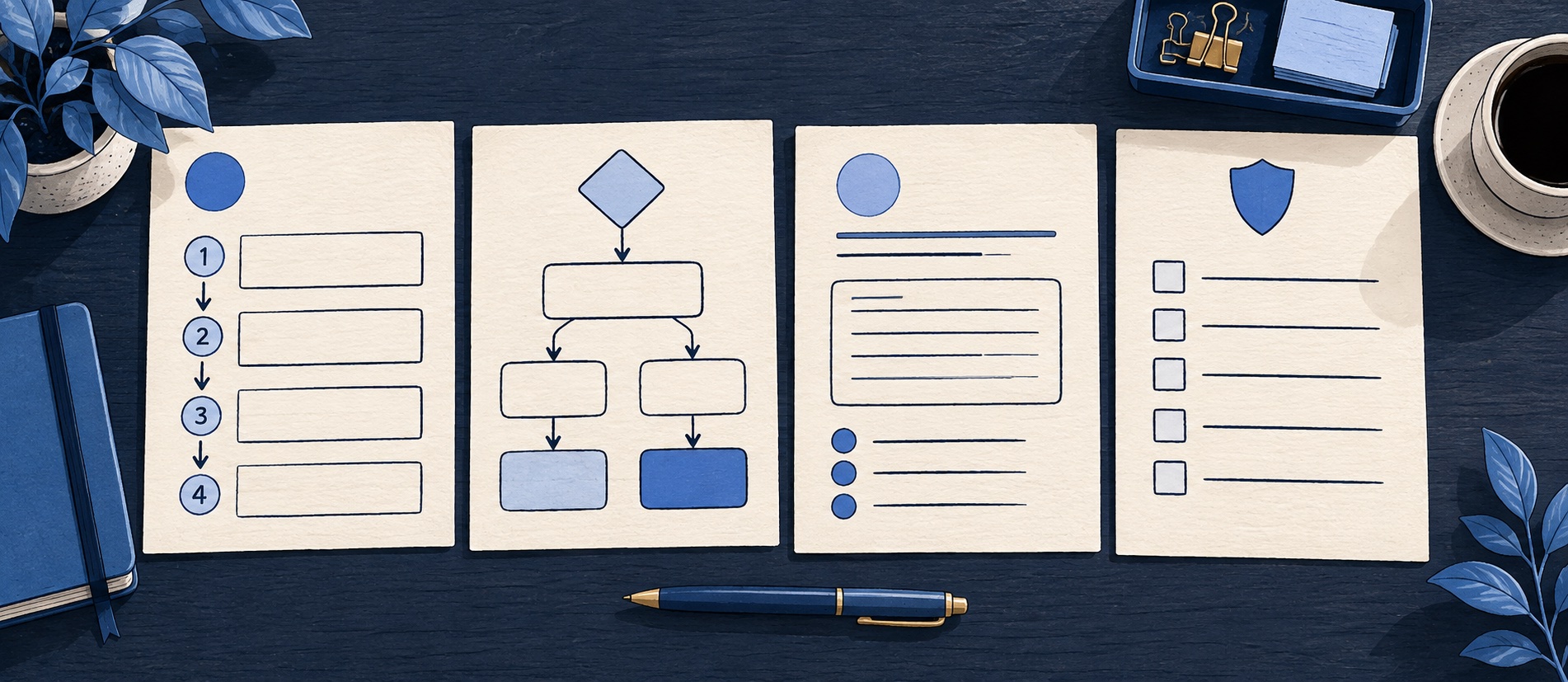
Use distinct patterns for procedures, diagnostics, policies and internal decisions.
Keep owner, audience, source of truth and review trigger with each published article.
Treat placeholders as prompts for verification, never as publishable copy.
Product shortlist
Products for publishing and governing templates
Compare draft permissions, reusable content, visibility and agent links in the plan that contains the knowledge workflow.

Freshdesk
Best for: Growing teams that need proper ticketing, self-service, automation and reporting
A broad email-first help desk with ticketing, a shared inbox, a customer portal, knowledge base and out-of-the-box reporting on its entry paid plan.
$19 per agent/monthGrowth, billed annually; checked September 2026
Useful strengths
- Ticketing, shared inbox and knowledge base on Growth
- Clearer route into routing, SLAs and custom reporting
Watch for
- Omnichannel needs differ from the email-first Freshdesk plan
- AI and connector usage can add cost
- Free trial
- Email-first help desk
- Per-agent pricing

Zoho Desk
Best for: Budget-conscious teams and businesses already using the Zoho ecosystem
The free edition covers three users and email ticketing. Paid tiers add broader messaging, knowledge-base, reporting, automation and telephony capabilities in stages.
Free for 3 usersPaid plans vary by selected billing currency; checked September 2026
Useful strengths
- Three-user free edition
- Broad channel and Zoho integration range
Watch for
- Plan and currency selectors make budgeting less immediate
- Live chat and advanced routing are plan-dependent
- 15-day trial
- Free edition
- Three users on free plan

Zendesk
Best for: Teams that expect multiple channels, mature routing and increasing operational complexity
The Support Team plan supplies core email ticketing, routing, analytics and automations. The broader Suite adds live chat, messaging, telephony and a knowledge base.
£15 per agent/monthSupport Team, paid yearly; checked September 2026
Useful strengths
- GBP pricing and a clear entry ticketing plan
- Strong upgrade path for multichannel operations
Watch for
- Suite Team rises to £45 per agent/month
- Small teams may buy more process than they need
- 14-day trial
- GBP pricing available
- Per-agent pricing

HubSpot Service Hub
Best for: Businesses that want support, sales and marketing activity on one customer record
Free tools cover basic ticketing, inbox and live chat. The dedicated advanced help-desk workspace, knowledge base, SLAs and deeper routing are concentrated in Professional and Enterprise.
Free for up to 2 usersProfessional from $90/seat/month annually plus onboarding; checked September 2026
Useful strengths
- Support history beside CRM, sales and marketing data
- Free entry tools and a large integration marketplace
Watch for
- Advanced help desk features require a large price jump
- Professional has mandatory onboarding cost
- 14-day trial
- CRM-connected service
- Two users on free tools
These knowledge-base templates are drafting tools for a small support team. They are deliberately different: a customer trying to complete a task needs steps, while an agent deciding whether to grant an exception needs authority and escalation rules. Forcing both into a generic “question and answer” card makes each weaker.
Copy the structures into your editor, replace every bracketed instruction and verify the facts. A template is not a claim that a provider has a particular policy or button. If your team has not agreed the underlying rule, resolve that first. Publishing an attractive answer to an unsettled policy creates more support work, not less.
Shared header for every article
Keep a small metadata record outside the reader-facing body. At minimum: audience, named owner, source of truth, risk level, last substantive review month and review trigger. Add a second approver for financial, safety, privacy or regulated topics. A review month is useful operationally; do not imply that a page was checked on a date if nobody actually reviewed the steps.
The title and URL are reader-facing. Make them describe the task. Attach synonyms or tags only when they match language in real tickets. A category label is not enough if the page title says merely “Information”. Freshdesk documents categories, folders and articles with visibility settings; Zendesk's user segments illustrate a stronger access-control route. Whatever platform you use, test the published audience with a non-admin account.
Template 1: complete a task
Use this for setup, cancellation, account changes, downloads and routine requests where the reader can safely act.
Title: [Verb + object + important condition]
Short answer: [Who can do this, and the main limitation]
Before you start: [Required access or information]
Steps: 1. [Action and visible result] 2. [Action and visible result] 3. [Confirmation]
If you cannot complete it: [Recognisable reason, safe next step and contact route]
What happens next: [Expected state or timeframe, without a guarantee the team cannot meet]
For example, a “download an invoice” article should specify which account role can see invoices and what to do if the invoice is absent. The instruction “open Billing” is incomplete if different subscription owners see different menus. Write each step so someone can tell whether it worked. Our article-writing guide explains how to test the draft with a new reader.
Template 2: diagnose a symptom
Use this when the reader does not yet know the cause. Keep the first check low-risk and observable. Do not ask a customer to disclose a password, disable security settings or repeat a payment blindly.
Title: [Symptom in customer language]
Check first: [One safe observation that separates common causes]
If A: [Action, expected result, stop condition]
If B: [Different action, expected result, stop condition]
If neither: [Information to collect and human escalation]
For “I cannot sign in”, the first branch may ask whether the account exists under the address being used; another may distinguish an expired invitation from a forgotten password. If verification is needed, route it to the authorised account flow or support team. A troubleshooting tree is useful when several branches are unavoidable. Never hide the human route at the bottom of a path that can loop indefinitely.
Template 3: explain a policy
Use this for returns, refunds, service levels, data retention or eligibility. The reader needs boundaries more than screenshots.
Title: [Policy as a customer question]
The rule: [Plain-language answer with the main conditions]
Who and what it covers: [Audience, product, region and timeframe]
Exceptions: [Specific cases and who decides them]
How to request help: [Action and information needed]
Where the binding terms live: [Link to the authoritative policy or contract]
For a UK shop's return guidance, distinguish a statutory right, a voluntary store policy and product-specific exclusions when relevant; get legal review before publishing a legal claim. Do not turn a generic template into legal advice. If the actual policy is complex, link to the authoritative terms and explain the most common path without contradicting them.
Template 4: internal agent runbook
An internal runbook supports consistent decisions, not public self-service. It may include identity checks, system permissions, exception authority, audit requirements and handoff details. Keep it behind staff access and avoid storing secrets in the article.
Trigger: [Contact reason or alert]
Verify: [Approved identity or account checks]
Decision: [Permitted action and approval threshold]
Action: [System steps and customer-facing response]
Escalate when: [Risk, uncertainty, failure or policy exception]
Record: [Ticket fields, outcome and next owner]
Link to the public article an agent may share, but do not paste the confidential runbook into the public page. If one policy changes, update both through a shared owner or change request. The internal-versus-external guide explains this boundary.
Template 5: incident or exception notice
When a known incident causes repeated contacts, a short status answer may be more useful than a long evergreen article. State what is affected, what customers should avoid doing, the next planned update and the route for urgent cases. Do not invent a restoration time. Expire or replace the notice when the incident ends and link to a durable troubleshooting article if the underlying issue can recur.
Editorial and publishing checklist
Before publishing any of the templates, confirm the title matches a real query, the opening states scope, every action has an expected result, links work, access is correct and the reader can reach a person when the page stops. Remove placeholder brackets. Test on a phone, with keyboard navigation and with a person unfamiliar with the subject. Check the article's location in browsing and search. Assign the review trigger before launch.
When a template seems too rigid, change the template. Consistency is useful only when it reduces reading and maintenance effort. Google's people-first guidance supports complete, useful answers; it does not prescribe one article shape or a target word count.
Sources
- Freshdesk on knowledge-base authoring and visibility
- Zendesk on help-centre audience permissions
- Google Search Central on helpful content
These templates are editorial scaffolds. Product, policy and legal details must be verified for the organisation using them.
Frequently asked questions
Questions readers ask before choosing
Should every help-centre article use the same template?
No. A how-to needs ordered actions, while a policy needs eligibility and exceptions and a troubleshooting page needs branches. Keep shared metadata and style, but select the structure that helps the specific task.
Can a template be copied straight into a live knowledge base?
Use it as a drafting scaffold. Replace every placeholder, verify current product and policy details, test links and access, and have a subject owner approve the answer before publication.
What metadata should an article template include?
Record audience, owner, authoritative source, risk level, last substantive review month and an event that triggers review. Internal systems may also need approval and version fields.
Should internal and public templates share content?
They can share verified facts and a policy source, but internal instructions may include decision authority or sensitive details that must not appear publicly. Maintain an explicit boundary and test visibility.