
Practical workflow
Create customer-support troubleshooting trees
Build safe support troubleshooting trees from a symptom, observable checks and clear outcomes; test every branch and provide a human handoff.
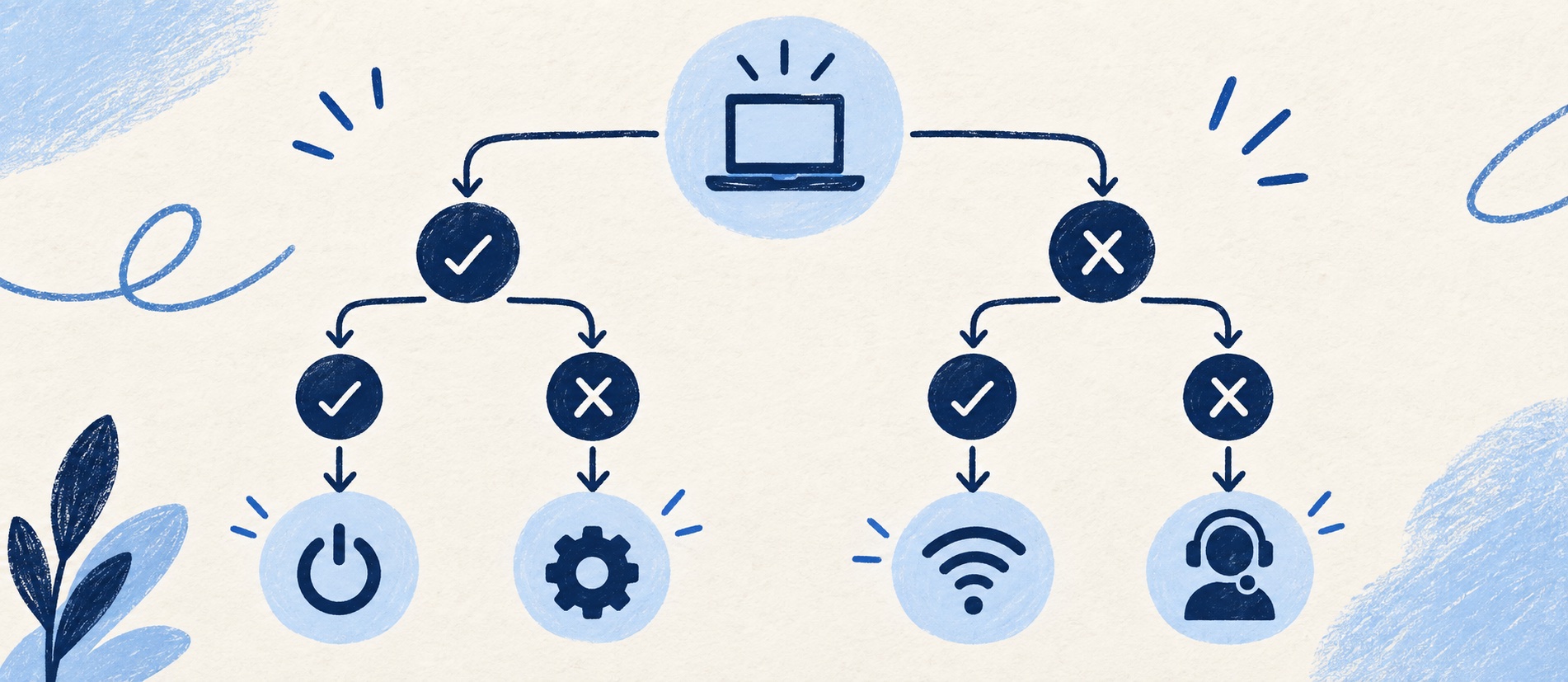
Use observable yes/no checks rather than asking the reader to diagnose the system.
Keep each path short and stop before an unsafe or account-specific action.
Test every branch, including the “none of these” case, and review after product changes.
Product shortlist
Tools for publishing diagnostic guidance
Test how each system links branches, suggests articles in a ticket and lets an agent correct a failed path.

Freshdesk
Best for: Growing teams that need proper ticketing, self-service, automation and reporting
A broad email-first help desk with ticketing, a shared inbox, a customer portal, knowledge base and out-of-the-box reporting on its entry paid plan.
$19 per agent/monthGrowth, billed annually; checked September 2026
Useful strengths
- Ticketing, shared inbox and knowledge base on Growth
- Clearer route into routing, SLAs and custom reporting
Watch for
- Omnichannel needs differ from the email-first Freshdesk plan
- AI and connector usage can add cost
- Free trial
- Email-first help desk
- Per-agent pricing

Zendesk
Best for: Teams that expect multiple channels, mature routing and increasing operational complexity
The Support Team plan supplies core email ticketing, routing, analytics and automations. The broader Suite adds live chat, messaging, telephony and a knowledge base.
£15 per agent/monthSupport Team, paid yearly; checked September 2026
Useful strengths
- GBP pricing and a clear entry ticketing plan
- Strong upgrade path for multichannel operations
Watch for
- Suite Team rises to £45 per agent/month
- Small teams may buy more process than they need
- 14-day trial
- GBP pricing available
- Per-agent pricing

Zoho Desk
Best for: Budget-conscious teams and businesses already using the Zoho ecosystem
The free edition covers three users and email ticketing. Paid tiers add broader messaging, knowledge-base, reporting, automation and telephony capabilities in stages.
Free for 3 usersPaid plans vary by selected billing currency; checked September 2026
Useful strengths
- Three-user free edition
- Broad channel and Zoho integration range
Watch for
- Plan and currency selectors make budgeting less immediate
- Live chat and advanced routing are plan-dependent
- 15-day trial
- Free edition
- Three users on free plan

HelpDesk
Best for: Small teams that want ticketing, website chat and useful automation without an enterprise platform
A focused support workspace combining ticketing, a shared inbox, website chat, messaging channels, automation and reporting in one entry plan.
$19 per user/monthEssential, billed annually; checked September 2026
Useful strengths
- Ticketing, website chat and messaging channels on Essential
- 14-day trial without a credit card
Watch for
- There is no permanent free plan
- Extra AI resolutions can add usage cost
- 14-day trial
- Email, chat and messaging
- Per-user pricing
A troubleshooting tree helps a customer or agent distinguish causes without reading a long list of unrelated fixes. It begins with a symptom, asks a small number of observable questions and ends in an action or a responsible handoff. A bad tree is a maze: the reader guesses which branch applies, repeats the same step or reaches an instruction they are not authorised to perform.
Use a tree only when the answer genuinely depends on a few conditions. A simple task such as downloading an invoice is usually better as a linear article. A symptom such as “I cannot sign in” may need branches for an expired invitation, forgotten password, service outage or account restriction. The objective is not to encode every rare edge case; it is to make common, safe decisions clearer.
Define the symptom and the stopping point
Start from real support contacts. Record exactly how customers describe the problem, the most common causes, which checks a customer can perform and which actions require staff access. A tree titled “Authentication error” may be technically accurate but less findable than “I can't sign in”. State the audience and product version before branching.
Define success: “The person can sign in using the approved method” or “The agent can classify the issue and collect the right evidence for the next team.” Define a stop condition too. An account restriction, suspected compromise or a failed identity check should go to the approved support route, not to increasingly invasive public steps. A tree that never admits uncertainty is unsafe.
Collect only what is needed. A public sign-in guide may ask whether the user received an invitation email; it should not ask them to paste a one-time code or password into a chat. An internal agent tree may include verification steps, but those belong behind staff permissions and the organisation's current security policy.
Ask observable questions
Each branch question should be answerable by the person following the tree. “Is the account in a suspended state?” may require internal access; “Do you see a message saying your account is locked?” is observable. Avoid questions that require the reader to infer a root cause. Include the exact condition that changes the next action, and use “not sure” or “neither” when the evidence may be ambiguous.
Put low-risk, high-discrimination checks first. Check whether a service is experiencing a known incident before asking someone to reset settings repeatedly. Ask which sign-in route they used before concluding a password is wrong. Do not force ten questions when two separate the likely causes. A small tree can be presented as linked sections in a normal article rather than as a complex interactive widget.
Write the tree on paper before building it in software. For every node, record the question, possible answers, next node or outcome, and why that distinction matters. If two answers lead to the same action, the question may be unnecessary. If a branch leads back to an earlier question, stop and redesign it.
Example: a safe sign-in tree
This is an illustration, not an instruction for a specific product. Begin: “Are you using the sign-in method your organisation normally uses?” If no, explain where to find the approved method and retry once. If yes, ask: “Do you see an expired-invitation message?” If yes, route to the documented invitation-renewal path or an authorised admin. If no, ask: “Is the service reporting an incident?” If yes, point to the current status communication and expected next update. If no or unsure, offer the approved account-recovery route or contact support.
Each outcome needs a confirmation. “You can now reach your account” ends the path. “The invitation cannot be renewed by you; ask your organisation admin” is an honest handoff. A generic “contact us” end node is weaker unless it says what to include—such as the error wording and time—without requesting secrets. Never instruct a customer to disable security settings to make the tree appear successful.
Build the article and the agent version
The public version should contain only safe checks and actions. Use descriptive headings so a reader can jump to the branch that matches their observation. If the tree spans multiple articles, maintain a short entry page that explains the choice and links to one authoritative answer for each route. Avoid duplicating instructions across branches; link to a maintained how-to article.
The internal version may add system checks, ownership, escalation thresholds and how to record the outcome in the ticket. Link both versions to the same policy owner so a product or security change updates the full path. Freshdesk's article visibility settings and Zendesk's help-centre user segments are examples of tools that can separate staff and public knowledge; test permissions in the selected edition.
If a chatbot presents the tree, check that it remembers previous answers, gives a clear way to reach a person and passes the context into the ticket. A bot that resets at every turn can make a good written tree unusable. Compare AI or automation charges only after confirming that the underlying decision logic and knowledge are accurate. Our AI chatbot versus live chat guide covers the handoff decision.
Test every path and improve it from evidence
Create a branch inventory and run at least one representative case through every terminal outcome, including “not sure”, “none of these”, a customer without the required permission and a genuine outage. Ask someone who did not design the tree to follow it on mobile. Listen for terminology they do not understand and note the point at which they would contact support. Test keyboard navigation if the tree is interactive; the branches must not depend on colour alone.
Record which paths end in a resolved task, a useful escalation and a repeat contact. Do not equate a click on the final node with success. Review the tree after a product interface change, a new error message or a cluster of tickets that followed the wrong branch. An agent should be able to flag a misleading node from a real case.
The best tree may be short enough to fit in one screen. Its job is not to display clever logic; it is to make the next safe action obvious. When evidence is insufficient, a prompt human handoff is a valid and often valuable result.
Sources
- Freshdesk on authoring and visibility for knowledge-base articles
- Zendesk on help-centre audience permissions
- Google Search Central on useful, well-organised content
The diagnostic design and example tree are Support Sorted's editorial guidance, not a vendor-specific security procedure.
Frequently asked questions
Questions readers ask before choosing
What is a support troubleshooting tree?
It is a sequence of observable questions that separates likely causes of a symptom and directs the reader to a safe action, explanation or human handoff.
How many branches should a troubleshooting tree have?
Use only the distinctions needed to choose a different next action. If the path becomes long or requires expert judgement, split the problem or route it to a trained agent.
Can a troubleshooting tree be automated by a chatbot?
Yes, if the underlying questions and outcomes are maintained, the bot handles uncertainty safely and a person can take over with the prior answers. Automation does not make an untested tree accurate.
What should happen when no branch fits?
Provide a clear human contact route, preserve the observations already collected and avoid asking the customer to repeat or guess through the tree.