
Shared inbox comparison
Best shared inbox software
Compare shared inbox software for customer support by assignment, collision detection, channels, reporting, CRM context and upgrade cost.
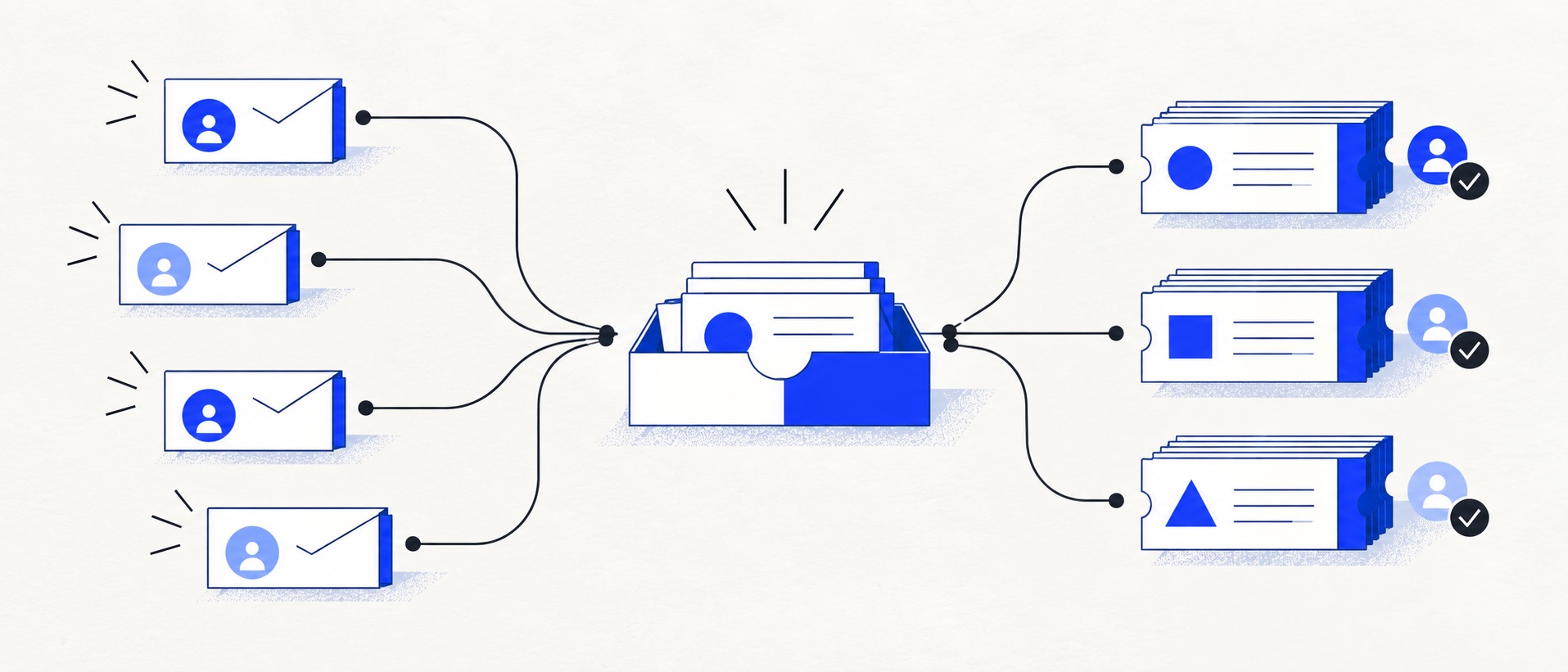
A shared inbox should make ownership, drafting collisions and waiting work obvious.
Decide whether you need collaborative email or a complete ticketing system before comparing plans.
Check reporting, history, permissions and export as closely as the visible inbox interface.
Product shortlist
Five credible shared-inbox approaches
Some products keep the experience close to email; others use an inbox as the front door to a broader help desk, CRM or ecommerce support platform.

HelpDesk
Best for: Small teams that want ticketing, website chat and useful automation without an enterprise platform
A focused support workspace combining ticketing, a shared inbox, website chat, messaging channels, automation and reporting in one entry plan.
$19 per user/monthEssential, billed annually; checked September 2026
Useful strengths
- Ticketing, website chat and messaging channels on Essential
- 14-day trial without a credit card
Watch for
- There is no permanent free plan
- Extra AI resolutions can add usage cost
- 14-day trial
- Email, chat and messaging
- Per-user pricing

HubSpot Service Hub
Best for: Businesses that want support, sales and marketing activity on one customer record
Free tools cover basic ticketing, inbox and live chat. The dedicated advanced help-desk workspace, knowledge base, SLAs and deeper routing are concentrated in Professional and Enterprise.
Free for up to 2 usersProfessional from $90/seat/month annually plus onboarding; checked September 2026
Useful strengths
- Support history beside CRM, sales and marketing data
- Free entry tools and a large integration marketplace
Watch for
- Advanced help desk features require a large price jump
- Professional has mandatory onboarding cost
- 14-day trial
- CRM-connected service
- Two users on free tools

Freshdesk
Best for: Growing teams that need proper ticketing, self-service, automation and reporting
A broad email-first help desk with ticketing, a shared inbox, a customer portal, knowledge base and out-of-the-box reporting on its entry paid plan.
$19 per agent/monthGrowth, billed annually; checked September 2026
Useful strengths
- Ticketing, shared inbox and knowledge base on Growth
- Clearer route into routing, SLAs and custom reporting
Watch for
- Omnichannel needs differ from the email-first Freshdesk plan
- AI and connector usage can add cost
- Free trial
- Email-first help desk
- Per-agent pricing

Zoho Desk
Best for: Budget-conscious teams and businesses already using the Zoho ecosystem
The free edition covers three users and email ticketing. Paid tiers add broader messaging, knowledge-base, reporting, automation and telephony capabilities in stages.
Free for 3 usersPaid plans vary by selected billing currency; checked September 2026
Useful strengths
- Three-user free edition
- Broad channel and Zoho integration range
Watch for
- Plan and currency selectors make budgeting less immediate
- Live chat and advanced routing are plan-dependent
- 15-day trial
- Free edition
- Three users on free plan

Gorgias
Best for: Online shops that need order context and ecommerce actions inside support conversations
Unlike per-seat tools, Gorgias prices its help desk by billable ticket volume. Its strongest case is the depth of its Shopify and ecommerce workflow integrations.
$10/month for 50 ticketsStarter includes 3 agent seats; checked September 2026
Useful strengths
- Deep Shopify order context and actions
- Costs scale by tickets rather than only by agent seats
Watch for
- Overages and AI resolutions need modelling
- Entry plan is email-only and has limited operations features
- 7-day trial
- Shopify-focused
- Ticket-volume pricing
The best shared inbox software replaces the uncertainty of a mailbox with visible ownership and a complete customer history. It should stop two people replying at once, show which conversations still need work and keep private coordination out of forwarded email chains.
For a focused paid route, HelpDesk is the strongest starting point in this shortlist. HubSpot is more useful when the inbox must sit beside sales and marketing context. Freshdesk makes sense when the team is already approaching formal ticket operations, while Zoho Desk gives a small team a free route. Gorgias is the specialist choice when ecommerce messages need order information and actions.
Quick comparison
| Software | Best fit | Starting point | Where it goes beyond email |
|---|---|---|---|
| HelpDesk | Small teams wanting a focused owned queue | $19/user/month annually | Ticketing, website chat, Messenger, SMS and rules |
| HubSpot | Teams needing CRM context | Free for up to 2 users | Contact records, live chat and wider revenue tools |
| Freshdesk | Teams moving toward formal help-desk operations | $19/agent/month annually | Portal, knowledge base, reports and ticket controls |
| Zoho Desk | Cost-conscious teams and Zoho users | Free for 3 users | Web forms, ticketing and progressively broader channels |
| Gorgias | Shopify and ecommerce support | $10/month for 50 billable tickets | Order data, ecommerce actions and social channels |
What a good shared inbox changes
In a normal mailbox, unread status is a weak proxy for work status. One person can open a message without owning it, a draft can remain invisible to colleagues, and follow-up depends on flags or memory. Shared inbox software should replace those conventions with an assignee, a state and a visible audit trail.
Collision detection matters because duplicate replies damage trust. Internal notes matter because teams need to coordinate without copying the customer. Saved replies improve speed, but they should remain editable. Search should surface every conversation with a customer, not only the current thread.
Shared inbox or help desk?
Choose a shared-inbox approach when work is conversational, the team is small and the number of fields and workflows is limited. Choose a fuller help desk when requests need priorities, categories, service targets, routing rules, approval or performance reporting.
Many products sit between the two categories. HelpDesk presents a contained inbox but still uses tickets. Freshdesk and Zendesk are explicitly ticketing platforms. HubSpot combines an inbox with CRM records. The meaningful question is not what the vendor calls the product; it is how much process the team must maintain.
HelpDesk: the focused paid choice
HelpDesk Essential starts at $19 per user each month annually and includes ticketing, a shared inbox, automated assignment, canned responses and three ticketing rules. Website chat, Messenger and SMS can join email in the same workspace.
It is a good fit when a team wants structure without a broad platform. The jump to Growth is significant, so check whether custom fields, more rules, teams and deeper reports will become necessary within the contract term.
HubSpot: best for shared customer context
HubSpot's free service tools support up to two users and combine team email, basic ticketing and live chat with its CRM. A support reply can therefore be informed by contact, deal and marketing history.
That shared record is the reason to choose HubSpot. The advanced help-desk workspace, service targets, customer portal and knowledge base sit in Professional, which starts at $90 per seat monthly on annual terms and carries an onboarding fee. It is an expensive upgrade if the team only wants email collaboration.
Freshdesk: best bridge to structured ticketing
Freshdesk Growth costs $19 per agent monthly on annual billing. The plan includes a shared inbox, ticketing, portal, knowledge base, roles, permissions and standard reporting. It is appropriate when today's shared inbox is likely to become tomorrow's support operation.
Pro adds intelligent routing, multiple SLA policies and custom dashboards at a much higher per-agent price. A small team should identify which of those controls it genuinely needs before comparing totals.
Zoho Desk: best free entry
Zoho Desk's free edition supports three users and provides email ticketing, web forms and a basic customer-facing help-centre route. It is one of the few permanent free options suitable for testing shared ownership across more than two people.
The trade-off is that broader messaging, reports, knowledge features and advanced automation are spread across paid editions. Zoho users should verify the selected currency and edition rather than relying on a generic headline price.
Gorgias: best ecommerce inbox
Gorgias organises email, chat and social conversations around ecommerce customer and order context. With Shopify connected, authorised agents can see order history and perform actions such as refunds and cancellations without leaving the ticket.
Its pricing model is based on billable tickets rather than simply seats. Starter is $10 monthly for 50 tickets and three users; Basic is $60 for 300 tickets. That can suit a store with several occasional users, but seasonal ticket volume and overages need careful modelling.
A practical shared-inbox test
Connect a test address and recreate ten realistic conversations. Have two people open the same message, assign ownership, leave an internal note, use a saved reply, schedule a follow-up and search for an older customer conversation. Then inspect the backlog and export the data.
Also test absence. Can another person understand the queue when the usual owner is away? A shared inbox has succeeded when the answer is obvious from the system rather than from a separate handover message.
Our verdict
HelpDesk is the clearest focused paid option; HubSpot is strongest when the customer record matters beyond support; Freshdesk is the better bridge to a formal help desk; Zoho Desk offers the most useful free start; and Gorgias should lead for ecommerce.
If email collaboration is the only problem, resist buying a platform full of channels and automation. If the team already needs priorities, targets and reporting, skip the halfway step and choose a proper ticketing system.
Sources
- HelpDesk pricing
- Freshdesk pricing
- Zoho Desk pricing
- HubSpot Service Hub pricing
- Gorgias plan guide
- Gorgias Shopify connection documentation
All plan facts come from provider sources. Product-fit conclusions are Support Sorted's editorial judgement.
Frequently asked questions
Questions readers ask before choosing
What is shared inbox software?
Shared inbox software lets several people work from addresses such as support@ or hello@ with visible ownership, internal notes, shared history and controls that reduce duplicate replies. More advanced products also add ticket fields, automation and reporting.
Is a shared mailbox in Gmail or Outlook enough?
It can be enough for low volume and a very small team. Dedicated software becomes useful when ownership is unclear, collisions happen, messages are forwarded into personal inboxes or managers need reliable backlog and response reporting.
What features should shared inbox software have?
Look for assignment, collision detection, internal notes, saved replies, searchable history, permissions, views, basic automation, mobile access and a complete data export. Add live chat or social messaging only when customers use those channels.
What is the difference between a shared inbox and a help desk?
A shared inbox emphasises collaborative communication, usually around email. A help desk adds a formal ticket lifecycle, fields, priorities, service targets, routing, reporting and often several support channels.