
Shared inbox workflow
Set up a customer-support shared inbox
Set up a shared customer-support inbox with a clear address, access permissions, ownership rules, handovers, templates and a simple daily quality check.
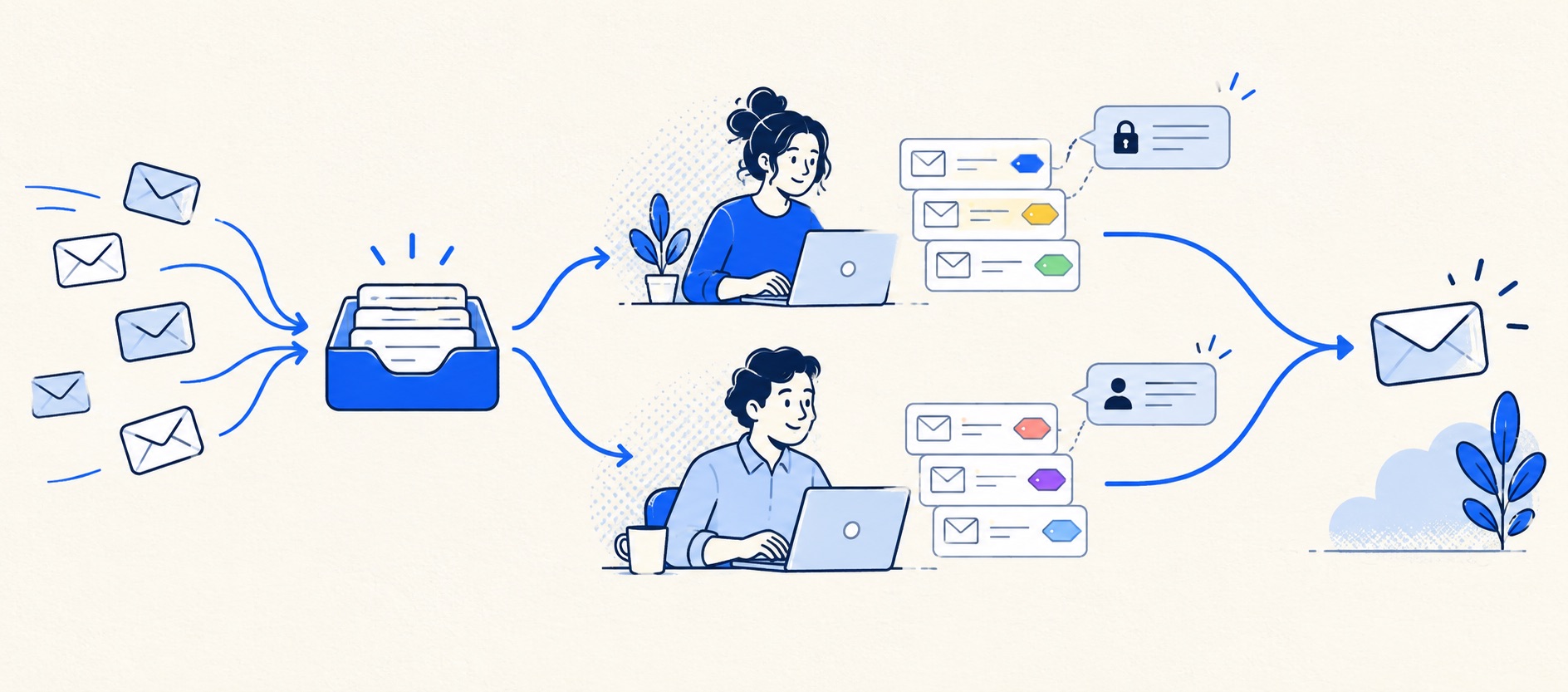
Choose the address and platform, then test both receiving and sending permissions.
Define claim, reply, waiting, escalation and closure rules in one short operating note.
Pilot with a few genuine enquiries before routing every channel into the inbox.
Product shortlist
Software routes for an email-led team
A focused ticket queue, CRM inbox or broader help desk can all support shared email.

HelpDesk
Best for: Small teams that want ticketing, website chat and useful automation without an enterprise platform
A focused support workspace combining ticketing, a shared inbox, website chat, messaging channels, automation and reporting in one entry plan.
$19 per user/monthEssential, billed annually; checked September 2026
Useful strengths
- Ticketing, website chat and messaging channels on Essential
- 14-day trial without a credit card
Watch for
- There is no permanent free plan
- Extra AI resolutions can add usage cost
- 14-day trial
- Email, chat and messaging
- Per-user pricing

HubSpot Service Hub
Best for: Businesses that want support, sales and marketing activity on one customer record
Free tools cover basic ticketing, inbox and live chat. The dedicated advanced help-desk workspace, knowledge base, SLAs and deeper routing are concentrated in Professional and Enterprise.
Free for up to 2 usersProfessional from $90/seat/month annually plus onboarding; checked September 2026
Useful strengths
- Support history beside CRM, sales and marketing data
- Free entry tools and a large integration marketplace
Watch for
- Advanced help desk features require a large price jump
- Professional has mandatory onboarding cost
- 14-day trial
- CRM-connected service
- Two users on free tools

Freshdesk
Best for: Growing teams that need proper ticketing, self-service, automation and reporting
A broad email-first help desk with ticketing, a shared inbox, a customer portal, knowledge base and out-of-the-box reporting on its entry paid plan.
$19 per agent/monthGrowth, billed annually; checked September 2026
Useful strengths
- Ticketing, shared inbox and knowledge base on Growth
- Clearer route into routing, SLAs and custom reporting
Watch for
- Omnichannel needs differ from the email-first Freshdesk plan
- AI and connector usage can add cost
- Free trial
- Email-first help desk
- Per-agent pricing

Zoho Desk
Best for: Budget-conscious teams and businesses already using the Zoho ecosystem
The free edition covers three users and email ticketing. Paid tiers add broader messaging, knowledge-base, reporting, automation and telephony capabilities in stages.
Free for 3 usersPaid plans vary by selected billing currency; checked September 2026
Useful strengths
- Three-user free edition
- Broad channel and Zoho integration range
Watch for
- Plan and currency selectors make budgeting less immediate
- Live chat and advanced routing are plan-dependent
- 15-day trial
- Free edition
- Three users on free plan
A shared inbox gives customers one dependable address and prevents support from living inside a founder's personal email. The setup is more than adding colleagues to a mailbox. The team needs to decide which messages count as support, who owns each conversation, what happens during absence and how an old answer can be found.
This guide describes a light operating system for small teams. It works whether the underlying tool is Google Groups Collaborative Inbox, a Microsoft 365 shared mailbox, a CRM inbox or an email-led help desk. The exact buttons differ, so confirm the provider's current instructions for the platform you choose.
The minimum viable setup
| Decision | Recommended starting rule | Failure to test |
|---|---|---|
| Address | One stable support address with a named administrator | Replies come from a personal account |
| Access | Individual accounts and the least necessary permissions | Departed staff retain access |
| Ownership | One visible owner before work begins | Duplicate or missing replies |
| Status | New, working, waiting, resolved | Waiting cases disappear |
| Coverage | Published hours and a named daily sweep | Overnight messages are mistaken for overdue work |
| Handover | Promise, blocker and next action recorded | Colleagues reconstruct context from chat |
Keep the first version small. A dozen labels and several routing rules often create more ambiguity than one accountable owner and a daily review.
1. Create a stable support identity
Choose an address customers can remember and that will survive staffing changes. Document who controls it, where its domain settings live and which aliases forward into it. If sales, billing and technical support use different addresses, decide whether they converge into one queue or remain separate. Do not publish a new address until someone has tested incoming mail from outside the organisation and a reply back to that sender.
Set a human-readable sender name and a short signature with the business name and expected coverage. If an automated acknowledgement is used, state that the message was received and when a person is likely to respond. Do not imply that an automated note is a personalised answer.
Check deliverability after configuration changes. A support address that receives messages but sends them from the wrong identity undermines trust and complicates thread matching when the team later adopts a help desk.
2. Give people individual access
Avoid distributing a single password. Microsoft distinguishes Full Access from Send As and Send on behalf permissions for a shared mailbox; one capability does not automatically grant the other. Its recipient permissions guide is the right reference when configuring Exchange Online. Test both opening the inbox and sending a reply with the intended identity.
Google Groups' Collaborative Inbox guidance describes taking and assigning conversations and marking them complete. Those actions depend on group history and moderation permissions, so invite a non-admin colleague to test the real workflow. A plain Gmail delegation or a group address is not automatically the same as a ticket queue.
For any platform, remove access promptly when people change roles, use multifactor authentication where supported and decide whether contractors can see all conversations or only a limited queue. Customer email often contains personal information; grant access for the work, not for convenience.
3. Decide who can claim and reassign work
Write the rule in one sentence: the first person who begins investigation claims the conversation; the current owner is responsible for the next customer update until they explicitly transfer it. Allow anyone covering the queue to reassign an absent owner's work, but require a note explaining the next action.
If the tool supports assignment, use it consistently. If it does not, a shared label or folder can act as a temporary convention, but the team must check it before replying. Personal stars or unread state are poor ownership markers because they can differ by user and do not describe responsibility.
Test simultaneous work. Have two colleagues open the same case, one begin drafting, and see whether the other is warned. If not, add a manual check before sending. Collision prevention is a practical reason to consider dedicated shared-inbox software, but it does not replace the owner rule.
4. Keep statuses few and meaningful
Use “new” for unclaimed work, “working” for an owned case with a next action, “waiting” when the next step is outside the team, and “resolved” when the customer outcome is complete. Waiting must not mean forgotten. Give waiting cases a review date and identify whether the team is waiting for the customer, a supplier or another internal group.
Do not create a label for every product or customer type on day one. Add categories only when they change routing, reporting or a saved answer. A category that nobody uses to decide anything is administrative noise.
Set a reopen rule. If a customer replies to a resolved conversation, it should reappear for a person to review. Verify this behaviour in the actual platform; never assume a closed folder is watched.
5. Write the handover and escalation rule
A useful handover note contains the customer's request, what has been checked, what has been promised, the current blocker and the next action with an owner. If the inbox has no private notes, use an approved internal method that protects customer data; do not forward sensitive material casually or hide essential context in an individual chat.
Decide which cases require escalation, such as a payment issue, security concern, service outage or customer deadline. Say who is on call and what happens if that person is unavailable. For ordinary work, avoid turning every uncertain answer into an escalation. The owner can ask a specialist while retaining responsibility for the customer update.
6. Create a small reply library
Prepare answers for the recurring requests that are genuinely stable: receipt acknowledgement, request for missing order details, status update, and a clear resolution summary. Use placeholders for the customer-specific facts and require the agent to review them. A saved reply should shorten typing, not remove judgement.
Include the next step and timing in every reply. “We are looking into it” is less useful than “We are checking the courier scan and will update you by tomorrow afternoon.” Do not promise times that the coverage schedule cannot support. Review templates when policies, products or delivery partners change.
7. Run a daily queue sweep
At the start and end of the support day, one person checks new unowned messages, working cases with overdue next actions, waiting cases that need chasing and reopened conversations. This can take a few minutes in a tiny team, but it needs to be assigned. Rotate the duty deliberately rather than assuming someone will notice.
Once a week, count incoming cases, resolved cases, oldest open cases and avoidable repeats. A basic spreadsheet is acceptable initially. If producing these figures becomes a larger project than using them, the team may be ready for a help desk with reliable reporting.
Where software changes the setup
HelpDesk offers an email-led ticket queue for teams that want stronger ownership without building an elaborate operation. Freshdesk can add knowledge, a portal and richer routing as the workload grows. HubSpot Service Hub is most interesting when the inbox should share a customer record with sales or account teams. Zoho Desk is a value-led help desk path, though edition limits matter as automation grows.
Choose the smallest route that solves the actual failure. Run the same claim, handover and reopen test in each candidate. A broad platform can still make an everyday email reply slower; a light product can lack the reporting a manager needs. Our shared inbox software comparison covers those trade-offs in more detail.
Pilot and publish
Start with a small number of real conversations or an internal test address. Test an outside sender, a forwarded thread, a reply to an old subject, an attachment, a colleague's absence and a customer reply after closure. Confirm the customer sees only the intended message and sender identity, not private notes or internal forwarding.
Then publish the address where customers already look: contact page, order email, product help or account area. Retire confusing legacy addresses only after forwarding and monitoring them. Review the first week each day and correct the process before adding more automation.
Bottom line
A shared inbox is ready when every customer message can be claimed, understood by another colleague and revisited until the promised outcome. If the team cannot maintain those basics in the chosen inbox, see when to move beyond it and trial a ticket queue.
Sources and further reading
- Google Workspace: Collaborative Inbox setup and assignment permissions.
- Microsoft Learn: manage mailbox recipient permissions.
- HelpDesk: manage automation rules for a later, structured-ticket route.
The setup sequence and product-fit advice are Support Sorted's editorial guidance.
Frequently asked questions
Questions readers ask before choosing
What email address should a support team use?
Use a stable address such as support@ your domain that is independent of a particular employee. Keep a named administrator, document aliases and test replies from the customer perspective before publishing it.
Is sharing one mailbox password acceptable?
Individual delegated or product accounts are preferable because access can be removed per person and activity is easier to understand. Avoid a common login where the platform supports proper delegation and role-based access.
How do we stop two agents replying at once?
Require an explicit claim or assignee before drafting, make that ownership visible, and set a handover rule. If the tool lacks collision protection, check the claim immediately before sending and keep the team small enough to enforce the convention.
Does a shared inbox need an SLA?
Start with a realistic customer-facing response promise and a daily overdue review. A formal SLA system is useful only when coverage hours, priority and the measurement rules are defined and the tool can report them reliably.