
Support operations guide
Shared inbox vs help desk
Understand the practical difference between shared inbox and help-desk software, the signs it is time to switch and how to choose without overbuying.
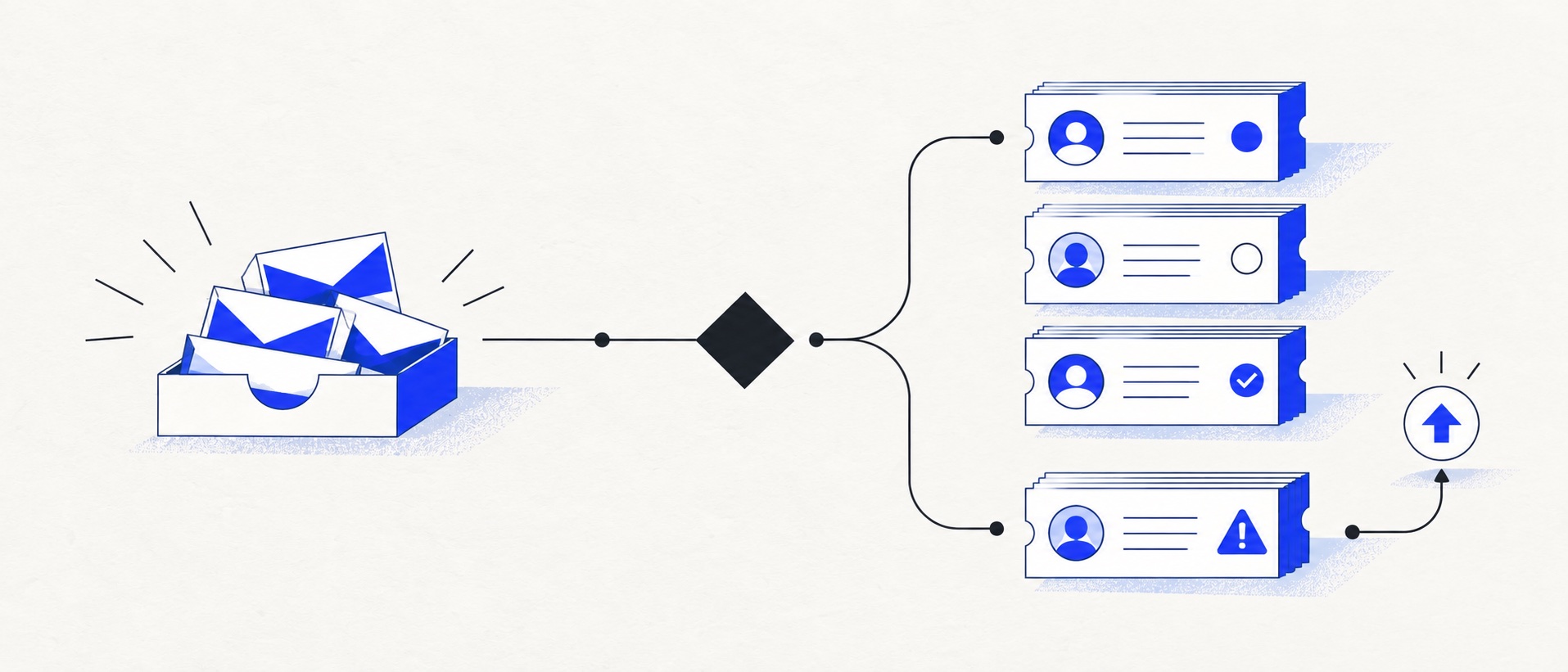
The decision depends on workflow complexity and risk, not an arbitrary ticket-volume threshold.
A shared inbox organises communication; a help desk manages a formal ticket lifecycle.
Trial the smallest system that fixes today's failure and supports the next realistic stage.
Product shortlist
Products spanning the transition
HelpDesk is the focused bridge, Freshdesk adds a balanced service layer, Zoho Desk offers a free ticketing start and Zendesk provides the deepest scaling path.

HelpDesk
Best for: Small teams that want ticketing, website chat and useful automation without an enterprise platform
A focused support workspace combining ticketing, a shared inbox, website chat, messaging channels, automation and reporting in one entry plan.
$19 per user/monthEssential, billed annually; checked September 2026
Useful strengths
- Ticketing, website chat and messaging channels on Essential
- 14-day trial without a credit card
Watch for
- There is no permanent free plan
- Extra AI resolutions can add usage cost
- 14-day trial
- Email, chat and messaging
- Per-user pricing

Freshdesk
Best for: Growing teams that need proper ticketing, self-service, automation and reporting
A broad email-first help desk with ticketing, a shared inbox, a customer portal, knowledge base and out-of-the-box reporting on its entry paid plan.
$19 per agent/monthGrowth, billed annually; checked September 2026
Useful strengths
- Ticketing, shared inbox and knowledge base on Growth
- Clearer route into routing, SLAs and custom reporting
Watch for
- Omnichannel needs differ from the email-first Freshdesk plan
- AI and connector usage can add cost
- Free trial
- Email-first help desk
- Per-agent pricing

Zoho Desk
Best for: Budget-conscious teams and businesses already using the Zoho ecosystem
The free edition covers three users and email ticketing. Paid tiers add broader messaging, knowledge-base, reporting, automation and telephony capabilities in stages.
Free for 3 usersPaid plans vary by selected billing currency; checked September 2026
Useful strengths
- Three-user free edition
- Broad channel and Zoho integration range
Watch for
- Plan and currency selectors make budgeting less immediate
- Live chat and advanced routing are plan-dependent
- 15-day trial
- Free edition
- Three users on free plan

Zendesk
Best for: Teams that expect multiple channels, mature routing and increasing operational complexity
The Support Team plan supplies core email ticketing, routing, analytics and automations. The broader Suite adds live chat, messaging, telephony and a knowledge base.
£15 per agent/monthSupport Team, paid yearly; checked September 2026
Useful strengths
- GBP pricing and a clear entry ticketing plan
- Strong upgrade path for multichannel operations
Watch for
- Suite Team rises to £45 per agent/month
- Small teams may buy more process than they need
- 14-day trial
- GBP pricing available
- Per-agent pricing
The difference between a shared inbox and a help desk is not simply whether messages receive ticket numbers. A shared inbox helps people communicate together; a help desk manages work through a defined lifecycle. Both can support customers well when matched to the right level of operational complexity.
Stay with a shared inbox while support is primarily email, the team can see ownership and handovers remain simple. Move to a help desk when requests require priority, escalation, service targets, categories, several channels or dependable reporting.
Side-by-side comparison
| Requirement | Shared inbox | Help desk |
|---|---|---|
| Primary model | Collaborative conversations | Structured tickets and queues |
| Ownership | Assignment and team visibility | Assignment plus states, priorities and routing |
| Channels | Usually email-first | Email, forms, chat, messaging, social and sometimes voice |
| Automation | Simple assignment and saved replies | Rules, escalations, SLAs and workflow actions |
| Reporting | Workload and basic response visibility | Backlog, response, resolution, SLA and category reporting |
| Administration | Lower | Higher, especially in broad platforms |
When a shared inbox is enough
A shared inbox is suitable when two or three people answer a predictable number of email conversations, priorities are obvious and exceptions can be discussed directly. Useful controls include assignment, collision detection, internal notes, saved replies, snoozing and searchable history.
This model is often better than a heavyweight help desk for founders, professional-services firms and small membership teams. The software stays close to email and requires less configuration. The team can focus on answering rather than maintaining fields and workflows.
Warning signs that it is no longer enough
The clearest warning is invisible work: a customer message has arrived, but nobody can say who owns it or when it will be answered. Duplicate replies and forwarded conversations are related symptoms. Other signs include a backlog that cannot be measured, important customers requiring different treatment and a manager manually assembling reports.
Multiple channels also change the decision. When chat, social messages and web forms need the same customer history and escalation process as email, a ticketing system becomes more valuable. The same is true when issues must move between support, billing and technical teams.
What a help desk adds
A help desk gives every request a state, owner and history. Ticket fields let the team classify work, views organise queues, rules assign or escalate requests and service targets make expected response times visible. Reports expose volume, backlog and resolution patterns.
Those controls introduce administration. Someone must define statuses, maintain rules, review reports and prevent the taxonomy becoming cluttered. A help desk is worthwhile when that structure reduces more work or risk than it creates.
The middle ground
HelpDesk is a useful bridge because its interface and Essential plan remain focused while adding ticket ownership, simple rules and several channels. Freshdesk goes further by including a portal, knowledge base and reports in Growth. Zoho Desk offers a three-user free edition for a low-risk start.
Zendesk Support Team provides core email ticketing, routing and analytics, while Suite Team adds the fuller channel set and help centre. It is the stronger long-term platform but a larger operational commitment.
A decision framework
Choose a shared inbox if all five statements are true: email is the main channel; ownership is visible; the team rarely duplicates work; handovers are simple; and basic reporting is enough.
Choose a help desk if two or more of these are true: messages are missed; requests need priority or escalation; several teams collaborate; customer history spans channels; service targets matter; or management needs reliable weekly reporting.
If the result is unclear, trial a focused help desk with 20 representative conversations. Do not import the entire mailbox until the team has tested assignment, waiting states, rules, reports and export.
Migration without disruption
Define the support process before configuring software. Decide which addresses become tickets, which statuses the team will use, what counts as resolved and when an issue escalates. Keep the initial field set small.
Run the new queue in parallel with a test address, train every agent on the same scenarios and choose a clear cutover time. Preserve access to historic email until imports and search have been checked. Publish the change internally so requests are not split across the old and new workflows.
Our verdict
A shared inbox is not an immature help desk. It is the right tool for a simple collaborative workflow. A help desk becomes the right tool when support needs explicit process, several channels or measurable service performance.
Move because a specific failure needs fixing, not because ticketing software appears more professional. The best next step is the smallest system that removes ambiguity and remains credible at the next team size.
Sources
Provider sources establish current product and plan facts. The operational framework is Support Sorted's editorial guidance.
Frequently asked questions
Questions readers ask before choosing
Is a shared inbox the same as a help desk?
No. A shared inbox focuses on collaborative communication and visible ownership, usually around email. A help desk adds a ticket lifecycle, fields, priorities, service targets, routing, reporting and often several channels.
When should a business move from a shared inbox to a help desk?
Move when messages are missed, duplicate replies occur, work needs escalation, customer history is fragmented or managers cannot see the backlog and response performance. These failures matter more than raw ticket volume.
Can a shared inbox manage customer support?
Yes, when the team is small, channels are limited and the workflow is simple. Assignment, collision detection, internal notes and search can be enough without introducing a formal ticketing system.
Is a help desk too complicated for a small business?
It can be if the team buys a platform designed for mature service operations. Focused products and free entry plans allow small teams to add ticket ownership without adopting every advanced routing or reporting feature.