
Support automation workflow
Help desk automation for small teams
Choose practical help desk automations for a small team, from acknowledgements and routing to reminders, with rule tests and human-review safeguards.
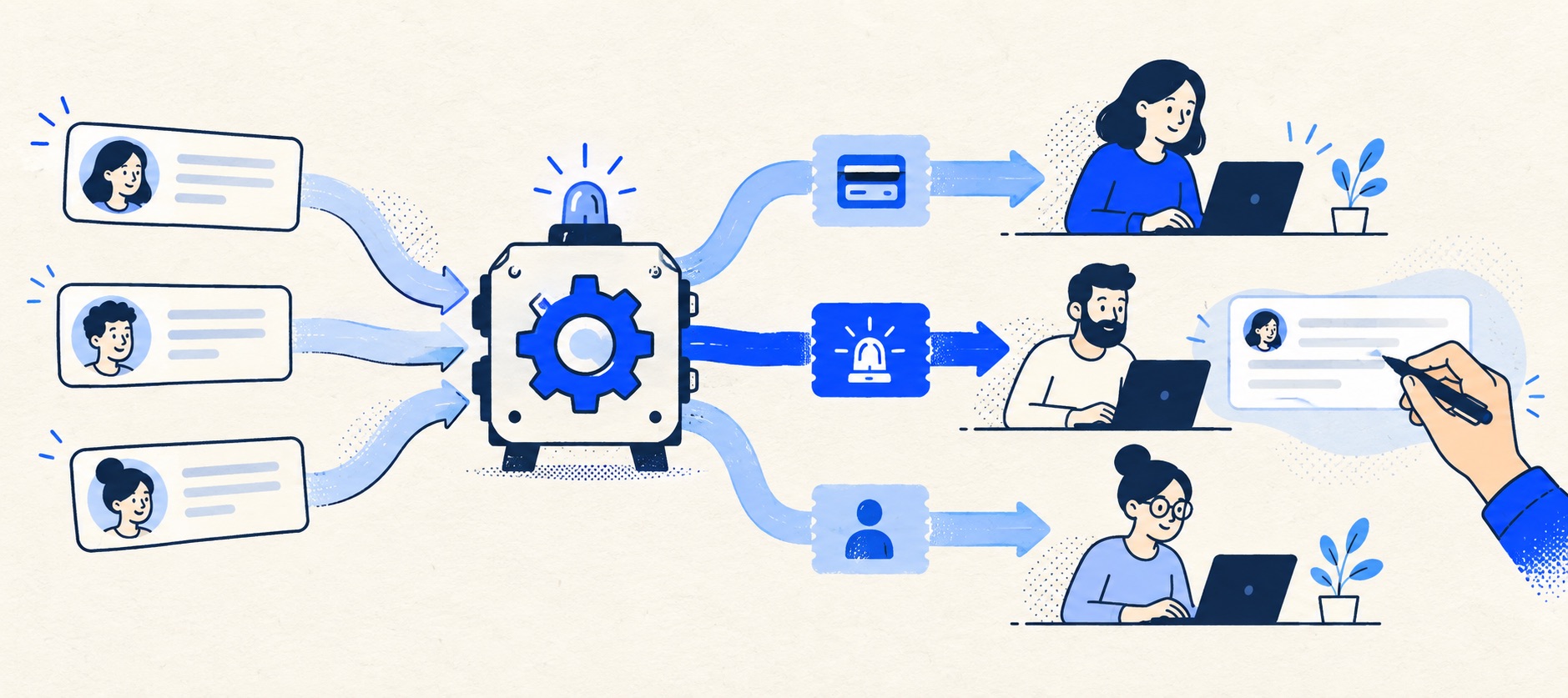
Write the desired human workflow before expressing it as triggers and actions.
Test a case that should match and one that must not match every rule.
Review rule execution, false positives and plan limits monthly.
Product shortlist
Automation paths to compare
Compare rule limits, triggers and the plan required for the workflow—not just the presence of an automation menu.

HelpDesk
Best for: Small teams that want ticketing, website chat and useful automation without an enterprise platform
A focused support workspace combining ticketing, a shared inbox, website chat, messaging channels, automation and reporting in one entry plan.
$19 per user/monthEssential, billed annually; checked September 2026
Useful strengths
- Ticketing, website chat and messaging channels on Essential
- 14-day trial without a credit card
Watch for
- There is no permanent free plan
- Extra AI resolutions can add usage cost
- 14-day trial
- Email, chat and messaging
- Per-user pricing

Freshdesk
Best for: Growing teams that need proper ticketing, self-service, automation and reporting
A broad email-first help desk with ticketing, a shared inbox, a customer portal, knowledge base and out-of-the-box reporting on its entry paid plan.
$19 per agent/monthGrowth, billed annually; checked September 2026
Useful strengths
- Ticketing, shared inbox and knowledge base on Growth
- Clearer route into routing, SLAs and custom reporting
Watch for
- Omnichannel needs differ from the email-first Freshdesk plan
- AI and connector usage can add cost
- Free trial
- Email-first help desk
- Per-agent pricing

Zoho Desk
Best for: Budget-conscious teams and businesses already using the Zoho ecosystem
The free edition covers three users and email ticketing. Paid tiers add broader messaging, knowledge-base, reporting, automation and telephony capabilities in stages.
Free for 3 usersPaid plans vary by selected billing currency; checked September 2026
Useful strengths
- Three-user free edition
- Broad channel and Zoho integration range
Watch for
- Plan and currency selectors make budgeting less immediate
- Live chat and advanced routing are plan-dependent
- 15-day trial
- Free edition
- Three users on free plan

Zendesk
Best for: Teams that expect multiple channels, mature routing and increasing operational complexity
The Support Team plan supplies core email ticketing, routing, analytics and automations. The broader Suite adds live chat, messaging, telephony and a knowledge base.
£15 per agent/monthSupport Team, paid yearly; checked September 2026
Useful strengths
- GBP pricing and a clear entry ticketing plan
- Strong upgrade path for multichannel operations
Watch for
- Suite Team rises to £45 per agent/month
- Small teams may buy more process than they need
- 14-day trial
- GBP pricing available
- Per-agent pricing

HubSpot Service Hub
Best for: Businesses that want support, sales and marketing activity on one customer record
Free tools cover basic ticketing, inbox and live chat. The dedicated advanced help-desk workspace, knowledge base, SLAs and deeper routing are concentrated in Professional and Enterprise.
Free for up to 2 usersProfessional from $90/seat/month annually plus onboarding; checked September 2026
Useful strengths
- Support history beside CRM, sales and marketing data
- Free entry tools and a large integration marketplace
Watch for
- Advanced help desk features require a large price jump
- Professional has mandatory onboarding cost
- 14-day trial
- CRM-connected service
- Two users on free tools

Gorgias
Best for: Online shops that need order context and ecommerce actions inside support conversations
Unlike per-seat tools, Gorgias prices its help desk by billable ticket volume. Its strongest case is the depth of its Shopify and ecommerce workflow integrations.
$10/month for 50 ticketsStarter includes 3 agent seats; checked September 2026
Useful strengths
- Deep Shopify order context and actions
- Costs scale by tickets rather than only by agent seats
Watch for
- Overages and AI resolutions need modelling
- Entry plan is email-only and has limited operations features
- 7-day trial
- Shopify-focused
- Ticket-volume pricing
Automation helps a small support team when it removes a repeatable administrative step without hiding who is responsible for the customer. It hurts when rules multiply faster than people can explain them. A ticket that is automatically tagged, reassigned and marked waiting may look organised while nobody knows who will send the next update.
Begin with the manual workflow. If the team cannot agree what should happen to a billing question, a late delivery or an outage report, software cannot safely decide it. Write the trigger, condition, action, exception and owner in plain language before opening the rule builder.
The first-rule ladder
| Rule | Useful outcome | Failure to test |
|---|---|---|
| Receipt | Customer knows the message arrived | Duplicate acknowledgements |
| Simple routing | Known address or form goes to a queue | Wrong category from quoted text |
| Unowned reminder | Someone checks an idle new ticket | Notice goes to an absent agent |
| Waiting follow-up | Supplier or customer cases resurface | Rule sends a premature public message |
| Escalation alert | Duty owner sees a genuine urgent case | Every complaint is marked critical |
Implement one rule, observe it for real cases, then add the next. A small queue rarely needs an elaborate decision tree from day one. A daily human sweep remains the backstop for misrouting.
Acknowledge without pretending to solve
An automatic receipt should confirm that the case arrived, state the support hours and tell the customer when to expect a human update. It can provide a case reference and point to genuinely useful self-service material. It should not claim that the issue has been reviewed or resolved.
Test whether the same customer receives a separate receipt from a web form, shared mailbox or store app. One message is reassuring; several feel broken. Check attachments and reply-to behaviour, and suppress receipts for spam or internal notifications where appropriate.
Keep reporting definitions honest. Freshdesk's SLA documentation notes that replies sent through an automation action are treated as system-generated rather than agent first responses. That is a useful distinction to preserve in any platform: receipt time and actual first human answer should not be conflated.
Route only on dependable signals
The best early routing signals are the address or form the customer used, a structured selection they made, or an account record the team trusts. Subject keywords can help, but quoted email, sarcasm or mixed issues produce false positives. Route an obvious billing form to a billing queue; do not automatically infer refund approval from the word “refund”.
Give every queue an accountable owner and an absence rule. Automatic assignment to an individual who is on leave simply moves the hidden backlog. If the tool supports round-robin, test what happens when people are offline, and whether the customer-facing owner remains clear.
Add a default destination for cases that match no rule or several rules. Review it daily. A “miscellaneous” queue that nobody owns is not a safety net.
Set reminders around a real promise
An unowned-ticket reminder can be valuable because it catches a silent failure. A waiting-case reminder should bring the case back to a person for review, not automatically tell the customer that a supplier has replied when no such event occurred. Tie reminders to the team's actual coverage calendar.
Before configuring service-level alerts, define business hours, priority and pause conditions. A case arriving Friday evening is not necessarily late on Saturday if the team promises weekday service. Zendesk's SLA policy guidance shows how business versus calendar hours are part of a policy. The SLA guide explains how to turn that into a customer-facing promise.
Avoid alert fatigue. If every ticket is “due soon”, the rule does not help people choose. Start with one escalation that identifies genuinely at-risk work and check how often it fired.
Keep sensitive actions human-owned
Use automation to label a payment dispute, route an account-access problem or ask an agent to verify a refund. Do not let a keyword alone approve a refund, delete an account, promise compensation or send a final complaint response. A template can prepare a draft; a person should confirm the case facts and authority.
AI-generated answers deserve the same boundary. A fluent reply may still be wrong about a policy, price or customer-specific status. Measure whether it reduces agent work without increasing corrections, and keep a way to see what was sent. The team is responsible for the customer outcome even when software composed the sentence.
Write a rule specification anyone can review
For each rule, record its name, business purpose, trigger, all conditions, action, owner, start date, expected volume and test cases. Include one case that must match and at least one that must not. For example: “If a new ticket arrives through the returns form, assign Returns; do not act on an existing ticket merely because a customer quotes the form email.”
Check what happens on a second ticket update. HelpDesk's rule documentation says its rules are evaluated when a ticket changes and rule order follows creation sequence. Zoho Desk's workflow documentation describes triggers and actions, and notes workflow rules are unavailable on Free. Those details make plan and event testing essential.
Keep an owner for each rule. A configuration that everyone can edit but nobody reviews will eventually contradict a changed support policy.
Compare provider limits honestly
HelpDesk offers approachable condition-and-action rules, but its entry plan's allowance should be checked against the proposed rule set. Freshdesk has developed automation and SLA paths; the exact plan matters when policies or advanced routing are needed. Zoho Desk can be cost-effective, but its Free edition is not an automation platform according to its own workflow guidance.
Zendesk is appropriate where multiple channels and policies justify more sophisticated rules, yet setup and maintenance are part of the cost. HubSpot Service Hub is relevant when service actions depend on CRM properties; verify data quality and the required paid tier. Gorgias is useful in ecommerce when order context informs routing, but test integration data and ticket-volume economics together.
The right platform is not the one that can create the most rules. It is the one where the small team can explain and audit the few rules it needs. Compare the small-team ticketing options before purchasing for a feature that may sit behind a higher edition.
Review and retire rules
Once a month, inspect which rules fired, how often agents reversed their actions, whether false positives appeared and whether any rule is now redundant. Ask agents which tickets still need manual correction. A rule that saves a few seconds but routinely sends work to the wrong person should be changed or removed.
When policies change, review all affected templates and automations together. A new returns window can make a saved reply and a routing condition wrong in different ways. Keep a change log so a future lead knows why a rule exists.
If the platform has no accessible execution log, build a small manual review sample. Check ten affected cases after a change. A human check is less glamorous than a complex dashboard, but it protects customers.
Bottom line
Start with automation that makes ownership and follow-up more reliable. Require human review where the answer depends on judgement, customer-specific facts or financial authority. Every rule should be testable, observable and removable without breaking the queue.
Sources and further reading
- HelpDesk: manage automation rules.
- Zoho Desk: create workflow rules.
- Freshdesk: understanding SLA policies.
- Zendesk: SLA policy structure.
The first-rule ladder and product-fit views are Support Sorted's editorial guidance.
Frequently asked questions
Questions readers ask before choosing
What should a small team automate first?
Receipt confirmation, simple categorisation, assignment to a known queue and reminders for unowned or ageing work are safe starting points. Keep the rules visible and easy to undo.
Should automated replies count as first responses?
Treat a receipt separately from a human answer. Some tools do not count system-generated replies toward first-response SLA metrics, and customers should not be led to think a person has reviewed the case.
Can a free help desk automate ticket routing?
It depends on the provider and edition. For example, Zoho Desk documents that workflow rules are not available on its Free edition. Verify the exact trigger and action before assuming a free plan covers the process.
How do we stop automation loops?
Define the conditions that end a rule, test repeated ticket updates and inspect execution logs. Make rules mutually understandable; a status change caused by one rule must not re-trigger another indefinitely.