
WooCommerce support buying guide
Help desk software for WooCommerce stores
Compare WooCommerce help desks on order visibility, integration limits, WordPress support, ticket costs and the steps needed to finish returns and refunds.
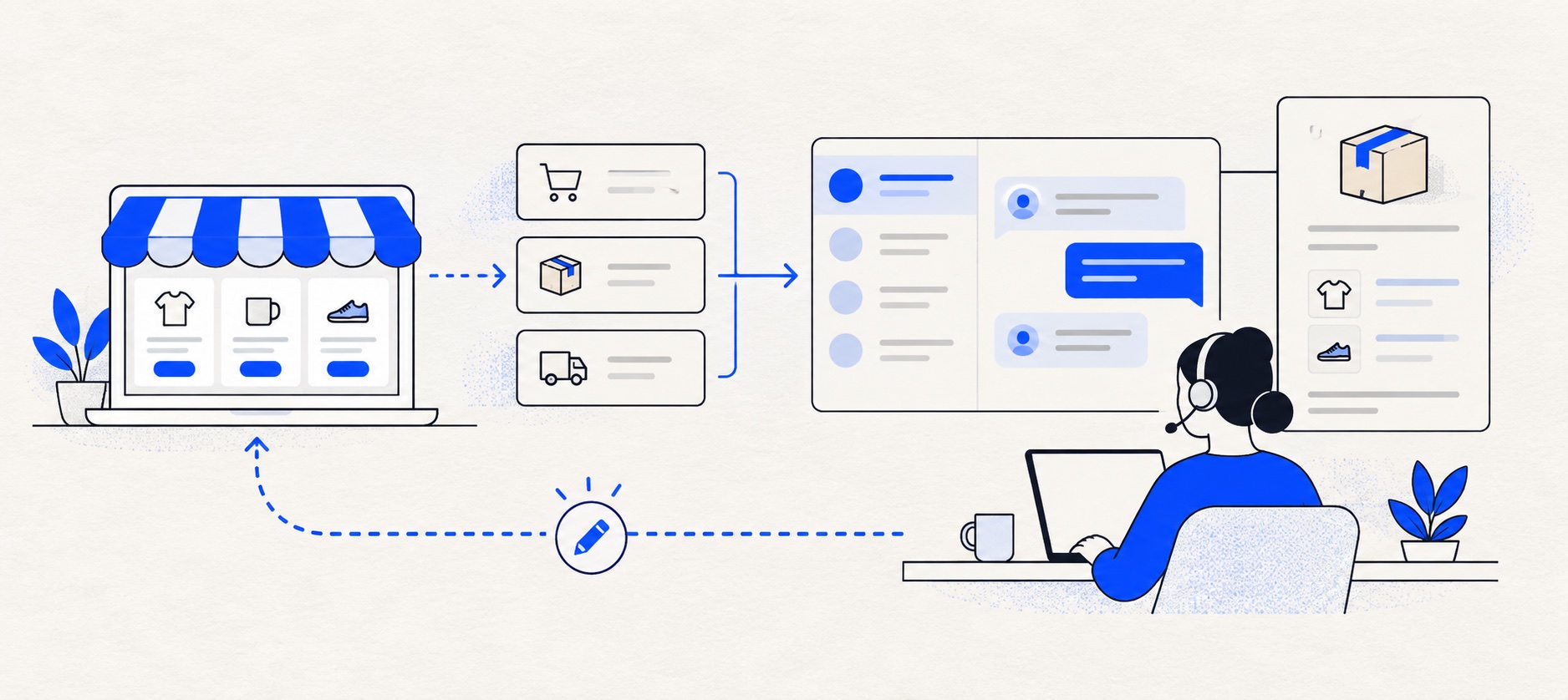
Ask whether the agent can see order data, change order data or only follow a link; these are different capabilities.
Test a customer match, refund handoff and subscription or plugin-specific order before buying.
Include connector maintenance, developer charges and WooCommerce plugin compatibility in total cost.
Product shortlist
Five help desks to test with WooCommerce
Official logos identify products.

Gorgias
Best for: Online shops that need order context and ecommerce actions inside support conversations
Unlike per-seat tools, Gorgias prices its help desk by billable ticket volume. Its strongest case is the depth of its Shopify and ecommerce workflow integrations.
$10/month for 50 ticketsStarter includes 3 agent seats; checked September 2026
Useful strengths
- Deep Shopify order context and actions
- Costs scale by tickets rather than only by agent seats
Watch for
- Overages and AI resolutions need modelling
- Entry plan is email-only and has limited operations features
- 7-day trial
- Shopify-focused
- Ticket-volume pricing

Freshdesk
Best for: Growing teams that need proper ticketing, self-service, automation and reporting
A broad email-first help desk with ticketing, a shared inbox, a customer portal, knowledge base and out-of-the-box reporting on its entry paid plan.
$19 per agent/monthGrowth, billed annually; checked September 2026
Useful strengths
- Ticketing, shared inbox and knowledge base on Growth
- Clearer route into routing, SLAs and custom reporting
Watch for
- Omnichannel needs differ from the email-first Freshdesk plan
- AI and connector usage can add cost
- Free trial
- Email-first help desk
- Per-agent pricing

HelpDesk
Best for: Small teams that want ticketing, website chat and useful automation without an enterprise platform
A focused support workspace combining ticketing, a shared inbox, website chat, messaging channels, automation and reporting in one entry plan.
$19 per user/monthEssential, billed annually; checked September 2026
Useful strengths
- Ticketing, website chat and messaging channels on Essential
- 14-day trial without a credit card
Watch for
- There is no permanent free plan
- Extra AI resolutions can add usage cost
- 14-day trial
- Email, chat and messaging
- Per-user pricing

Zoho Desk
Best for: Budget-conscious teams and businesses already using the Zoho ecosystem
The free edition covers three users and email ticketing. Paid tiers add broader messaging, knowledge-base, reporting, automation and telephony capabilities in stages.
Free for 3 usersPaid plans vary by selected billing currency; checked September 2026
Useful strengths
- Three-user free edition
- Broad channel and Zoho integration range
Watch for
- Plan and currency selectors make budgeting less immediate
- Live chat and advanced routing are plan-dependent
- 15-day trial
- Free edition
- Three users on free plan

Zendesk
Best for: Teams that expect multiple channels, mature routing and increasing operational complexity
The Support Team plan supplies core email ticketing, routing, analytics and automations. The broader Suite adds live chat, messaging, telephony and a knowledge base.
£15 per agent/monthSupport Team, paid yearly; checked September 2026
Useful strengths
- GBP pricing and a clear entry ticketing plan
- Strong upgrade path for multichannel operations
Watch for
- Suite Team rises to £45 per agent/month
- Small teams may buy more process than they need
- 14-day trial
- GBP pricing available
- Per-agent pricing
WooCommerce store owners often search for the same “best ecommerce help desk” advice given to Shopify stores. The critical difference is the integration. An agent may see WooCommerce orders beside a ticket but still need to return to the store to cancel or refund one. Selecting software on the assumption that a Shopify workflow also works with WooCommerce can lead to an expensive mistake.
Begin with the tasks your store performs. If most enquiries are product advice and delivery updates, an excellent general ticket queue may be enough. If agents spend hours reconciling order numbers, subscription status and returns, integration quality deserves much more weight.
WooCommerce shortlist at a glance
| Product | WooCommerce route | Useful strength | Check closely |
|---|---|---|---|
| Gorgias | Native WooCommerce connection | Customer and order context | No documented order write actions |
| Freshdesk | Marketplace WooCommerce connector | General ticketing and knowledge | Third-party app scope and charges |
| HelpDesk | Focused queue; validate connection | Email ownership and chat | Manual store lookup |
| Zoho Desk | Value-led ticketing; validate apps | Free edition for three users | Edition and integration work |
| Zendesk | Broad platform; validate app route | Service operations | Connector and Suite scope |
This table deliberately separates a documented connection from a possible app route. Third-party marketplace listings can change, have their own terms and cost extra. Do not treat the existence of an app as proof that it performs every order action the store needs.
First distinguish read, link and write
A read-only integration shows customer and order details. That can save time and reduce transcription errors. A deep link opens the matching order in WooCommerce, which may be enough when a trained person must approve a refund. A write integration changes the store's data from the support workspace; it needs careful permissions and auditability.
Write a task matrix for your store: order lookup, address change, cancellation, refund, return approval, subscription pause and replacement shipment. Mark whether the agent should perform each action or hand it to fulfilment. Then ask vendors to demonstrate the exact action on a test order.
WooCommerce sites often use extra plugins for subscriptions, returns, shipping or payment. A connector may show the core order while missing the field that actually determines the customer's issue. Include your real plugin stack in the trial.
Gorgias: useful context with a clear limitation
Gorgias documents a native WooCommerce connection that synchronises customer and order information and presents it in the ticket sidebar. For an agent answering “where is my order?” or identifying a customer's latest purchase, that context can be valuable. The provider says the synchronisation continues as orders and customer profiles change.
Its current WooCommerce help article also states that agents cannot create, edit, cancel or refund WooCommerce orders through that integration. WooCommerce data cannot be used as conditions in Gorgias Rules, and Automate features do not work with this connection. Those limits are materially different from Gorgias's deeper Shopify integration.
Gorgias still merits a trial when order visibility and ecommerce channels matter. Price it by billable tickets, including seasonal peaks and optional AI charges. Choose it for the work it actually completes in WooCommerce, not for the broader promise of its Shopify marketing.
Freshdesk: broad help desk plus a marketplace connector
Freshdesk Growth combines email ticketing, a customer portal, knowledge base and standard reports. Freshworks Marketplace lists a verified WooCommerce Connector for Freshdesk and Freshdesk Omni, published by a third-party developer. The listing advertises a trial and warns that developer charges may apply.
That makes Freshdesk a plausible choice when the store also values self-service and general service operations. The connector must be assessed separately: what data does it sync, how often, which actions can it perform, what happens if it fails and who supports it? Review the developer's terms and data access before installing it on a live store.
Freshdesk prices by agent, so staffing is easier to model than ticket spikes. Higher-tier routing or reporting and connector charges can change the total. In a trial, ask an agent to answer a delivery enquiry and complete a return workflow end to end.
HelpDesk, Zoho Desk and Zendesk
HelpDesk is a focused paid queue for email and website chat. It can be a sensible choice when one or two people need assignment, prepared replies and follow-up more than embedded store actions. Have the agent time an order lookup in WooCommerce and see whether the extra tab is a meaningful cost.
Zoho Desk offers a free edition for up to three users and several paid editions. It can give a small shop a structured queue at low initial cost. The exact WooCommerce connection and edition should be demonstrated before purchase; do not assume an app provides refund or subscription actions.
Zendesk is worth considering when a larger retailer needs mature channels, policies and reporting. Its UK Support and Suite plans differ. Confirm the WooCommerce app route, the developer responsible for it, its permissions and the plan needed for your workflow. A capable general platform does not automatically provide a deep store integration.
WordPress and store maintenance implications
WooCommerce is part of a WordPress site, and stores often update the core platform, theme and several plugins at different times. A support connector may depend on APIs, permissions and extensions that change during those updates. Assign an owner to check the connection after a major store release.
Ask how failed synchronisation appears to agents. Stale order status beside a ticket can be worse than an obvious manual lookup. Record the last successful sync if the connector offers it, and establish a fall-back process when the sidebar data disagrees with WooCommerce.
Limit credentials and permissions. A support agent who only needs to read delivery status should not receive broad store administration access. Test a refund with a separate approval role and confirm that the resulting action is attributable to a person.
Customer identity and order matching
A customer may write from a different email address than the one used at checkout. Before linking profiles, verify enough information to avoid showing another customer's order. Test guest checkout, duplicate customer records and multiple orders under one account.
If the store sells subscriptions, memberships or digital products, the normal order view may not explain the entitlement or renewal state. Put those cases into the trial. They often reveal whether the integration is genuinely useful or merely displays basic order totals.
For returns, record the policy decision separately from the technical action. The help desk should preserve what was promised to the customer, while WooCommerce or the returns system remains the operational record for the order.
Calculate complete cost
Gorgias charges mainly by billable ticket volume; model normal and busiest months. Freshdesk, HelpDesk, Zoho and Zendesk depend largely on agent seats and plan tier. Add connector subscription or developer charges, implementation, maintenance, AI usage and any required higher-tier reporting.
Compare work time as well as invoices. If an agent saves forty seconds on an order lookup across hundreds of cases, the benefit may justify a connector. If a connection still requires a manual refund, its value should be described as visibility, not full automation.
A test-store trial
Create safe WooCommerce orders covering a guest customer, return, partial refund, subscription and address change. Send corresponding enquiries to the help desk. Record which fields appear, their freshness and every action that still requires the store admin. Repeat after changing an order in WooCommerce.
Have a second agent take over one case. They should see the customer's promise and know which system contains the authoritative order state. Export the ticket and check that private information is handled as intended.
Final recommendation
Test Gorgias when WooCommerce order visibility is the central need and its read-oriented integration limits are acceptable. Test Freshdesk when ticketing, knowledge and reporting matter and the marketplace connector meets your requirements. Use HelpDesk for a simpler queue, Zoho Desk for a value-led start or Zendesk for a more formal service operation.
The best WooCommerce help desk is the one that accurately shows the order state and makes the remaining store actions explicit. Verify the exact integration before treating an ecommerce label as a capability promise.
Sources
- Gorgias WooCommerce integration and limitations
- Gorgias pricing
- Freshworks WooCommerce Connector listing
- Freshdesk pricing
- HelpDesk pricing
- Zoho Desk pricing
- Zendesk UK pricing
Provider facts come from official sources. Product-fit conclusions are Support Sorted's editorial judgement.
Frequently asked questions
Questions readers ask before choosing
Does Gorgias support WooCommerce refunds inside a ticket?
Its current WooCommerce help documentation says the integration cannot create, edit, cancel or refund WooCommerce orders. It does show customer and order data. Verify the live product and permissions before promising an in-ticket refund workflow.
Is a WooCommerce connector included with Freshdesk?
Freshworks lists a verified marketplace connector for Freshdesk and Freshdesk Omni, published by a third party. A trial is offered and developer charges may apply. Confirm the connector's data, actions, support and terms directly.
Can I use a help desk without a WooCommerce integration?
Yes. A small store can use a reliable ticket queue and complete order actions in WooCommerce. The trade-off is extra lookup and copying, which should be measured in a trial.
What should I test before connecting a store?
Use test orders to check customer matching, order freshness, permissions, returns, subscriptions and data export. Confirm how the connection behaves when WooCommerce or other store plugins update.