
Help desk evaluation workflow
Run a help desk pilot
Run a fair help desk pilot with real support cases, pass/fail criteria, agent observations, plan checks and a safe route to full rollout or rollback.
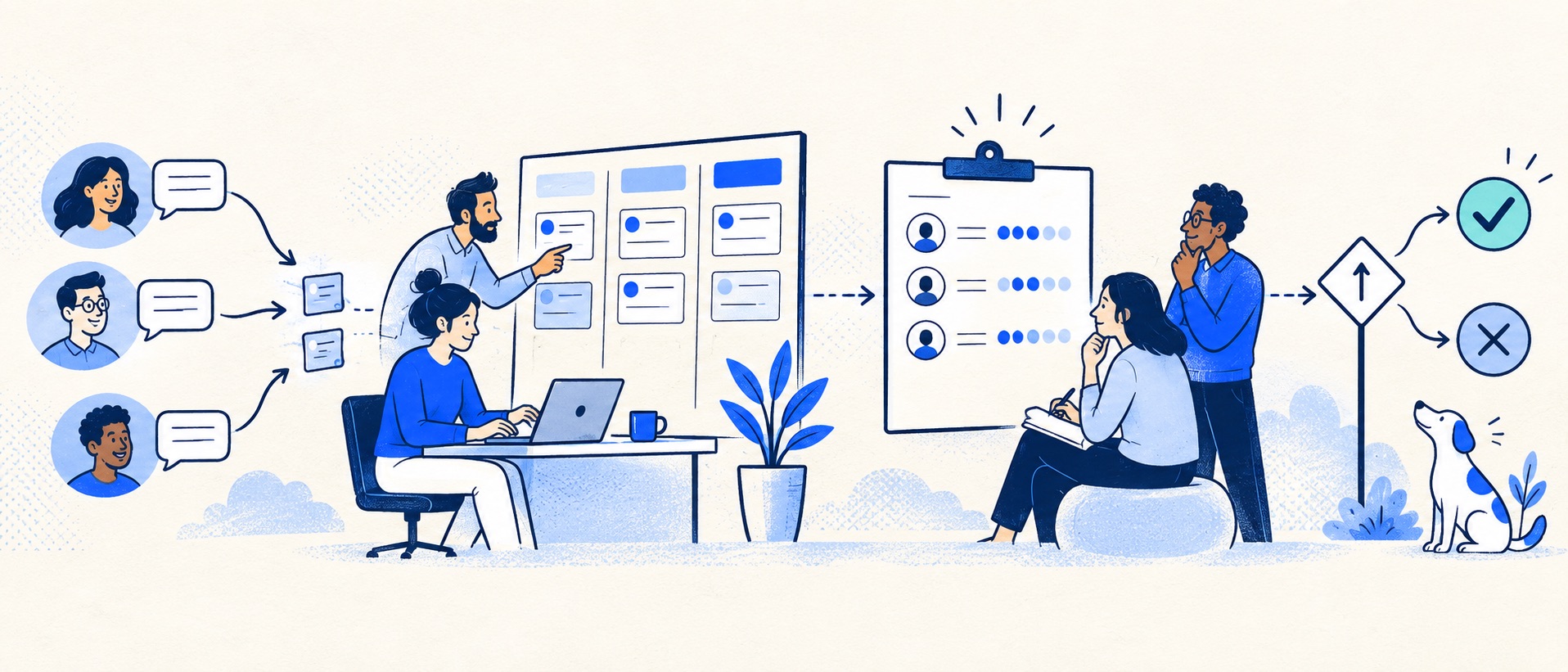
Agree three non-negotiable pass conditions before setting up accounts.
Test normal, difficult and failed-path cases across at least two agents.
Record whole-plan cost and administrator effort alongside agent task results.
Product shortlist
Products worth testing against one scorecard
Compare different software models with identical cases.

HelpDesk
Best for: Small teams that want ticketing, website chat and useful automation without an enterprise platform
A focused support workspace combining ticketing, a shared inbox, website chat, messaging channels, automation and reporting in one entry plan.
$19 per user/monthEssential, billed annually; checked September 2026
Useful strengths
- Ticketing, website chat and messaging channels on Essential
- 14-day trial without a credit card
Watch for
- There is no permanent free plan
- Extra AI resolutions can add usage cost
- 14-day trial
- Email, chat and messaging
- Per-user pricing

Freshdesk
Best for: Growing teams that need proper ticketing, self-service, automation and reporting
A broad email-first help desk with ticketing, a shared inbox, a customer portal, knowledge base and out-of-the-box reporting on its entry paid plan.
$19 per agent/monthGrowth, billed annually; checked September 2026
Useful strengths
- Ticketing, shared inbox and knowledge base on Growth
- Clearer route into routing, SLAs and custom reporting
Watch for
- Omnichannel needs differ from the email-first Freshdesk plan
- AI and connector usage can add cost
- Free trial
- Email-first help desk
- Per-agent pricing

Zoho Desk
Best for: Budget-conscious teams and businesses already using the Zoho ecosystem
The free edition covers three users and email ticketing. Paid tiers add broader messaging, knowledge-base, reporting, automation and telephony capabilities in stages.
Free for 3 usersPaid plans vary by selected billing currency; checked September 2026
Useful strengths
- Three-user free edition
- Broad channel and Zoho integration range
Watch for
- Plan and currency selectors make budgeting less immediate
- Live chat and advanced routing are plan-dependent
- 15-day trial
- Free edition
- Three users on free plan

Zendesk
Best for: Teams that expect multiple channels, mature routing and increasing operational complexity
The Support Team plan supplies core email ticketing, routing, analytics and automations. The broader Suite adds live chat, messaging, telephony and a knowledge base.
£15 per agent/monthSupport Team, paid yearly; checked September 2026
Useful strengths
- GBP pricing and a clear entry ticketing plan
- Strong upgrade path for multichannel operations
Watch for
- Suite Team rises to £45 per agent/month
- Small teams may buy more process than they need
- 14-day trial
- GBP pricing available
- Per-agent pricing

HubSpot Service Hub
Best for: Businesses that want support, sales and marketing activity on one customer record
Free tools cover basic ticketing, inbox and live chat. The dedicated advanced help-desk workspace, knowledge base, SLAs and deeper routing are concentrated in Professional and Enterprise.
Free for up to 2 usersProfessional from $90/seat/month annually plus onboarding; checked September 2026
Useful strengths
- Support history beside CRM, sales and marketing data
- Free entry tools and a large integration marketplace
Watch for
- Advanced help desk features require a large price jump
- Professional has mandatory onboarding cost
- 14-day trial
- CRM-connected service
- Two users on free tools

Gorgias
Best for: Online shops that need order context and ecommerce actions inside support conversations
Unlike per-seat tools, Gorgias prices its help desk by billable ticket volume. Its strongest case is the depth of its Shopify and ecommerce workflow integrations.
$10/month for 50 ticketsStarter includes 3 agent seats; checked September 2026
Useful strengths
- Deep Shopify order context and actions
- Costs scale by tickets rather than only by agent seats
Watch for
- Overages and AI resolutions need modelling
- Entry plan is email-only and has limited operations features
- 7-day trial
- Shopify-focused
- Ticket-volume pricing
The usual software demo shows the happy path: a new message arrives, a polished reply goes out, and a dashboard looks reassuring. A help desk pilot should test the team's real work, including the untidy cases that cause missed promises. It should also expose what the required plan costs and what the administrator must maintain.
The point of a pilot is not to prove that a preferred vendor can work. It is to decide whether the system can run the queue better than the present method, and whether the gain justifies the full cost and change effort.
Write the hypothesis before opening the trial
Choose one problem statement: “We lose ownership during leave,” “We cannot see old cases,” or “Our Shopify agents spend too long switching between order and ticket tools.” Then set pass conditions. For example, every pilot case must have one visible owner, another agent must be able to complete a handover from the ticket record, and no customer email may be duplicated or sent from the wrong address.
Record the current baseline: daily volume, oldest open case, approximate time to claim a new enquiry and the effort needed for a weekly report. Without that context, a slick interface can appear valuable even if it adds no useful capability.
Define which failures are disqualifying and which are fixable. A missing signature can be configured; an essential integration unavailable on an affordable plan may be a structural problem.
Pilot scorecard
| Dimension | Test | Evidence to keep |
|---|---|---|
| Delivery | External send, reply, alias, attachment | Received message and ticket link |
| Ownership | Two agents open the same case | Assignee and collision outcome |
| Handover | Owner absent, colleague takes over | Notes and customer update quality |
| Exception | Urgent, spam, reopen, duplicate | Correct queue and safe escalation |
| Reporting | Find ageing work and weekly volume | Reproducible report definition |
| Economics | Price required tier and people | Written annual cost model |
Use the same cases and scorecard for every candidate. Otherwise one vendor gets an easy inbox case while another is judged on a complex refund or incident.
Select representative cases
Choose a small set that reflects the actual mix: a routine question, a request missing details, a repeat customer, a case involving another team, a complaint, a reopened ticket and a time-sensitive issue. Add a high-volume event if the business has seasonal peaks. If ecommerce is in scope, include an order lookup and a safe test order action. If SaaS support is in scope, include a bug escalation and a request that should become a knowledge article.
Do not use a production refund, account deletion or security change as a casual test. Use a sandbox or test data for write actions. The pilot must be realistic about the workflow while remaining safe for customers.
Write the expected outcome beside each case, not the exact clicks. “Customer receives one accurate update; next owner can see the blocker” is a useful criterion. “Agent clicks automation button” is not.
Include a normal agent and an administrator
Give at least two agents access, one of whom did not configure the tool. Ask them to find the next case, claim it, leave a private note, send a public response, reassign it and close it. Observe where they hesitate. A system may be simple for its administrator and opaque for occasional support staff.
Have the administrator create a new user, change a routing rule, find an import log and remove access. These tasks are less glamorous than replying, but they determine ongoing operating cost. Record the amount of vendor help required. If a basic change needs a specialist every time, factor that into the purchase.
Test an absence: agent A works on a case and is unavailable. Agent B should understand what was checked, what was promised and what to do next using the ticket record alone. If they must search private chat, the workflow has not solved the original problem.
Test the complete email journey
Send from external email accounts, not only internal test addresses. Check the support sender identity, message threading, quoted content, attachments, aliases and bounced messages. Reply to a case that existed before the trial. If the product is connected to a shared mailbox, make sure the mailbox and the new tool do not both send acknowledgements.
Measure customer-visible errors. An internal status mislabel may be recoverable; a duplicate or missing customer reply can damage trust. Keep one person watching the original inbox during the trial, but designate only one system as the place from which pilot replies are sent.
For a channel beyond email, repeat the test from that channel's customer viewpoint. A chat handover to email, for example, must retain enough context to avoid asking the customer to start again.
Test reporting against a real question
Ask, “Which open tickets are older than our expected follow-up time?” and “What types of request increased this week?” Then see whether the tool can answer using the plan under consideration. A dashboard with colourful charts but no reliable definition of “open” is not useful.
Check whether business hours, paused statuses, imported history and reopened tickets affect the numbers. Freshdesk's analytics guidance describes curated and custom reporting routes; availability depends on the plan. HubSpot's SLA guidance shows that timing and pause rules can materially change the resulting report. Use these as examples of questions to ask every vendor.
Price what the pilot actually used
Do not compare a fully featured trial with the cheapest public plan. Record the edition needed for every successful task, the number of paid users, optional channels, connector charges, AI usage and likely annual commitment. Price a quiet month and a peak month if the provider charges by ticket or usage.
For a small email team, HelpDesk may be quick to evaluate; test its rule allowance and reporting at the intended tier. Freshdesk gives a broader knowledge and ticketing path, but advanced policies can change the bill. Zoho Desk can be economical for a small team, yet do not assume its free edition includes the import or automation used in a paid trial.
Zendesk deserves a pilot when channels and policies are more complex. HubSpot Service Hub should be tested with the actual CRM records agents need. Gorgias is relevant when store order context and ticket-volume pricing are central. The product card labels above are starting points, not proof that any provider passed the scorecard.
Record failures and decide fairly
Keep a simple log with case, expected result, actual result, impact, plan used and possible fix. Repeat a failed case after a configuration change, but do not hide the extra setup effort. Separate product limits from training issues. If every agent misses the same control, that may be a usability problem even if the feature exists.
At the end, hold a decision review with an agent, operational owner and person responsible for cost. The outcomes are proceed, proceed after a specific fix, extend the pilot for one unresolved risk, or reject. Avoid indefinite trials that make the old and new systems run in parallel without ownership.
From pilot to rollout
If the pilot passes, use the implementation checklist to add permissions, a complete support address, training and daily monitoring. If it fails, switch off forwarding cleanly, reconcile open pilot cases and retain the observations. A failed pilot is useful if it prevents a rushed purchase.
Preserve the scorecard and cost model for later reassessment. Products and plans change, but the underlying support tasks are durable. Re-run the same cases when a future shortlist is needed.
Sources and further reading
- Freshdesk: introduction to analytics.
- HubSpot: set SLA goals in help desk.
- HelpDesk: manage automation rules.
The pilot method and product-fit recommendations are Support Sorted's editorial guidance.
Frequently asked questions
Questions readers ask before choosing
How many products should we pilot?
Two or three credible finalists are usually enough for a small team. A long trial list creates setup work and makes comparison less fair; first narrow candidates using non-negotiable requirements and actual plan costs.
How long should a help desk pilot run?
Long enough to cover a normal queue cycle, an absence or handover, and a meaningful sample of enquiry types. A brief demo is insufficient, but there is no universal number of days.
Should we use real customer tickets?
Use a controlled set of real work when the security and service risks are managed, plus test records for sensitive or destructive actions. Do not expose customers to an unproven reply path simply to make the trial realistic.
What counts as a failed pilot?
Failure includes lost or duplicate customer replies, unclear ownership, missing required permissions, an unaffordable required tier or reports that cannot answer the operating question. Cosmetic preferences should not outweigh these fundamentals.