
Product review
Freshdesk review
Our Freshdesk review covers Growth, Pro and Enterprise pricing, ticketing, knowledge base, SLAs, routing and its fit for growing UK teams.
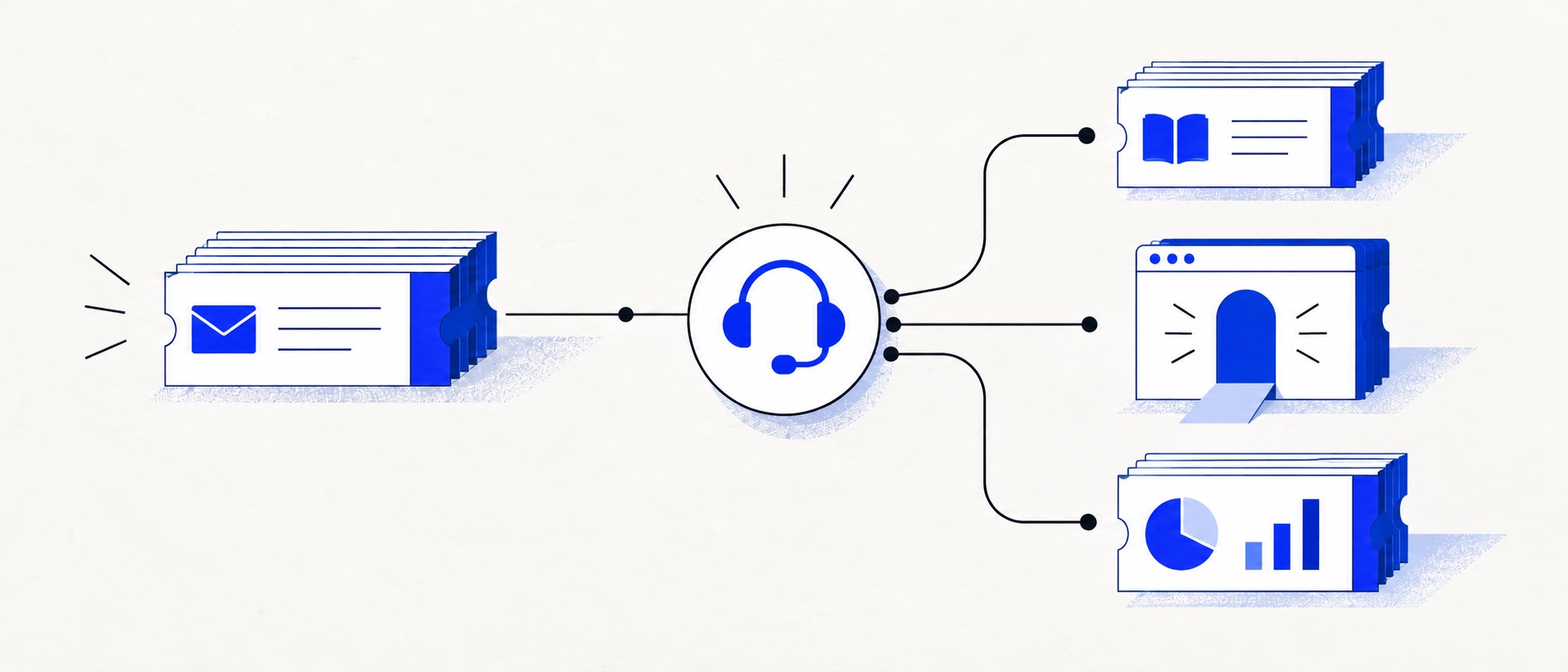
Growth has a useful operational base rather than a deliberately thin entry plan.
Pro is the important planning tier for teams that need intelligent routing, multiple service policies or custom analytics.
Freshdesk is email-first; compare the separate omnichannel proposition if voice and digital messaging are central.
Product shortlist
Freshdesk at a glance
Freshdesk's official product logo identifies the reviewed platform.

Freshdesk
Best for: Growing teams that need proper ticketing, self-service, automation and reporting
A broad email-first help desk with ticketing, a shared inbox, a customer portal, knowledge base and out-of-the-box reporting on its entry paid plan.
$19 per agent/monthGrowth, billed annually; checked September 2026
Useful strengths
- Ticketing, shared inbox and knowledge base on Growth
- Clearer route into routing, SLAs and custom reporting
Watch for
- Omnichannel needs differ from the email-first Freshdesk plan
- AI and connector usage can add cost
- Free trial
- Email-first help desk
- Per-agent pricing
Freshdesk occupies a useful middle position in the help-desk market. It is more structured than a collaborative inbox, but a small team does not have to begin with an enterprise-scale service suite. The Growth plan includes the queue, customer portal, knowledge base, roles and standard analytics needed to build a credible support operation.
That breadth makes Freshdesk our best all-round ticketing choice for many growing teams. The main qualification is plan progression. Intelligent routing, several SLA policies, custom dashboards and more sophisticated knowledge management sit in Pro, which is nearly three times the annual-billing per-agent price of Growth.
This assessment uses current Freshworks pricing and support documentation. It separates published product facts from our judgement about which teams receive the best value.
Freshdesk pricing explained
| Plan | Annual-billing price | Most relevant addition |
|---|---|---|
| Growth | $19 per agent/month | Ticketing, shared inbox, portal, knowledge base and standard analytics |
| Pro | $55 per agent/month | Intelligent routing, multiple SLA policies and custom dashboards |
| Enterprise | $89 per agent/month | Skill-based routing, sandbox, audit logs and tighter access controls |
Growth is a meaningful entry plan. At five agents it is $95 a month on annual terms before tax; Pro is $275. The $180 difference is easy to underestimate when a feature demo focuses on one advanced workflow. List every Pro-only requirement and calculate whether it saves enough time or risk to justify the whole-team uplift.
Freshworks offers a trial, which should be used to confirm the exact package being evaluated. Freshdesk's email-first plans and Freshdesk Omni solve related but different channel needs. If live chat, social messaging and voice are essential, obtain a written plan breakdown for the omnichannel configuration rather than reading the standard Growth price as the complete bill.
Our buying analysis: price the management requirement
Our starting scenario is an illustrative three-agent email support team that needs ticket ownership, a customer portal, published help articles and standard queue reporting. Growth's documented bundle covers those categories at a $684 annual base: 3 × $19 × 12. Publishing the first knowledge articles is not, on its own, a reason to budget for Pro.
The contrasting scenario has five agents and two contractual service levels, plus a custom dashboard that management genuinely needs to make staffing decisions. Multiple SLA policies and custom dashboards are listed on Pro. That team should start its budget at Pro, rather than describe Growth as the selected product and put its missing functions in a future wishlist.
| Team size | Growth: agents × $19 × 12 | Pro: agents × $55 × 12 | Annual feature-tier difference |
|---|---|---|---|
| 3 agents | $684 | $1,980 | $1,296 |
| 5 agents | $1,140 | $3,300 | $2,160 |
| 6 agents | $1,368 | $3,960 | $2,592 |
This separates hiring cost from feature cost. A sixth full agent adds $228 a year on Growth or $660 on Pro at these rates. Moving five agents from Growth to Pro adds $2,160 without adding a single person. Combining the two changes into one unexplained renewal increase hides which decision caused the bill.
Decide whether a custom dashboard is indispensable
Write the management question before selecting the reporting tier. For example: “Which product category is creating repeat contacts, and which team should own the response?” List the required category field, repeat-contact definition, grouping and reporting period. Compare that specification with standard reports first. A preference for a particular chart layout is weaker justification than an analysis that cannot be produced reliably on the lower plan.
For a five-agent team, the $2,160 annual tier difference is $180 a month. At an assumed $30 internal hourly cost, it would require six productive hours recovered each month to offset that uplift through labour alone. This is our hypothetical break-even calculation, not evidence that Freshdesk saves six hours. Contractual SLA compliance or better allocation may be the actual reason to pay, and should be recorded separately from a labour argument.
Conditions that change our shortlist position
Growth is the stronger starting choice when email, ordinary self-service and standard reports meet the brief. Pro becomes more credible when several service policies or the required custom analysis are already necessary. Enterprise should not follow automatically from hiring: its distinct controls, such as a sandbox or audit logs, need their own requirements check.
If messaging or voice is fundamental, this calculation is no longer a complete package comparison: evaluate the relevant Freshdesk Omni configuration. If AI is central, its sessions and Copilot seats also need separate quantities and terms. Do not use the initial AI allowance as a recurring monthly discount without checking its renewal conditions. Use the AI budget guide and year-one calculator for those extra lines.
Ticket management and ownership
The core Freshdesk queue covers the fundamentals well: emails become tickets, agents can assign them, add private notes, use prepared replies and inspect customer history. Roles and permissions help a team move beyond everybody sharing the same mailbox credentials. Threads and tasks support internal follow-up without turning every operational action into a separate customer reply.
For a small team, the important question is not whether Freshdesk has ticket statuses; almost every help desk does. It is whether the chosen set of views, groups and fields makes the next action obvious. Build one view for unassigned work, one for the current agent and one for risks such as overdue or waiting tickets. Too many views create the same ambiguity the product was meant to remove.
Growth supports a straightforward operation. A team that wants tickets distributed by more advanced logic should examine Pro. Intelligent routing is valuable when several people cover different products or shifts, but manual assignment can remain faster and more transparent for a queue handled by two people.
Knowledge base and customer portal
Including a knowledge base on Growth is one of Freshdesk's strongest arguments. A business can publish repeatable answers, give customers a support destination and link articles from ticket replies without buying the advanced plan merely to begin self-service.
The operational work still sits with the team. Every article needs an owner, a review interval and a clear relationship to actual ticket demand. Start with the ten questions that consume the most agent time. Measure whether customers view the article and still submit a ticket; that combination often reveals an unclear step rather than a missing topic.
Pro becomes relevant for organisations with multiple products or languages. Those requirements affect navigation, permissions and maintenance as much as authoring. Confirm how content is separated and how a change can be kept consistent across versions before upgrading.
SLAs, automation and routing
Freshdesk supports service-level policies so a team can set response and resolution expectations. Growth is suitable for a simple policy. Pro adds multiple SLA policies, which matters when priority customers, weekdays, products or contract levels require different clocks.
Do not create a complicated SLA matrix merely because the feature exists. Begin with one achievable response target, define business hours and document what pauses the timer. Test a reopened ticket and an after-hours message. Managers and agents must see the same risk before the policy becomes a useful control.
Automations can classify, notify and route work. The best early rules are narrow and auditable: mark a cancellation request, assign billing questions or alert a supervisor to defined urgent phrases. Review false matches after the first week. Complex trees built during setup frequently encode assumptions that real customer language disproves.
Reporting and management
Growth includes out-of-the-box analytics, which is sufficient for basic queue management. Volume, response, resolution and workload trends can show whether demand is rising or a category needs self-service. Pro's custom dashboards are useful when management needs consistent reporting by product, group, priority or customer segment.
Before selecting a plan for a dashboard, define the decision the report will support. A visually impressive chart is not a business requirement. “Can we see which product causes repeat contacts?” is a requirement because it can influence documentation and engineering work.
Check how Freshdesk treats merged tickets, reopened conversations, bot activity and business hours. Those definitions can make comparisons between old mailbox data and new help-desk reports misleading during the first month.
Administration and integrations
Freshdesk has a broad ecosystem and an established administration model. This is useful for a growing operation, though it gives the product more settings than a focused inbox. Assign one person to own fields, automations and views. Otherwise, small configuration changes accumulate until agents cannot explain why a ticket moved.
Integrations should be evaluated for the exact record and action required. A marketplace listing does not prove that an agent can see the right order, subscription or account state without changing tabs. Use the trial to connect the real system or obtain a product demonstration of the exact workflow.
Freshdesk limitations
The first limitation is the Growth-to-Pro step. A five-agent team moving from $19 to $55 per agent changes the annual-billing run rate from $1,140 to $3,300 before tax. Pro may be excellent value, but buyers need to forecast it rather than discover it after service policies and reports have been designed.
The second is product packaging. Freshdesk and the omnichannel offer should not be treated as interchangeable. An email-first support team can benefit from the clarity; a business built around messaging or voice needs a wider quote.
Finally, Freshdesk can be more system than a two-person team requires. HelpDesk is a cleaner focused alternative, and Zoho Desk's free edition is attractive when cost is the overriding constraint. Zendesk remains the comparison for an organisation deliberately preparing for mature multichannel operations.
Who should choose Freshdesk?
Freshdesk suits a team that already recognises support as an operation: tickets need owners, a portal and knowledge base will be maintained, and managers want reliable baseline reporting. Growth is especially persuasive for an email-led team of roughly three to fifteen agents that expects structure to become more important.
Choose Pro when multiple SLA policies, intelligent routing or custom reporting solve documented problems, not because they might be useful later. Choose another product when CRM context, Shopify actions or permanent zero-cost entry dominates the decision.
Seven-day trial checklist
Import representative messages and test assignment, collision prevention, internal notes, a reopened ticket and one escalation. Publish two knowledge articles and find them from the customer portal. Configure business hours and a simple service policy, then inspect an at-risk ticket from both the agent and manager view.
Connect one business-critical integration, create a report and export sample data. Ask a new tester to find the next ticket without setup guidance. Finally, map every successful capability to Growth, Pro or the omnichannel package. That last step prevents a well-run trial from producing an inaccurate budget.
Final verdict
Freshdesk is a strong, balanced help desk with a credible entry plan. Growth contains enough ticketing, self-service and reporting to operate properly, while Pro gives a clear route to more mature routing and management.
Its value depends on honest planning. If Growth covers the workflow, Freshdesk is one of the most complete options near the common $19-per-agent entry point. If Pro-only functions are essential from day one, compare the full $55 price with Zendesk, Zoho Desk and HelpDesk rather than comparing headline entry prices.
Sources
- Freshdesk pricing
- Freshdesk knowledge-base product information
- Freshdesk SLA policy documentation
- Freshdesk plan and product packaging guide
All plan facts come from provider sources. Product-fit conclusions are Support Sorted's editorial judgement.
Frequently asked questions
Questions readers ask before choosing
Is Freshdesk good for a small business?
Yes. Freshdesk Growth is a strong fit for a small team that needs structured email ticketing, a knowledge base, customer portal and standard reporting. Very small teams should still compare its administration and future Pro cost with simpler alternatives.
How much does Freshdesk cost?
Growth is $19 per agent each month, Pro $55 and Enterprise $89 when billed annually. Prices were checked in September 2026, exclude applicable tax and may differ by contract or region.
Does Freshdesk include a knowledge base?
Yes. Growth includes a customer portal and knowledge base. Pro adds capabilities useful to more complex operations, including multiple products and multilingual knowledge content.
What is the difference between Freshdesk and Freshdesk Omni?
Freshdesk is positioned as an email-first help desk. Freshdesk Omni is the broader omnichannel offer for teams that need coordinated web, messaging and other channels. Buyers should compare the exact package rather than assuming every channel sits in the $19 Growth plan.
What does adding a Freshdesk agent cost?
At the published annual-billing rates, one additional full agent adds $228 a year on Growth or $660 on Pro before tax and extras. Moving the existing team to a higher feature tier is a separate increase; five agents upgrading from Growth to Pro add $2,160 annually without any new hire.