
Software cost guide
Budget for AI support add-ons
Model help desk AI costs by seat, session, credit and resolution, then test overages, quality and human handoff before committing.
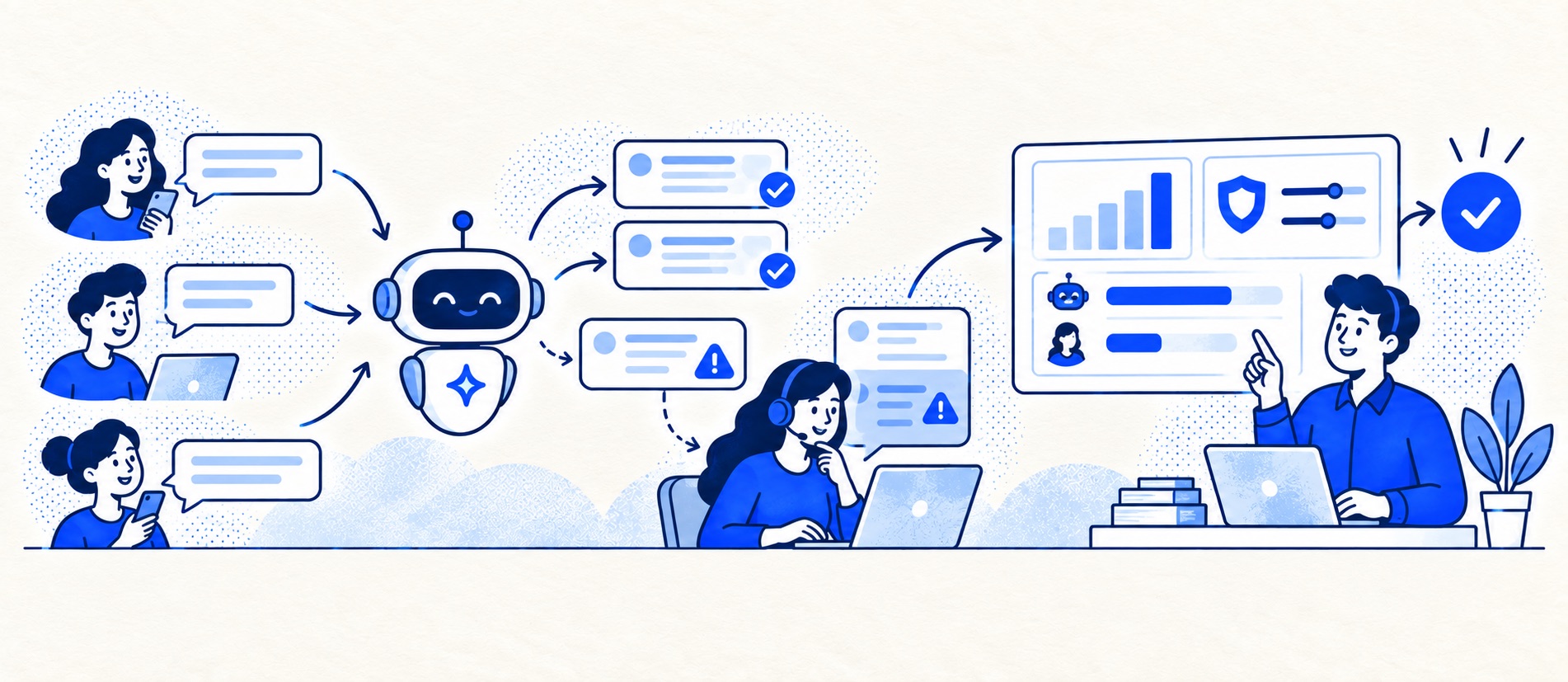
Separate AI agent, copilot, workflow and knowledge costs.
Model normal, peak and failed-handoff scenarios with the provider's billable-event rules.
Track answer quality, customer escalation and repeat contact alongside spend.
Product shortlist
AI cost models to compare
Ask each provider to state the paid unit, what counts as a successful resolution and how caps, overages and human handoff work in your chosen plan.

Gorgias
Best for: Online shops that need order context and ecommerce actions inside support conversations
Unlike per-seat tools, Gorgias prices its help desk by billable ticket volume. Its strongest case is the depth of its Shopify and ecommerce workflow integrations.
$10/month for 50 ticketsStarter includes 3 agent seats; checked September 2026
Useful strengths
- Deep Shopify order context and actions
- Costs scale by tickets rather than only by agent seats
Watch for
- Overages and AI resolutions need modelling
- Entry plan is email-only and has limited operations features
- 7-day trial
- Shopify-focused
- Ticket-volume pricing

Tidio
Best for: Small online businesses wanting website chat, ticketing, flows and optional AI in one workspace
A chat-first support workspace with a free 50-conversation monthly allowance, ticketing and separately metered Lyro AI and Flows options.
Free for 50 conversations/monthStarter from $24.17/month annually for 100; checked September 2026
Useful strengths
- Permanent free customer-service allowance
- Shopify app, chat and ticketing in one workspace
Watch for
- Human conversations have a monthly quota
- Lyro AI and Flows have separate allowances and charges
- Free tier
- Conversation-volume pricing
- Optional AI agent

HelpDesk
Best for: Small teams that want ticketing, website chat and useful automation without an enterprise platform
A focused support workspace combining ticketing, a shared inbox, website chat, messaging channels, automation and reporting in one entry plan.
$19 per user/monthEssential, billed annually; checked September 2026
Useful strengths
- Ticketing, website chat and messaging channels on Essential
- 14-day trial without a credit card
Watch for
- There is no permanent free plan
- Extra AI resolutions can add usage cost
- 14-day trial
- Email, chat and messaging
- Per-user pricing

Freshdesk
Best for: Growing teams that need proper ticketing, self-service, automation and reporting
A broad email-first help desk with ticketing, a shared inbox, a customer portal, knowledge base and out-of-the-box reporting on its entry paid plan.
$19 per agent/monthGrowth, billed annually; checked September 2026
Useful strengths
- Ticketing, shared inbox and knowledge base on Growth
- Clearer route into routing, SLAs and custom reporting
Watch for
- Omnichannel needs differ from the email-first Freshdesk plan
- AI and connector usage can add cost
- Free trial
- Email-first help desk
- Per-agent pricing
AI support costs are easy to understate because the visible product price may cover only one part of the workflow. A help desk might include reply drafting but charge separately for an autonomous agent. One product counts sessions, another counts credits, and another bills for a defined resolution. Those units are not comparable without a realistic sample of your own conversations.
Start with the customer job. If an AI assistant answers routine delivery questions accurately, that may save time. If it generates incorrect refund promises that agents later repair, a low per-conversation price is irrelevant. The AI software comparison covers product fit; this guide focuses on the budget and the conditions for using the feature responsibly.
Build a four-line AI budget
List separately: the base help desk plan, paid AI seats or add-ons, variable usage, and implementation/oversight. Usage should have a named unit and definition. Ask whether one customer issue can create several sessions, whether an escalated interaction is charged, and whether a customer reopening the issue triggers another billable event. Write the answer into the cost model.
Gorgias publishes billing rules for its help desk and AI services. Tidio separates customer-service, Lyro AI and Flows allowances on its pricing page. HelpDesk and Freshdesk publish their own AI entitlements on pricing and product pricing pages. These are reasons to compare units, not a claim that one provider has a permanently lower AI bill.
Model three scenarios
Use a normal month, a peak month and a poor-quality month. In the poor-quality case, more conversations escalate, repeat or need human correction. Calculate vendor charges and agent time in each scenario. A simple working formula is AI subscription + billable events × unit price + review and rework time. If the vendor sells bundles, apply bundle boundaries and unused credits rather than assuming perfectly smooth usage.
Record any cap, alert or hard stop. Some teams prefer to pause AI when a budget threshold is reached; others need predictable service during a peak. Decide the fallback before switching it on. A usage cap that leaves customers without a human route is not a safe cost control.
Keep the assumptions visible beside the calculation. Note what share of incoming questions is eligible for automation, the average billable units per eligible issue, the proportion that transfers to an agent and the time needed to check a suggested reply. If these figures come from a trial with a small sample, show a range rather than a precise savings promise. Recalculate when the provider changes a billing definition or the business adds a new channel.
Test whether the result is worth buying
Pilot one low-risk topic with known answer sources. Sample AI answers for accuracy, current policy, tone and privacy. Count how many customers finish the task, how many ask again and how many require agent intervention. Measure agent review time; copilot suggestions can save typing but still demand checking. Do not equate a tool-reported “resolution” with confirmed customer success.
Keep a human handoff visible and require an owner for content updates. If a product article changes, the AI knowledge source must change too. For sensitive questions or account actions, check identity and permission controls before allowing automation. The help desk security checklist and UK GDPR buyer questions apply to AI processing as well as ordinary tickets.
Put procurement questions in writing
Ask where prompts and outputs are processed, whether they are used for model training, which subprocessors are involved, how long data is retained, how the feature is disabled and how usage is exported. Ask for the current contract schedule and invoice example. A vague “AI included” answer is not enough to approve a budget. Record the pilot's quality threshold and revisit it after a product or policy change.
Build a usage-unit ledger before calculating savings
A useful ledger has one row for each separately billed unit. Public facts below were re-read in September 2026; operational rates in the worked example are fictional. Do not convert a session, credit or billed resolution into a successfully completed customer job without a separate definition of completion.
| Source / unit | Allowance or charge documented | Budgeting implication |
|---|---|---|
| HelpDesk: AI resolution | Essential lists 10 monthly resolutions; extra packages of 50 cost $49.50 | Block purchase: one extra required resolution can require a whole package |
| Freshdesk: Freddy AI Agent session | 500 trial sessions once per account; additional sessions $49 per 100 | Do not replenish the trial allowance in every forecast month |
| Tidio: Lyro conversation | First 50 conversations are a lifetime allowance; paid quotas differ | Separate Lyro from the recurring human-conversation allowance |
| Gorgias: help desk and automated interactions | Distinct billing rules and tier-dependent overages | Record whether each interaction creates one charge, both charges or neither; do not subtract tickets blindly |
For example, 51 extra HelpDesk resolutions require two 50-resolution packages under a whole-package purchase assumption: 2 × $49.50 = $99, not 51 × $0.99 = $50.49. That leaves 49 purchased units unused within this calculation. Confirm package validity and carryover separately; this arithmetic does not establish either. For Freshdesk, 501 trial sessions do not imply another free 500 next month.
A fictional cost-per-accepted-outcome model
Assume 1,000 attempted automated contacts monthly, a £100 fixed AI fee, £0.50 per charged session with no allowance, and one charged session per attempt. Define an accepted outcome as an issue completed without a human handoff or repeat contact within a reader-selected seven-day window. The window is a modelling choice, not a provider billing rule.
| Case | Charged sessions | Accepted outcomes | Vendor AI bill | Cost per accepted outcome |
|---|---|---|---|---|
| Central: assumed 60% acceptance | 1,000 | 600 | £100 + 1,000 × £0.50 = £600 | £600 ÷ 600 = £1.00 |
| Lower acceptance: assumed 40% | 1,000 | 400 | £600 | £1.50 |
| Central plus 200 additional charged sessions | 1,200 | 600 | £100 + 1,200 × £0.50 = £700 | £1.17, rounded |
| No accepted outcomes | 1,000 | 0 | £600 | Undefined; do not report £0 |
The invoice numerator uses charged sessions, while the usefulness denominator uses accepted outcomes. Extra contacts can increase the numerator without increasing completion. Failed handoffs may also require agent repair even if the provider counts the preceding automated event as billable. For resolution-priced services, replace the invoice formula with that provider's definition; do not reuse the per-session assumption.
Keep human effort and cash separate
Suppose the central case needs 400 human handoffs at six minutes each plus ten hours of quality review. That is 400 × 6 ÷ 60 + 10 = 50 hours. At a fictional internal value of £25 per hour, effort is £1,250. Adding £600 AI cash gives £1,850, or £3.08 per accepted automated outcome, if the purpose is to allocate all those costs to that denominator. This allocation is not the cost per all supported customers; choose that different denominator explicitly when that is the question.
The lower-acceptance case leaves 600 handoffs: sixty handling hours plus ten review hours, valued at £1,750. With £600 AI cash, the comparable allocated total is £2,350, or £5.88 per accepted outcome. Neither scenario establishes savings without a consistently defined alternative workflow and its costs.
Freed staff capacity is not automatically payroll cash saved. Keep wages unchanged unless the budget genuinely changes. Enter only invoice amounts in the cost calculator's software fields and record internal hours separately. This makes it possible to judge affordability without claiming an invented automation success rate or promised reduction in headcount.
Sources
The scenarios and quality threshold are Support Sorted's editorial recommendations.
Frequently asked questions
Questions readers ask before choosing
What does an AI support add-on charge for?
It varies by product. Common units include paid agent seats, chatbot conversations, sessions, credits and AI-resolved issues. Request the exact billable-event definition.
Are included AI credits enough for a small team?
That depends on your real contact volume, eligibility rules and how many interactions each issue consumes. Use a capped pilot and model a peak month.
Does a lower ticket count prove AI savings?
No. Check task completion, repeat contact, escalations, CSAT and agent review time. Customers may be stuck without creating a ticket.
Should we enable AI on every support topic?
Start with low-risk, well-documented requests. Keep sensitive, ambiguous or consequential decisions with a person until quality and controls are demonstrated.