
Product review
HubSpot Service Hub review
Our HubSpot Service Hub review covers free tools, paid seats, onboarding, help desk, CRM context and its value for growing UK teams.
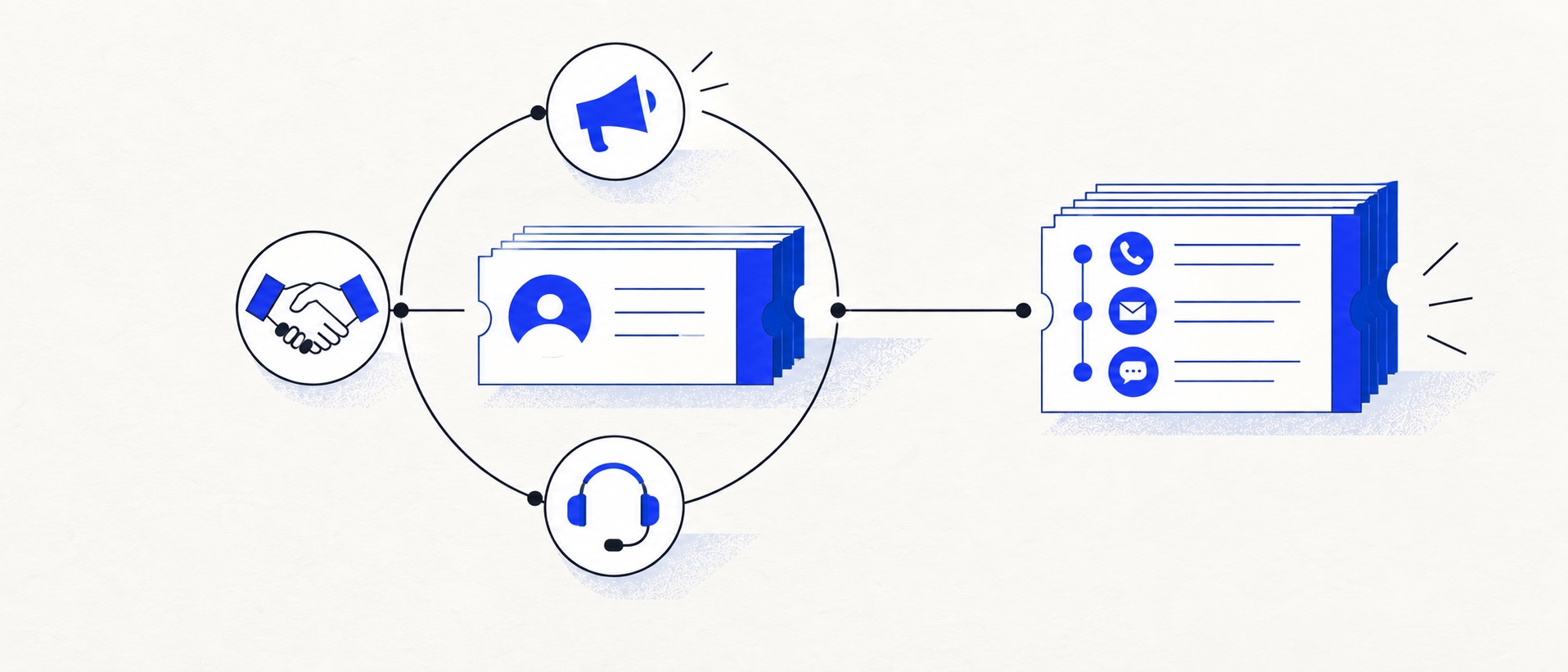
Free tools are useful for proving CRM-connected ticketing with up to two users.
Professional is the key advanced-service tier and brings a much larger per-seat bill plus required onboarding.
Buy HubSpot for cross-team customer context, not simply because the business needs a basic shared inbox.
Product shortlist
HubSpot Service Hub at a glance
HubSpot's official product mark appears with a direct provider destination.

HubSpot Service Hub
Best for: Businesses that want support, sales and marketing activity on one customer record
Free tools cover basic ticketing, inbox and live chat. The dedicated advanced help-desk workspace, knowledge base, SLAs and deeper routing are concentrated in Professional and Enterprise.
Free for up to 2 usersProfessional from $90/seat/month annually plus onboarding; checked September 2026
Useful strengths
- Support history beside CRM, sales and marketing data
- Free entry tools and a large integration marketplace
Watch for
- Advanced help desk features require a large price jump
- Professional has mandatory onboarding cost
- 14-day trial
- CRM-connected service
- Two users on free tools
HubSpot Service Hub approaches customer support from the customer record rather than only the ticket queue. An agent can work with the same contact and company context used by sales and marketing, which can remove handover gaps and make a reply more informed. That cross-team view is the product's clearest advantage.
Our verdict is that HubSpot is the best shortlist choice when CRM context is strategically important, but it is not the value winner for basic help-desk needs. The free tools offer an accessible start for two users. The advanced help-desk proposition sits much higher in Professional, with per-seat pricing and mandatory onboarding that require a broader business case.
This review uses HubSpot's current pricing, product catalogue and knowledge-base documentation.
HubSpot Service Hub pricing
| Edition | Published starting point | Buying implication |
|---|---|---|
| Free tools | $0 for up to 2 users | Useful for basic ticketing, inbox and CRM workflow |
| Starter | From $7/seat/month annually | Low entry price, but not the full advanced help-desk product |
| Professional | From $90/seat/month annually | Advanced help desk; required $1,500 onboarding |
| Enterprise | From $150/seat/month | Highest service controls; required $3,500 onboarding |
HubSpot's pricing display can vary by billing choice and region, so the figures above are a September 2026 checkpoint rather than a permanent quote. Professional was displayed at $100 per seat when paying monthly with an annual commitment, or $90 as the monthly equivalent when paying annually. Monthly invoices do not establish a cancellable monthly contract. Buyers should also model HubSpot Credits where relevant features consume them.
The gap between Starter and Professional is the critical decision. Five Professional seats at the annual-billing rate represent $450 a month before tax, with the one-off onboarding charge in addition. That can be excellent value if the same platform improves service, sales handover and customer retention; it is difficult to defend for simple assignment and saved replies alone.
Our first-year analysis: seats, onboarding and the CRM case
The decisive HubSpot question is not “Can we afford the Starter headline?” It is “Do we need the Professional service functions and shared CRM context enough to justify their complete first-year cost?” Our illustrative two-person CRM-led support team needs the advanced help-desk workspace and knowledge base. Professional is the relevant starting edition for that brief, while a team that only needs basic tickets may remain a Free or Starter candidate.
The product catalogue distinguishes full Professional Service Seats from Core and view-only access. It also identifies the new-customer per-seat model separately from legacy subscriptions. The calculations below assume a qualifying new-customer configuration, two or five full Professional Service Seats, and the published $1,500 onboarding charge. They do not assume that all employees need the same seat type.
| Configuration | Annual subscription base | First year including onboarding | Following-year base if rates stay unchanged |
|---|---|---|---|
| 2 Service Seats, pay annually | 2 × $90 × 12 = $2,160 | $3,660 | $2,160 |
| 5 Service Seats, pay annually | 5 × $90 × 12 = $5,400 | $6,900 | $5,400 |
| 2 Service Seats, pay monthly, commit annually | 2 × $100 × 12 = $2,400 | $3,900 | $2,400 |
For two annually paid seats, onboarding is $1,500 ÷ $3,660 = about 41% of the modelled first-year base-plus-onboarding bill. It should not disappear in a comparison framed as $180 a month. Equally, carrying that one-off charge into every later year would overstate the recurring base. The following-year column assumes unchanged rates and no new onboarding requirement; it is not a renewal-price guarantee.
Paying monthly in the two-seat example increases the annual subscription base by $240 at the displayed rates. Paying annually may reduce that base, but it changes cash timing. The annual base, payment schedule and first-year total should occupy separate budget fields so affordability is not confused with the lowest monthly equivalent.
Count access by job, not by headcount
List each participant and the action required: handling service work, editing shared CRM information or only viewing records. Assign the eligible seat type using current access documentation. A view-only user must not be costed as a free replacement for an agent who needs to work tickets. Conversely, five employees do not automatically establish a requirement for five Professional Service Seats. The table's five-seat row is deliberately a full-service-user scenario, not a universal five-person-company bill.
What makes the premium defensible?
Create a CRM-dependency ledger before buying Professional. For each recurring support decision, name the contact or company property needed, which team maintains it, and what the agent does differently when it is available. “We use HubSpot” is not enough; “support needs the agreed renewal state to route a specific account issue” is an actionable requirement. If the record is incomplete or ownership unclear, consolidation does not automatically create value.
Our shortlist position weakens when the brief is only email ownership and saved replies: compare Freshdesk or HelpDesk for that narrower requirement. It strengthens when the advanced service functions and maintained cross-team record are both central. No revenue increase, retention lift or hours saved is assumed in our cost analysis. Add credit consumption, migration effort and any other required Hub separately in the year-one cost model.
Free tools and Starter
The free entry point supports two users and lets a small team prove the central HubSpot proposition: a support interaction belongs to the same customer history as other business activity. Basic ticketing, inbox and live-chat functions can replace scattered records for a founder-led operation.
Free tools are not a miniature version of every Service Hub feature. Treat them as a workflow test. Define what the team can accomplish without manual work, what reporting is available and which customer-facing branding or automation limitations matter. A free account that creates clarity is valuable even if the eventual decision is another platform.
Starter offers a low paid starting price and expands the commercial relationship, but the sophisticated help-desk requirements often associated with Service Hub should be mapped to Professional. Do not assume that a feature described on a product overview belongs to Starter.
The Professional help-desk workspace
HubSpot's dedicated help-desk workspace brings connected channels and tickets into a central operating view. Official documentation lists chat, email, forms, calling, custom channels, WhatsApp and Facebook Messenger among the possible sources, with availability dependent on subscription and setup.
Professional and Enterprise add the capabilities that make this a more mature support operation. Teams can work with custom views, service-level agreements, routing and other controls, while selected functions require an assigned Service seat. This seat distinction should be documented for agents, managers and occasional collaborators.
The advantage is context. A service agent can understand the contact's company, lifecycle and relevant CRM activity without asking sales for a separate summary. The risk is data sprawl. Decide which properties are trusted, who owns them and which support updates should write back to the CRM.
Routing, channels and handover
HubSpot provides routing options for incoming help-desk work. A growing team can distribute tickets based on defined availability or ownership rather than letting agents choose only the easiest requests. During the trial, test unassigned work, agent absence, reassignment and a high-priority escalation.
Connected channels can reduce fragmentation, but they should not all be enabled at once. Each channel has an expected response pace and may have separate requirements. Begin with the sources customers already use, define opening hours and preserve context when an automated or live conversation becomes a ticket.
Cross-team handover is where HubSpot can earn its cost. A sales colleague should be able to see the service issue that affects renewal, while a support agent should see the commercial relationship without exposing inappropriate data. Permission design is part of the implementation, not a task to postpone until after launch.
Knowledge, automation and AI
A knowledge base can turn recurring service work into maintained self-service. Within the advanced HubSpot proposition, it also sits beside the CRM and ticket environment. Start with a small set of high-demand articles and track searches, views and subsequent contacts. This helps distinguish useful deflection from content that looks complete but does not answer the customer's next question.
Automation should improve handoff and consistency. Examples include assigning by account owner, creating follow-up tasks and notifying a team when a defined customer segment raises a priority issue. Keep the first workflows narrow, add clear names and monitor enrolment so an old rule does not continue acting after the business process changes.
HubSpot also uses AI and a credit model across relevant capabilities. Before budgeting, ask what consumes a credit, how usage is reported and whether a person can cap or approve spend. The answer may vary as HubSpot develops the product, which makes the current product catalogue more authoritative than an old review.
Reporting and customer success
The shared platform can connect service activity to wider customer outcomes. That is more meaningful than a support dashboard in isolation when the business wants to understand retention, renewal or onboarding. Yet cross-object reporting is only reliable when data definitions are consistent.
Agree what counts as first response, closure, escalation and customer segment. Separate operational measures an agent can influence from commercial outcomes affected by many teams. A service manager needs both, but should not confuse correlation with proof that a particular reply caused renewal.
Professional onboarding can be a benefit if it helps create a sound data and workflow foundation. It is also a mandatory cost that must be included in comparison tables. Ask what the onboarding engagement covers, what internal time is required and which implementation work remains with the customer or partner.
Limitations and alternatives
The largest limitation is price progression. A business can move from free or low-cost Starter seats to a much larger Professional commitment when it needs the recognisable advanced help desk. Adding required onboarding makes the first-year cost especially important.
HubSpot can also encourage a business to centralise more than it is ready to govern. Duplicate properties, unclear lifecycle ownership and excessive workflows reduce the advantage of a shared record. Platform consolidation should simplify customer understanding, not merely put disorder in one interface.
Freshdesk offers a more direct paid ticketing route with knowledge and standard reporting on Growth. HelpDesk is simpler for a focused queue. Zoho Desk gives three users a permanent free edition. Zendesk is the alternative when service-operations depth matters more than a unified marketing and sales platform.
Who should choose HubSpot Service Hub?
Choose HubSpot when customer support is part of a connected revenue and retention process, the organisation already trusts its HubSpot data, or several teams need a common customer timeline. Free tools are sensible for a very small operation; Professional makes sense when its advanced workspace and cross-team context solve measurable problems.
Avoid using the low Starter headline as a proxy for the full product. Price the exact seats, onboarding and credit usage required in year one and at the next hiring point. If the CRM connection is not central, a dedicated help desk may deliver the same support outcome with a simpler bill.
Trial and evaluation plan
Create two representative contacts with company and sales context, then submit enquiries through email, chat and a form. Assign tickets, change ownership, test permissions and confirm that the agent sees useful information without unnecessary exposure. Build one view, one service target and one routing rule in the intended edition.
Publish a knowledge article, create a report linking service activity to a relevant customer segment and export sample records. Finally, list every participant who needs a paid Service seat. This test makes the decision about operating value rather than brand familiarity.
Final verdict
HubSpot Service Hub can be the most strategically valuable product in this shortlist when a shared CRM genuinely improves support. The free tools provide a low-risk starting point, and Professional can support a connected, mature service process.
Its weakness is the financial and functional distance between those two experiences. Buy Professional only after the organisation proves that the advanced help desk and common customer record create value across teams. For a standalone queue, compare dedicated tools first.
Sources
- HubSpot Service Hub pricing
- HubSpot help-desk workspace overview
- HubSpot help-desk routing documentation
- HubSpot product and services catalogue
All plan facts come from provider sources. Product-fit conclusions are Support Sorted's editorial judgement.
Frequently asked questions
Questions readers ask before choosing
Is HubSpot Service Hub free?
HubSpot offers free service tools for up to two users, including basic ticketing and customer-management capabilities. Advanced help desk, knowledge and service-management features require paid editions.
How much does HubSpot Service Hub cost?
The public pricing page showed Starter from $7 per seat each month on annual terms, Professional from $90 per seat and Enterprise from $150 per seat when checked in September 2026. Professional and Enterprise also have required onboarding fees.
Is HubSpot Service Hub suitable for a small business?
It can be an excellent fit when a small business already uses HubSpot or wants support, sales and marketing on one customer record. It is harder to justify if the requirement is only a simple shared support inbox.
Does HubSpot Service Hub include a knowledge base?
HubSpot provides knowledge-base capabilities in its more advanced Service Hub proposition. Buyers should verify the current edition and seat requirements because the free and Starter entry points do not represent the full help-desk workspace.
Is Professional's pay-monthly option a monthly contract?
Not on the current public pricing selector, which labels the $100-per-seat pay-monthly option as an annual commitment. Two Professional Service Seats would total $2,400 across the year plus $1,500 required onboarding, before tax and extras. Payment frequency and cancellation rights are separate questions.