
Head-to-head comparison
LiveChat vs Zendesk Messaging
Compare LiveChat and Zendesk Messaging on real-time versus persistent conversations, tickets, staffing, plan costs and the right fit for UK support teams.
LiveChat Team costs $49 per person/month annually for multi-agent chat; Starter is one user only.
Zendesk Suite Team is £45 per agent/month paid yearly and includes messaging, live chat, knowledge and telephony.
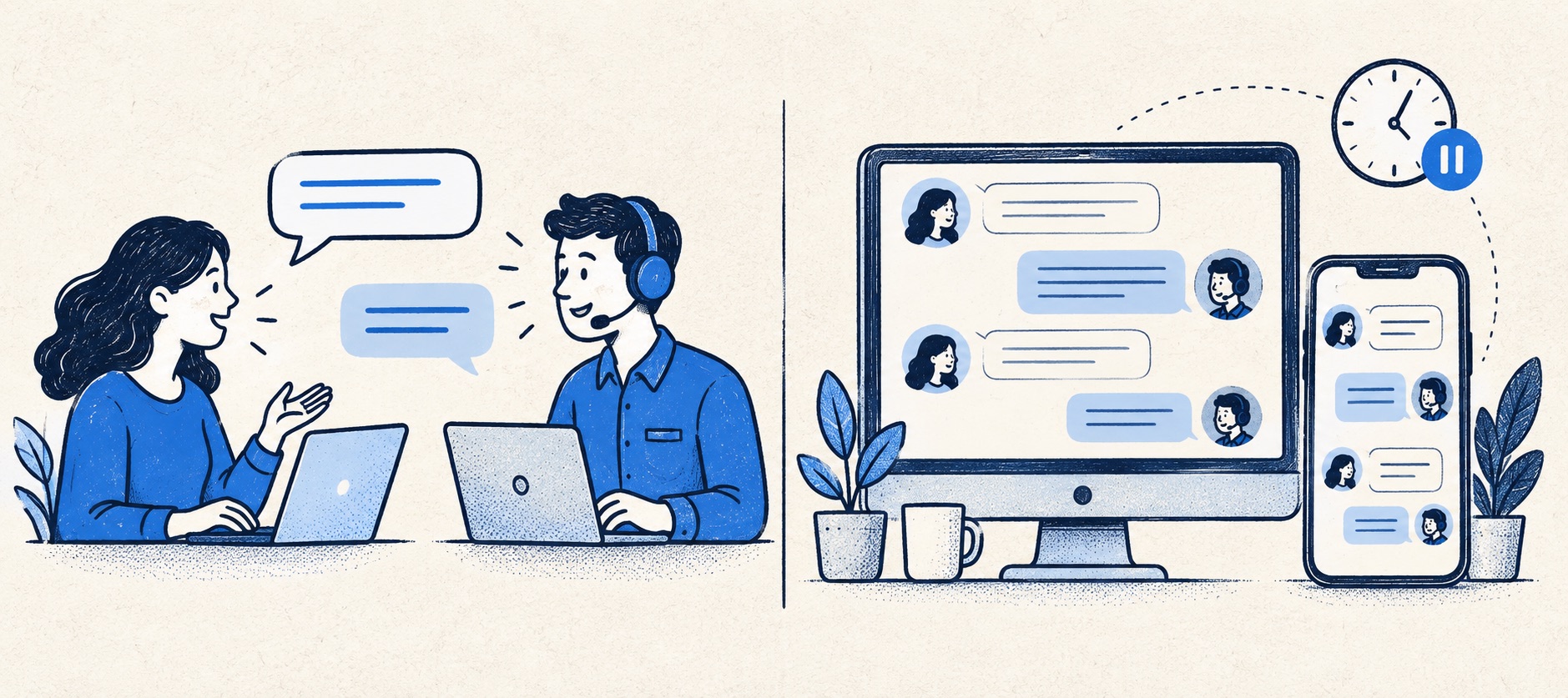
Zendesk itself distinguishes session-based live chat from conversations that can continue across time and channels.
Product shortlist
The products behind the two approaches
Compare a dedicated staffed-chat product with persistent messaging inside a broader service platform, using the relevant plan for each.

LiveChat
Best for: Teams that can staff real-time website conversations and value visitor engagement and chat reporting
A dedicated website chat platform with agent tools, visitor engagement, integrations and tiered reporting; broader ticketing can be paired with HelpDesk.
$19 per person/monthStarter, billed annually; one user and 60-day chat history; checked September 2026
Useful strengths
- Focused, mature website-chat workflow
- Broad CMS and ecommerce integration options
Watch for
- Starter is limited to one user
- Full ticketing or automation may require another product
- 14-day trial
- Per-person pricing
- Real-time website chat

Zendesk
Best for: Teams that expect multiple channels, mature routing and increasing operational complexity
The Support Team plan supplies core email ticketing, routing, analytics and automations. The broader Suite adds live chat, messaging, telephony and a knowledge base.
£15 per agent/monthSupport Team, paid yearly; checked September 2026
Useful strengths
- GBP pricing and a clear entry ticketing plan
- Strong upgrade path for multichannel operations
Watch for
- Suite Team rises to £45 per agent/month
- Small teams may buy more process than they need
- 14-day trial
- GBP pricing available
- Per-agent pricing
A buyer searching for “LiveChat vs Zendesk Messaging” may think the choice is between two chat bubbles. It is more consequential. LiveChat is a dedicated product organised around agents answering website visitors. Zendesk Messaging is a channel within a broader support system, designed to keep a conversation alive when the customer leaves and comes back. Both can feel immediate; only one is sold as a standalone chat-first workflow in this comparison.
Our verdict is LiveChat for high-quality staffed sessions; Zendesk Messaging for durable, multi-channel service history. If the business already needs a help desk, knowledge base and channel routing, compare Zendesk Suite with the whole proposed LiveChat stack. If it only needs human website chat, do not buy a full service suite by default. The comparison draws on provider pricing and channel documentation.
Quick comparison and plan boundary
| Area | LiveChat | Zendesk Messaging |
|---|---|---|
| Buying unit | Dedicated chat subscription | Channel within Zendesk Suite |
| Relevant team plan | Team $49/person/month annually | Suite Team £45/agent/month paid yearly |
| Lower headline | Starter $19/person/month, one user | Support Team £15/agent/month, primarily email/ticketing |
| Customer journey | Real-time website conversation with follow-up options | Persistent message thread with service context |
| Broader desk | Assess HelpDesk or integrations separately | Ticketing, knowledge and routing in the Suite |
The £15 Zendesk Support Team entry price is not the price to quote for a messaging implementation. Suite Team is the more relevant public reference because it lists messaging and live chat. Equally, LiveChat's $19 Starter is limited to one user, so a multi-agent team should use Team for comparison. Currency, billing term, seat count and required companion products all matter more than an apparent $4 difference.
Session-based chat versus persistent messaging
Zendesk's own documentation describes traditional live chat as synchronous: a visitor and agent meet in a session with a beginning and an end. Messaging can happen in real time, but the conversation can pause, resume and continue across supported channels while retaining history. That changes staffing expectations and case ownership.
If a shopper is comparing two items and wants a quick answer before checkout, a staffed LiveChat session can be ideal. If an account holder needs to upload evidence, wait for a specialist and return tomorrow, a persistent thread is usually more natural. A chat product can offer asynchronous features, so do not treat the distinction as absolute; test the exact user journey rather than relying on category labels.
The customer should know which promise is being made. A button that looks like live chat but yields an email reply hours later creates frustration. A messaging window that says “usually replies within a working day” can be useful because its expectation is honest. Write visible availability and response language before launching either widget.
Agent workspace and ticket history
Zendesk Messaging connects into the Zendesk Agent Workspace and ticket context. A team can route, assign and report on customer requests across channels in one service operation. This is attractive when chat is one of several ways a customer contacts the organisation and agents frequently need knowledge articles, escalations and a full case record.
LiveChat optimises the live interaction and visitor engagement. It can connect to HelpDesk for richer ticket handling, but that adds a product decision. The team must define when a chat turns into a ticket, who owns the follow-up and whether the transcript is visible to the next agent. Do not assume a connected app removes the need for a handover rule.
Run a test in which one visitor starts a conversation on desktop, returns on mobile and follows up by email. Record how the provider matches identity, what history the agent sees, and whether two separate cases are created. Repeat with an anonymous visitor who later signs in. This exposes more than a feature grid.
Routing and staffing
LiveChat is well suited to a rota that can answer quickly. Its Team plan includes basic reporting, and higher tiers add staffing and scheduling support. Directing chats by page or group can help a small sales-and-support operation, provided the queue is not split so finely that visitors wait for the one unavailable expert.
Zendesk's broader platform supports routing and service policies across messaging and other channels. This can be necessary for a company with specialist groups or formal escalations, but it introduces setup and administration. A two-person team with no routing complexity may spend more time configuring Zendesk than answering customers.
For both, set a maximum concurrent workload. An agent typing in three live conversations while also handling urgent email may appear available but provide a poor experience. Measure the backlog created by chats that need follow-up, not only the queue at the moment the widget opens.
AI and knowledge
Zendesk Suite Team includes knowledge and AI-agent capabilities under its current packaging, with outcome-based AI charges to examine separately. This can make a public help centre, automated first response and human continuation one governed flow. Confirm allowances and the definition of a billable automated resolution on the precise plan.
LiveChat can be paired with Text's knowledge, chatbot and HelpDesk products or third-party integrations. That flexibility may be useful, but the full cost and data path must be specified. It is not fair to compare a basic LiveChat subscription with a Zendesk Suite price while quietly relying on extra products to reproduce the Suite's capabilities.
In either system, give an AI assistant only approved answers and clear escalation conditions. A bot that can answer a delivery policy but invents a refund approval is a liability. Sample conversations, inspect repeat contacts and verify that a human receives the full prior exchange when the automated path fails.
Website and mobile experience
Check whether the widget blocks navigation, checkout or consent controls on a narrow screen. Test keyboard focus, screen-reader naming and the behaviour when the customer reloads a page. For Zendesk Messaging, test whether a resumed conversation really appears as expected on the supported devices and channels. For LiveChat, test what happens after the agent ends a session or goes offline.
Website installation is usually straightforward, but customer experience is not finished when the snippet runs. Write an offline state, follow-up confirmation, privacy wording and a route for urgent issues. If the service is available only on weekdays, say so at the point of contact.
Cost and decision framework
Compare three scenarios: a simple one-person website chat, a two-agent support team with regular follow-up, and a multi-channel group with a knowledge base and formal queue. For the first, LiveChat Starter can be sensible. For the second, price LiveChat Team plus any HelpDesk requirement against Zendesk Suite Team. For the third, Zendesk's broader service features may justify its setup burden.
Include AI usage, integration fees, tax and the labour spent transferring cases between systems. More importantly, quantify the customer outcome: missed chat rate, repeated explanation, time to true resolution and satisfaction. A platform that costs less per seat but regularly loses context is not cheaper in operation.
Choose LiveChat when a person can answer now and the website interaction itself is the main value. Choose Zendesk Messaging when conversation continuity, ticket ownership, knowledge and multiple channels are already central to the service. The winning choice should make it easier to keep a clear promise to the customer rather than simply add another icon to the website.
Sources
- LiveChat pricing
- LiveChat and HelpDesk integration
- Zendesk UK pricing
- Zendesk explanation of chat versus messaging
- Zendesk web widget comparison
All plan facts come from provider sources. Product-fit conclusions are Support Sorted's editorial judgement.
Frequently asked questions
Questions readers ask before choosing
Is Zendesk Messaging the same as live chat?
No. Zendesk distinguishes a session-based synchronous chat from persistent messaging that customers can pause and resume, potentially across channels. A Zendesk messaging conversation can still be answered in real time.
Is Zendesk Support Team enough for messaging?
Do not assume so from the £15 Support Team price. Zendesk lists messaging and live chat with Suite Team at £45 per agent each month, paid yearly. Confirm the exact current subscription and channel entitlements.
Is LiveChat cheaper than Zendesk Messaging?
The products are billed in different currencies and cover different scopes. LiveChat Starter is $19 for one user, but Team is $49 per person monthly on annual billing. Zendesk Suite Team is £45 per agent and includes much more than the messaging channel. Compare the complete required stack.
Can LiveChat handle a case after the visitor leaves?
It offers offline and asynchronous options, and can connect to HelpDesk for fuller ticket follow-up. Trial the exact return journey and ownership before relying on a widget alone for long-running cases.